

antoniy
Lurker
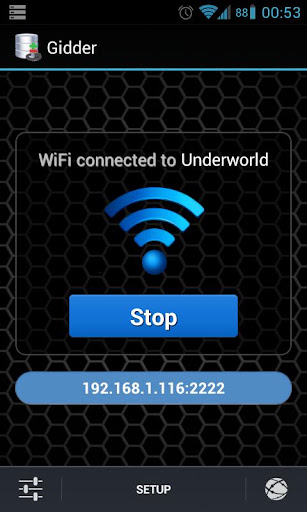



Gidder is a Git server implementation for Android that works on top of a SSH server. Access your code anywhere anytime using your Android device.
Gidder is a unique product in that it combines two very complementary ideas. The distributed version control that Git provides and the mobility of any Android device. As a reasult, you can store your projects safely and conveniently in your pocket device and just as easy access them using any WiFi connection. It doesn't matter if you are on a business trip in a hotel, at the office or at home, you can always sync your work using your Android device.
What's the fun of something if you can't share if with anyone else? That's why Gidder provides multiple users that can access any repository they have permissions to. You might want a colleague to be able to just peek at your code - no worries, Gidder gives you the ability to separate permissions to Pull and Push&Pull permissions. So with a simple click you can assign read-only permission to anyone.
Features:
- Git server over SSH for accessing your repositories.
- Support Push, Pull, Fetch and Clone Git operations which is all you need to achieve successful distribution with Git.
- User management - create, create from contact, edit, delete, activate/deactivate, set/remove permissions to repositories.
- Repository management - create, edit, delete, activate/deactivate, set/remove permissions for users.
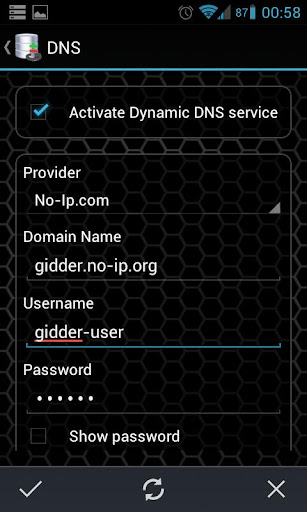
- Dynamic DNS integration. A convinient way to use the system when working in different WiFi networks and having a different IP on your laptop. By using Dynamic DNS you can easily access a server without worrying if your Git remote have the correct IP for the current WiFi network. Currently supported providers are No-IP and DynDNS.
- Auto update Dynamic DNS hostname when WiFi is On.
- Manually update Dynamic DNS with an update button.
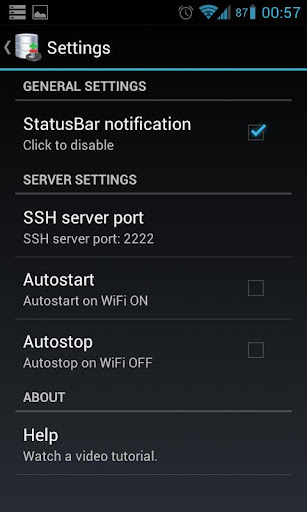
- Autostart/Autostop server on WiFi On/Off.
- Configure server port.
- Enable/Disable status bar notifications.
- Application widget for Start/Stop the server.
