Killswitch for tablets and phones
Fahrbot Mobile presents Killswitch, a utility made specifically for devices with cases.
What does Killswitch do?
The app uses a combination of sensors to control the sleep state and screen lock of any device.
At the moment, it uses the proximity sensor, light sensor and accelerometer.
Killswitch has the added advantage of removing your lockscreen via two different methods if you so wish. If you have a case, it really isnt necessary and can be annoying.
Why use Killswitch?
Killswitch will save you battery - putting your device to sleep is as intuitive as shutting your case or turning your phone face down.
All this will use no more power than any Android device does on default settings, as all of the pertinent sensors are already on all the time.
And, of course, Killswitch will show all your ipad and iphone loving mates why android is just that much more awesome

Settings for tablets should look like this:
Enable Killswitch: tick
Admin Permissions: tick
Confirmation time: 10sec
Activation delay: 6sec
No-lock: Disable screen lock
Use proximity: no tick
Use light sensor: tick
Sensitivity: 10%
Use accelerometer: no tick
After upgrading to a newer version, please go into the settings dialog and enable Killswitch again. This is not optimal, but it saves battery and cpu time by removing the necessity for a constantly running service!
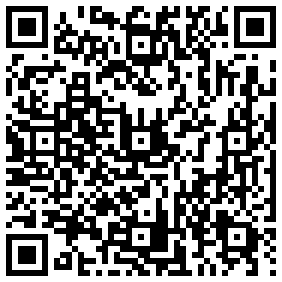
Android Market link:
The app is available right now on the Android Market.
https://market.android.com/details?id=fahrbot.apps.killswitch&feature=search_result
sleeplessninja video review:
Thanks bud.
Screens:
Fahrbot Mobile presents Killswitch, a utility made specifically for devices with cases.
What does Killswitch do?
The app uses a combination of sensors to control the sleep state and screen lock of any device.
At the moment, it uses the proximity sensor, light sensor and accelerometer.
Killswitch has the added advantage of removing your lockscreen via two different methods if you so wish. If you have a case, it really isnt necessary and can be annoying.
Why use Killswitch?
Killswitch will save you battery - putting your device to sleep is as intuitive as shutting your case or turning your phone face down.
All this will use no more power than any Android device does on default settings, as all of the pertinent sensors are already on all the time.
And, of course, Killswitch will show all your ipad and iphone loving mates why android is just that much more awesome
Settings for tablets should look like this:
Enable Killswitch: tick
Admin Permissions: tick
Confirmation time: 10sec
Activation delay: 6sec
No-lock: Disable screen lock
Use proximity: no tick
Use light sensor: tick
Sensitivity: 10%
Use accelerometer: no tick
After upgrading to a newer version, please go into the settings dialog and enable Killswitch again. This is not optimal, but it saves battery and cpu time by removing the necessity for a constantly running service!
Android Market link:
The app is available right now on the Android Market.
https://market.android.com/details?id=fahrbot.apps.killswitch&feature=search_result
sleeplessninja video review:
Thanks bud.
Screens: