• After 15+ years, we've made a big change: Android Forums is now Early Bird Club. Learn more here.

App to prevent screen off when on USB?

FFMG

Lurker
Hi,

I have my phone, (Galaxy S3), setup to 'screen lock' after 5 seconds.
(The phone locks and the display turns off after 5 seconds).
This is great for when I am walking around but not so much when the phone is connected to my PC.

Is there an app to change the lock options when connected to my PC, (via USB).

Ideally, I would like to prevent the screen for turning off and change the phone lock time delay to something a little longer, (say 30 seconds for example).

Any suggestions?

Thanks

FFMG

 
I use Widgetsoid and put a toggle in the notification bar where the screen will stay awake for 10min if plugged in (works for both USB and wall charger)
 
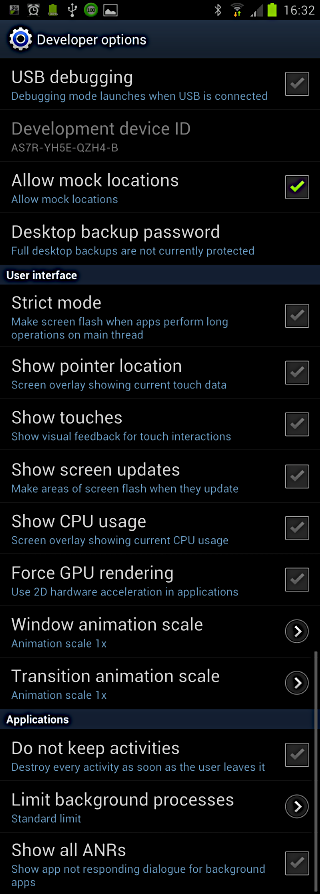
Phone->Settings->Developer options->Stay awake->Turn on

Thanks, that does work, but the phone never locks at all, (as expected).
I would like to lock it after xyz seconds/minutes.

Basically the timeout should be longer than when unplugged.

Florent
 
I use Widgetsoid and put a toggle in the notification bar where the screen will stay awake for 10min if plugged in (works for both USB and wall charger)

Thanks, I didn't know about that app, it looks neat.

I see the stay awake option, but I am not sure I follow your suggestion to 'put a toggle in the notification bar', how do you do that with that widget?

FFMG
 
you put a widget on the homescreen, then on the widget editing area, go to the "advanced" tab, check "notification bar" and "invisible"
 
you put a widget on the homescreen, then on the widget editing area, go to the "advanced" tab, check "notification bar" and "invisible"

Ah yes, ok, I got it now, 'invisible' is disabled if you select certain items/options. But it makes more sense now.

I am still a bit confused on how to lock the screen after a certain amount of time, (even if plugged in).

I also don't understand what the 'screen timeout' option is for.
I mean what are level 1, 2 and 3, what does it do?
Do it just allow you to have 3 different timeout?

Thanks again

FFMG
 
on 4.0.4 it is Settings>developer options>stay awake, and that's what it was when i was on 4.0 as well...
 
on 4.0.4 it is Settings>developer options>stay awake, and that's what it was when i was on 4.0 as well...

Not in 4.0.3:

NoStayawakein403.png

 
Back
Top Bottom