• After 15+ years, we've made a big change: Android Forums is now Early Bird Club. Learn more here.

Help Battery usage problem

I can't believe how much battery cell standby takes up either! I understand the screen taking up a lot of my battery usage but standby.... Grrrr

First of all Im sorry for hijacking this thread but it seems kind of on topic, so here goes...

Perhaps somebody can help. My S3 when taken off full charge (100%) lasts me literally 5 hours without so much as even watching a youtube video!? Is this right? I have everything turned off that does not need to be on, i.e WI-FI, GPS screen turned RIGHT down to a really low level, but still I have no juice left. I have to turn the phone off to make sure i have power left if i need to make an emergency call! Not much use for a phone lol However I have heard that the battery will take a good few charges to reach full potential, is that true?

Sorry for the questions, I am VERY new to android. Thanks in advance.

Ryan
 
First of all Im sorry for hijacking this thread but it seems kind of on topic, so here goes...

Perhaps somebody can help. My S3 when taken off full charge (100%) lasts me literally 5 hours without so much as even watching a youtube video!? Is this right? I have everything turned off that does not need to be on, i.e WI-FI, GPS screen turned RIGHT down to a really low level, but still I have no juice left. I have to turn the phone off to make sure i have power left if i need to make an emergency call! Not much use for a phone lol However I have heard that the battery will take a good few charges to reach full potential, is that true?

Sorry for the questions, I am VERY new to android. Thanks in advance.

Ryan
Is that five hours of constant use? The screen is the biggest user of power, so if that's five hours of the screen being on, you're actually getting pretty good battery life.

Otherwise, please can you post some of your battery stats from settings > battery?
 
First of all Im sorry for hijacking this thread but it seems kind of on topic, so here goes...

Perhaps somebody can help. My S3 when taken off full charge (100%) lasts me literally 5 hours without so much as even watching a youtube video!? Is this right? I have everything turned off that does not need to be on, i.e WI-FI, GPS screen turned RIGHT down to a really low level, but still I have no juice left. I have to turn the phone off to make sure i have power left if i need to make an emergency call! Not much use for a phone lol However I have heard that the battery will take a good few charges to reach full potential, is that true?

Sorry for the questions, I am VERY new to android. Thanks in advance.

Ryan
I've made your post into it's own thread to hopefully get more exposure :)

Also, have you rebooted recently? If not, try rebooting and see how it lasts. If that doesn't work, factory reset the device and see if it does the same thing with no 3rd party apps installed. If it has good battery then, it was something you installed and you can slowly reinstall every app and seeing the changes to power usage.
 
Is that five hours of constant use? The screen is the biggest user of power, so if that's five hours of the screen being on, you're actually getting pretty good battery life.

Otherwise, please can you post some of your battery stats from settings > battery?


No, It has been in my pocket almost the whole time, except to show people at work lol But other than that no, it has been screen locked and I have tried not to use it because of the battery?! Thanks for your reply btw. I will try and post up a pic of the batt stats.
 
I've made your post into it's own thread to hopefully get more exposure :)

Also, have you rebooted recently? If not, try rebooting and see how it lasts. If that doesn't work, factory reset the device and see if it does the same thing with no 3rd party apps installed. If it has good battery then, it was something you installed and you can slowly reinstall every app and seeing the changes to power usage.


Hi, and thanks I appreciate that! I did reboot it today funny enough because the icons on the home screen dissapeared but no difference in the battery life.

To give you an idea, I started work today at 10am with full charge and by 2pm it had 40% battery? Including my travelling time that just 5 hours! And i only used it to look at twitter and a few texts haha. The apps I have installed are things like, twitter, facebook, sky sports and halifax banking app. I have stayed away from things like "juice defender" as i heard it made it worse, and its early days too.

Thanks for your replies
 
No, It has been in my pocket almost the whole time, except to show people at work lol But other than that no, it has been screen locked and I have tried not to use it because of the battery?! Thanks for your reply btw. I will try and post up a pic of the batt stats.

You can hold home and power for three seconds to take a screenshot on the phone. It saves the image to the screenshots folder in your gallery.
 
You can hold home and power for three seconds to take a screenshot on the phone. It saves the image to the screenshots folder in your gallery.


Cheers pal :thumbup:


Also, just remebered I also downloaded aTorrent. BUT I have not used it when im out, only at home on charge with a wi-fi connection. However, could this be eating battery life? I have set it so it does not boot up on start up, and dont have it running.
 
When I had my gnex the same thing would happen with a few apps I downloaded. I think this is the biggest difference between iOS and android. With ios you find an app that will drain your battery like that(as in a bug)With android you need to be aware and test each app even If they are very popular ones.


I would recommend uninstalling your downloaded apps one by one with time in between to figure out which one is draining the battery.
 
Cheers pal :thumbup:


Also, just remebered I also downloaded aTorrent. BUT I have not used it when im out, only at home on charge with a wi-fi connection. However, could this be eating battery life? I have set it so it does not boot up on start up, and dont have it running.

It could be. The battery stats should give you some idea of what's using the battery. Sometimes there are apps that stop the device from sleeping. Its important to resolve these problems.
 
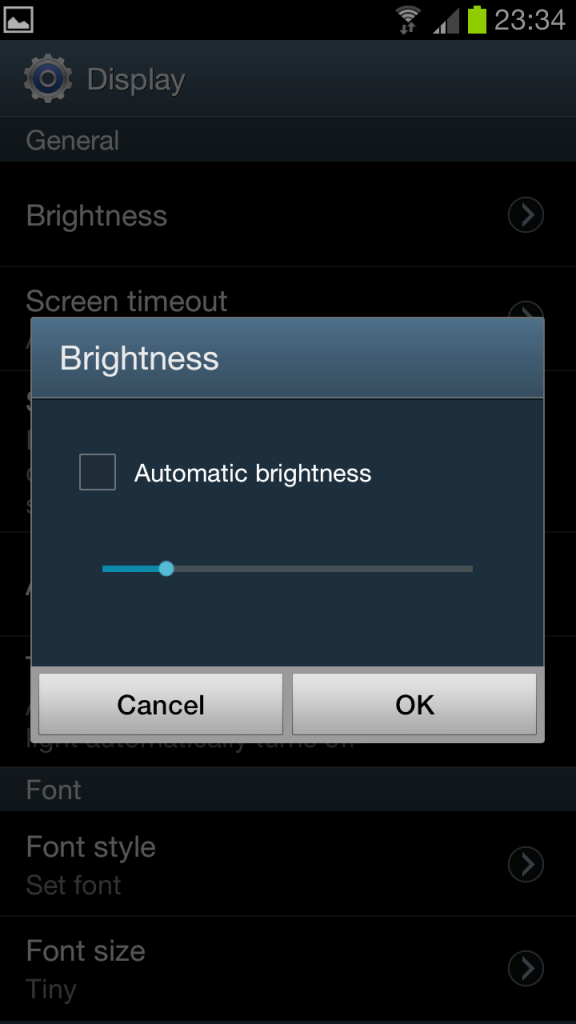
Screenshot_2012-06-10-23-33-05.png


Screenshot_2012-06-10-23-34-03.png


Screenshot_2012-06-10-23-34-20.png


Screenshot_2012-06-10-23-34-32.png
 
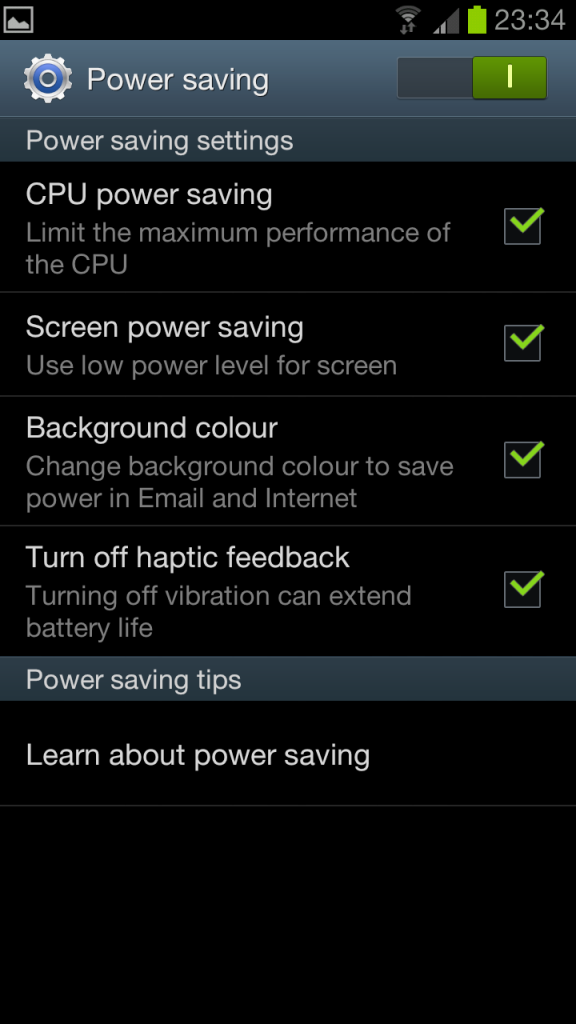
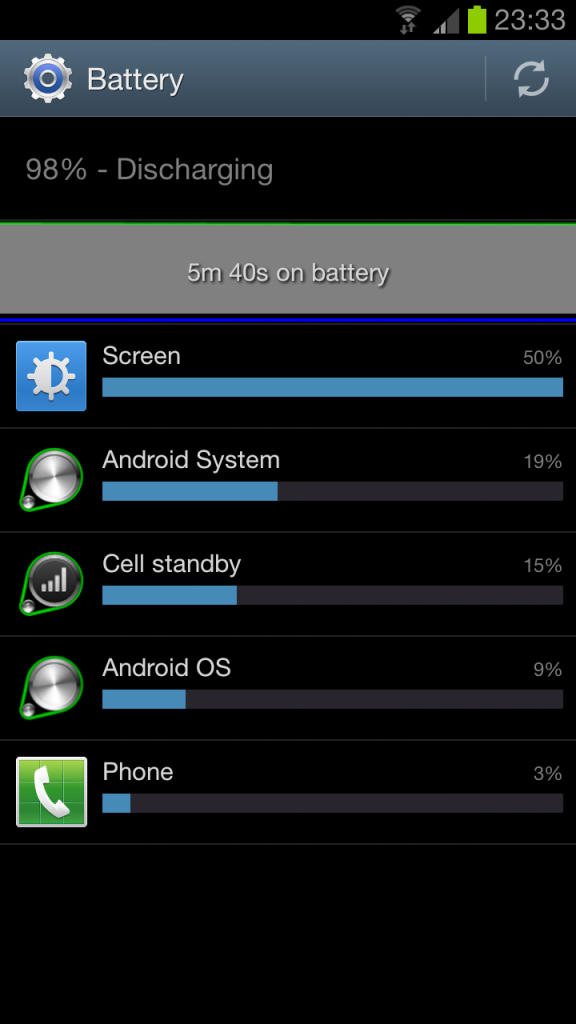
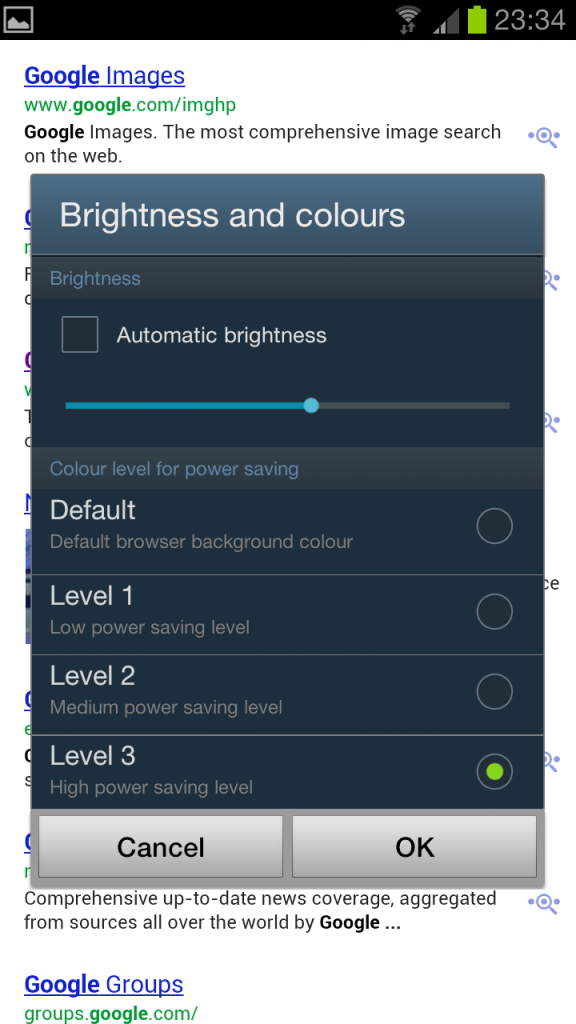
This is how it is pretty much set up, with GPS etc off too. **Bear in mind this has literally just come off a full charge as it was dead by the time I got home**

Thanks really appreciate your help...........
 
Other apps I have that I forgot to mention...

Whats app, Flash Player, Amazon, Ebay and wallpaper maker. And I have gone into ALL the setting on each app and made sure that they do not sync auto etc...
 
Can you post a picture of the battery stats when the battery has discharged to about 25%? It only includes information about what has used the battery since the phone came off the charger, so there's not a lot of information available when you have 98% left.
 
Can you post a picture of the battery stats when the battery has discharged to about 25%? It only includes information about what has used the battery since the phone came off the charger, so there's not a lot of information available when you have 98% left.

Ah, good point well presented! haha Yeah will do no probs I will put one up tomorrow when it has drained a bit. Thanks!!!
 
Wow Those are some killer built in battery saving options I did not know about. Those color options I imagine change the whites?
 
Ah, good point well presented! haha Yeah will do no probs I will put one up tomorrow when it has drained a bit. Thanks!!!

No probs! :D

Don't let this put you off Android; its a more advanced mobile os than its competitors so it also has more problems, but they're usually quite easy to resolve!

I've had four and a half hours screen on time today and still have 5% remaining, so you know its possible :p
 
Reading this makes me worried about the Verizon LTE version, especially with it being well documented that the LTE radios are a battery killer.
 
Reading this makes me worried about the Verizon LTE version, especially with it being well documented that the LTE radios are a battery killer.

cant wait until some websites start getting these for reviews and let us know but hopefully the s4 chip with lte on the processor will make it much improved we shall see!!!
 
Quick update...

Phone was fully charged this morning and within an hour of stand by/idle the battery is showing at 85%. I. Might try resetting the phone today see if that works.
 
Definitely try a factory reset mate. Those stats aren't normal.
I get through an entire day(7am-11pm) after a full charge, still with around 40% left and that's with listening to music for most of the day and having wifi on(7am-8am/5.30pm-11pm) with 3g in between all day. Plus playing a few games at toilet time on the phone too(Where's my water/Tiny Tower):o

If/When you do reset it, try running stock for one full day before installing extra bits and pieces to see if your battery usage is any better. That way you should be able to work out if it was your previous setup or if the battery is a dud(it can happen)

HTH

Elbee
 
Well, I got the S3 last week. The best I've got out of it is 2 days (~15hrs a day as it was off at night). But, thats just using the phone what I would lightly, as in some texting, web browsing and small amount of video watching. If I say watch a you tube video, I can see the battery draining. 10 minutes can amount to 5-10% battery drain and thats with the screen on 5% brightness! I'm note sure theres anything else I can turn off/down. Are other people seeing that kind of drain? As I say, standby seems to be quite good, its just when the screens on!
 
Quick update...

Phone was fully charged this morning and within an hour of stand by/idle the battery is showing at 85%. I. Might try resetting the phone today see if that works.

If you post your battery stats now it might give us some indication of what's going on :)
 
If you post your battery stats now it might give us some indication of what's going on :)


Hello mate...

I was going to do just that......BUT....

By 11am today it was down to 43%, no usage apart from a quick factory reset, in the hope that would make a difference. 2 hours later it was vibrating, so I thought I had a call (Lucky me right?!) it was basically telling me the battery was DEAD and switched itself off never to be seen again HAHA.

I have come to the conclusion that it must be a dud battery, or perhaps the device. I called o2 just now who said they will send out a phone straight away (fair play) but no blue ones in stock just yet! The phone is back on charge so not muc point in me posting batt stats now sorry. My friend with the same phone had 79% battery with alot of screen play when I had 43%...... make of that what you will but something is not right.
 
Back
Top Bottom