• After 15+ years, we've made a big change: Android Forums is now Early Bird Club. Learn more here.

Help Cannot remove Chrome tab

Hi everyone, I have an issue that has been bugging me for awhile that I can't figure out. I have a Droid Turbo with a tab from an old version of Chrome stuck open at all times. I will click the x to close it, and if I go back into my open programs, there it is. I cannot open or select the tab either. It's just there, mocking me. I travel for work and opened a tab to sign into the hotel wifi a couple months ago. It has been there since. I have cleared everything I can find from Chrome, disabled the app, tried using the old version and merging tabs, all to no avail. Any help or suggestions are appreciated.
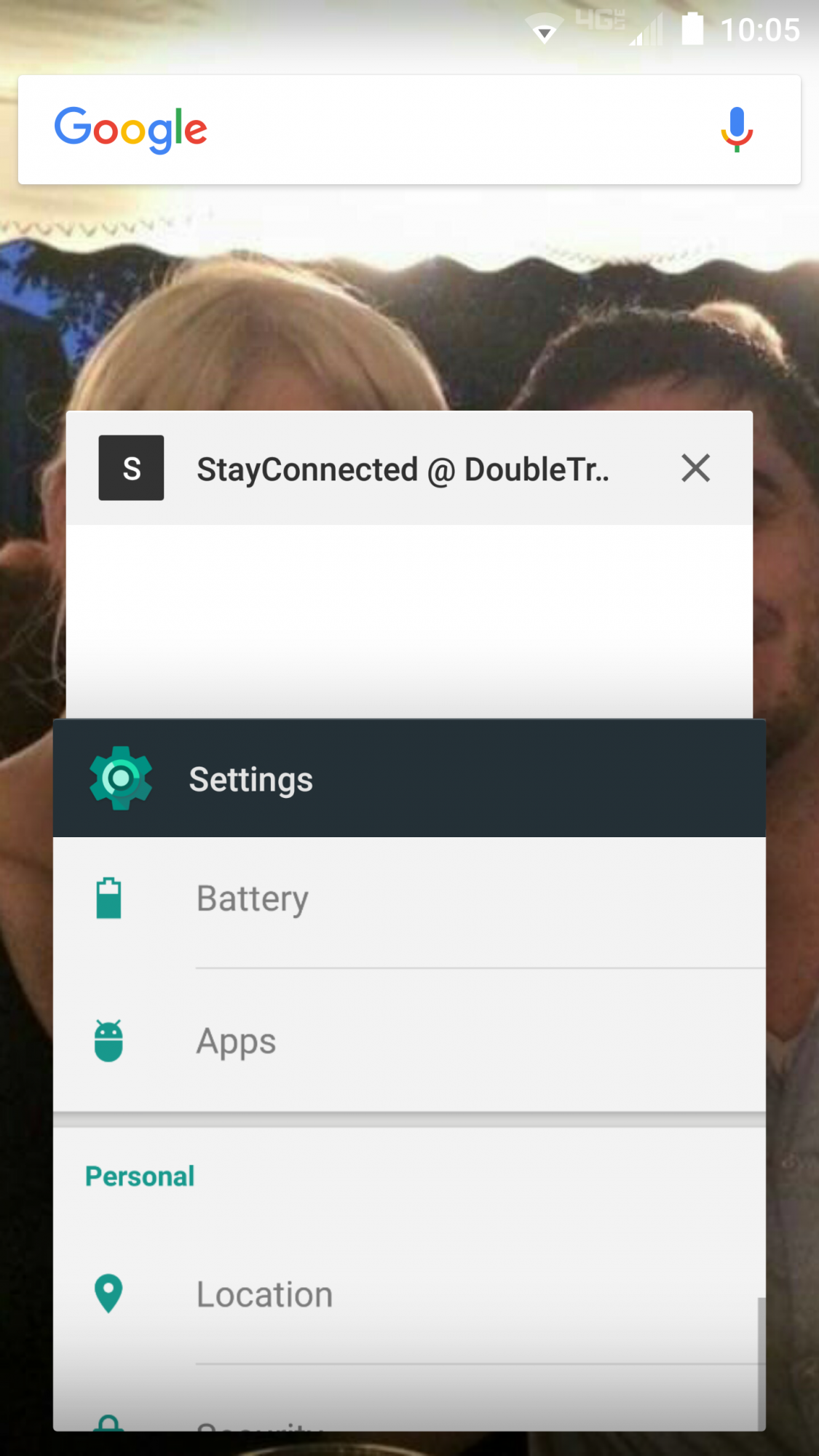
Screenshot_2016-07-24-10-05-43.png
 
When you disabled Chrome, did you clear cache and data?
Only other thing I could think of would be to boot into recovery and wipe the cache partition and reboot.
 
Strange. I have been using Chrome for years and not seen anything like you situation.
Could there be something linked to that hotel wifi keeping it active? Try looking in WiFi networks and forget/ remove their network.
Weirder things have happened.
 
That was my first thought too, so I forgot and deleted those networks.

Oddly enough, I just opened up the cascade of open apps and it is gone. After months of it being stuck there. It must've seen us talking about it, haha. No idea what happened but I'll take it
 
That was my first thought too, so I forgot and deleted those networks.

Oddly enough, I just opened up the cascade of open apps and it is gone. After months of it being stuck there. It must've seen us talking about it, haha. No idea what happened but I'll take it
Just to be sure, make sure Wi-Fi Scanning is off for Google Apps.

While it does help pinpoint your location for better use of Google services, it can keep some apps in memory even if you close them.

Access this under WiFi Settings > Advanced or under Google Settings > Location.
 
Back
Top Bottom