
Install the app
How to install the app on iOS
Follow along with the video below to see how to install our site as a web app on your home screen.
Note: This feature may not be available in some browsers.
-
After 15+ years, we've made a big change: Android Forums is now Early Bird Club. Learn more here.
You are using an out of date browser. It may not display this or other websites correctly.
You should upgrade or use an alternative browser.
You should upgrade or use an alternative browser.
Help Display Eating Battery
- Thread starter rtl061000
- Start date
-
- Tags
- nexus s 4g

~Cha~
Member
i know this may sound boring but
google "black wallpaper" pick whichever link, dont even dowload just long press the image and set is as wallpaper.
It saves you a TON of battery that and having the brightness of the phone turned off completely ( unless you're using it outside and the sun isnt letting you see properly)
i play alot with the phone, text and when i do talk its 30min or more. i unplugg the phone around 7:30ish and it can literally last me till 9pm. thats my experience. I have a solid black background which made a huge difference.
Also i try to minimize the necessity of widgets that run in the background. ( that battery widget is one of em)
google "black wallpaper" pick whichever link, dont even dowload just long press the image and set is as wallpaper.
It saves you a TON of battery that and having the brightness of the phone turned off completely ( unless you're using it outside and the sun isnt letting you see properly)
i play alot with the phone, text and when i do talk its 30min or more. i unplugg the phone around 7:30ish and it can literally last me till 9pm. thats my experience. I have a solid black background which made a huge difference.
Also i try to minimize the necessity of widgets that run in the background. ( that battery widget is one of em)
~Cha~
Member
um did you turn on and off your phone after putting the black wallpaper? cuz mine hovers around 12% most of the time ( i toggle the brightness off and on my phone thus the 12% goobling of my battery)
the battery use tab keeps a record from when the phone is switched on. so if your phone has been switched on since yesterday and it was until recently that you switched the background well the difference is not gonna show up (in my experience of observation)
You mentioned you were at work... does your phone have a good cell signal in there? because THAT really drains the battery... the constant search of 3g ( and 4G if you have that turned on) in an area where the signal is scarce
Also have you tried shutting off all background apps through manage apps tab? like music and the browser? google maps too! they do tend to stay on lurking in the background.
the battery use tab keeps a record from when the phone is switched on. so if your phone has been switched on since yesterday and it was until recently that you switched the background well the difference is not gonna show up (in my experience of observation)
You mentioned you were at work... does your phone have a good cell signal in there? because THAT really drains the battery... the constant search of 3g ( and 4G if you have that turned on) in an area where the signal is scarce
Also have you tried shutting off all background apps through manage apps tab? like music and the browser? google maps too! they do tend to stay on lurking in the background.
~Cha~
Member
The you should definitely hit the stop process on .com.android.settings
you have a virus on your phone
JUST KIDDING!!!!!!!! Wow 14mb?! are you sure it's not 1.4mb? ( mine is 1.9mb)
if its 14mb then something is def not right ... your phone is overhauling that process way too much >.> Try turning on and off your phone to see if you can reset it if that dont work i'd go to sprint... you're still well within the 30 days.
you have a virus on your phone
JUST KIDDING!!!!!!!! Wow 14mb?! are you sure it's not 1.4mb? ( mine is 1.9mb)
if its 14mb then something is def not right ... your phone is overhauling that process way too much >.> Try turning on and off your phone to see if you can reset it if that dont work i'd go to sprint... you're still well within the 30 days.

TheBlackPrince
Well-Known Member
Actually AMOLED registering 58% on the battery use seems pretty normal for that screen type. I don't think it's actually wasting battery but it is what uses the most power relative to the other things on your device.
TheBlackPrince
Well-Known Member
Interesting. Does it seem to be negatively impacting battery life?
S
socodef
Guest
My battery has last for 4h 38m today and is about dead. Display is at 31%, Google Voice is at 26%, Calls at 16% and Android OS at 9%. I'm getting terrible life with it right now and usually my display hovers around 40-50%. Not sure what the deal is.


Just got the phone about a week ago...
When checking the battery widget, it is indicating that the display is eating roughly 58% of the battery.
I know this isn't normal. Any ideas?
Your phone is new and you're playing with it a lot, so the display will eat more battery power. Once you start getting acclimated and bored, the display consumption will go down.
Earlier today at work my display was at 9%, but Pandora was at 47%.
Tonight I was tinkering, surfing and watching Netflix on my phone, so the display is now at 61%.

Shabbypenguin
Extreme Android User
the battery % is based off a whole, 100% of what has drained the battery, if the display is the most consuming bit for you then the only advice for you is to shut the screen off more often.. 
the battery % is based off a whole, 100% of what has drained the battery, if the display is the most consuming bit for you then the only advice for you is to shut the screen off more often..
Sometimes life really is that simple


bamhm182
Well-Known Member
I got a program on my phone called JuiceDefender a few days ago. Since I've only been using it for a few days, I can't yet swear up and down that it's the best thing ever, but it does appear to be leading towards that. I have it set up so that if the screens off, 3G/4G/Wifi are all off. Even when I'm using a radio, it determines which radio is the best for the situation and disables the other 2. When I'm using an app that doesn't need the radio (as defined by me), it shuts off the radios. Basically, I've only got the radio on when I need it on, the rest of the time it's automatically off. According to JuiceDefender, it has improved by battery by 42% and I'd believe it.
About the black background. Why would that help? Just because the screen's darker? I don't claim to understand screens, but if that's the case, could we have something like this:
http://i380.photobucket.com/albums/oo248/jb-dan/Inc wallpapers/dff4ebad.jpg
It's still real dark, so you have that, and it's more interesting to look at than a pure black background.
About the black background. Why would that help? Just because the screen's darker? I don't claim to understand screens, but if that's the case, could we have something like this:
http://i380.photobucket.com/albums/oo248/jb-dan/Inc wallpapers/dff4ebad.jpg
It's still real dark, so you have that, and it's more interesting to look at than a pure black background.
D
Deleted User
Guest
About the black background. Why would that help? Just because the screen's darker? I don't claim to understand screens, but if that's the case, could we have something like this:
It's still real dark, so you have that, and it's more interesting to look at than a pure black background.
The theory behind a black background on an amoled display saving juice is because of how OLED works, there is no backlight and only the pixels that are displayed are being lit. So on an LCD displaying a black background and nothing else on the screen, when the screen is on it still has the backlight on using power. On an amoled display, that same all black background with nothing else on it would consume no power even when you had the screen on.
Of course, one would have widgets and/or icons on the screen so it would use some juice but just be more efficient if the rest of the screen was black.
bamhm182
Well-Known Member
I looked into how OLED displays work, and it looks like you're right. It just shuts off the pixels that don't need to be on. That's pretty cool. I'll see how much a 100% background seems to matter. I might just get a cool background and accept that I've got a LITTLE less battery life.
bamhm182
Well-Known Member
now we just need some good black wallpapers!
You're in luck! I found a few of them:
Black Wallpaper 1
Black Wallpaper 2
Black Wallpaper 3
I think they're all pretty sweet looking. (Yeah, I realize they're all the same, but they're different resolutions!
)
boteman
Member
I got a program on my phone called JuiceDefender a few days ago. Since I've only been using it for a few days, I can't yet swear up and down that it's the best thing ever, but it does appear to be leading towards that. I have it set up so that if the screens off, 3G/4G/Wifi are all off.
And when the MTSO has an inbound voice call for you, how does it transpond with your phone when the radios are all off??? Or a text message?
I'm the last one to trick out a phone with active wallpapers and constant Twitter and Facebook updates and all that, but fer chrissakes you got a smart phone, it stands to reason that you'd use at least *some* of its features. Or maybe strap a car battery on your belt to power the thing and a liquid nitrogen cooling system for the processor?
Do they still sell plain Jane voice-only flip-phones?
bamhm182
Well-Known Member
And when the MTSO has an inbound voice call for you, how does it transpond with your phone when the radios are all off??? Or a text message?
I'm the last one to trick out a phone with active wallpapers and constant Twitter and Facebook updates and all that, but fer chrissakes you got a smart phone, it stands to reason that you'd use at least *some* of its features. Or maybe strap a car battery on your belt to power the thing and a liquid nitrogen cooling system for the processor?
Do they still sell plain Jane voice-only flip-phones?
MTSO? If I get a voicemail or SMS, I still get it instantly. Those features are part of the standard cellphone radio, 3G/4G/Wifi are ONLY used for data. So those are still enabled 100% of the time. If, for example, you were using IM+ to talk with people through text and you didn't tell JuiceDefender to keep a radio on when that application is open, you wouldn't get your messages until you turned the screen on. Either that or it would just straight sign you out. I'm not sure, but that's because that uses data. I haven't been hindered AT ALL by using this program. It functions 100% as a phone when the screen's off, the radio stays on when I'm listening to Pandora(or any other apps I've configured), and shuts off the radio automatically when I don't need it.
Either way, after a few more days of messing around with JuiceDefender, I can now swear to this program. It has increased my battery life by a substantial amount. (Note that I'm also using a plain black background and manually adjusting the screen brightness)
Yeah, they still sell those. My dad got one a few weeks back.
You're in luck! I found a few of them:
Black Wallpaper 1
Black Wallpaper 2
Black Wallpaper 3
I think they're all pretty sweet looking. (Yeah, I realize they're all the same, but they're different resolutions!
great - do 'blackish' ones get the same desired affect- i'd assume the darker the better so if not completely black it would still be better than a colorful one, correct?
bamhm182
Well-Known Member
That's what I was thinking at first, but the according to gabbott and other parts of the internet, no. Pure black shuts off the pixel completely, dark grey still displays dark grey.
EDIT: Also, I wasn't completely convinced that the background was 100% black, so I decided to make one. That way I KNOW it's 100% black and the right resolution. Here's a QR code for the "ideal" wallpaper for the Nexus S 4G.
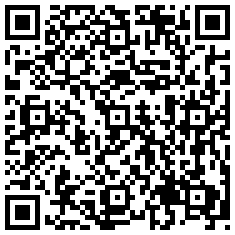
*click or read*
EDIT: Also, I wasn't completely convinced that the background was 100% black, so I decided to make one. That way I KNOW it's 100% black and the right resolution. Here's a QR code for the "ideal" wallpaper for the Nexus S 4G.

*click or read*