
• After 15+ years, we've made a big change: Android Forums is now Early Bird Club. Learn more here.

Galaxy S (Touchwiz) Launcher....Enjoy!

junkiepilot

Well-Known Member
Here is the Galaxy S Launcher in an apk for non-rooters to enjoy. Tested and working perfectly on Stock 2.1. RapidShare: 1-CLICK Web hosting - Easy Filehosting
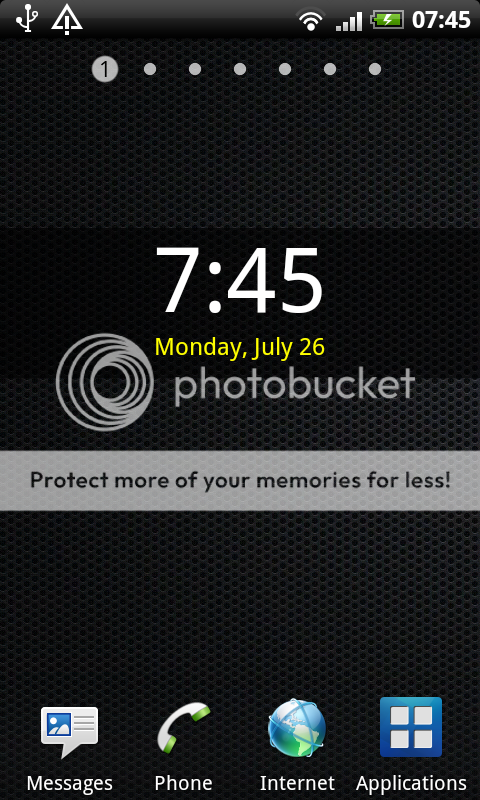
galaxy.png
galaxyapps.png
 
what is so good about this compared to the sense UI. at the moment, im very happy with sense UI and wondering how this could be an improvement? Thats if you do consider this an improvement (its a srs question btw, i oviosly have no knowledge whatsoever about samsungs UI)
 
junkie was just being kind enough to give you another choice of launcher (together with ADW, Launcher Pro etc)

it's up to you to decide if it's any good or not. install it, use it and if you don't like it, remove it.
 
I love it :) I've used launcherpro plus, adw, and normal sense but this one suits me best. One thing though, I can't work out how to change the dock icons? Any help would be very much appreciated. Thanks.

Sam.
 
Sheesh that's hideous. That's not a knock at your post, or info, just the look of the launcher.

I'm glad I chose my Desire over a Galaxy now.
 
One thing though, I can't work out how to change the dock icons? Any help would be very much appreciated. Thanks.
You have to open the 'Applications' view, then click your Menu button and select 'Edit'. You'll get an iPhone-style re-arranging screen that lets you drag apps into the dock.
 
I was searching xda last night for a rom which included this (as standard minus sense) with no luck. Am I right in thinking the touchwiz.apk is used in this video?

YouTube - HTC Desire running Samsung Galaxy S Touchwiz UI 3.0

Or is the above featuring a custom rom? Does anyone know, there is no mention in the video of what is being used, I see defrost as the rom in his settings, but couldnt find any defrost rom with touchwiz.
 
Back
Top Bottom