• After 15+ years, we've made a big change: Android Forums is now Early Bird Club. Learn more here.

Galaxy S5 Camera Thread - ** Please Post Samples! **

1. What do you mean? Can you take a screen shot of when you open your camera app?

2. is it the default/Stock camera?

3. have you done a factory reset?

Default camera; I'm in the camera like I'm taking a photo, but no gear icon, and only 3 shooting modes (auto, panorama, portrait). Have not tried to factory reset, don't want to lose everything.
 
There's something wrong with your camera app I would either download different cam app or reset now with about a month's amount of stuff as opposed to 6 months or a year ...down the road.

Good luck :-)
 
When you actually have the camera on like your going to shoot a picture, the icons (gear included) should be there.This is what you should see when the camera is ON. I am pretending to take a pic of my notebook & monitor. The gear is at the top left.

Here's what my screen looks like.
 

Attachments

  • Screenshot_2014-05-27-12-29-19.jpg
    Screenshot_2014-05-27-12-29-19.jpg
    18.8 KB · Views: 214
Just starting to make use of the camera...most pics to date have been good. Except for this event, see attached/inserted pic (indoor, large auditorium, dimmed lighting,from afar). Is that type environment just too much to expect good results? thanks...
 

Attachments

  • 20140521_201056.jpg
    20140521_201056.jpg
    25.9 KB · Views: 181
Just starting to make use of the camera...most pics to date have been good. Except for this event, see attached/inserted pic (indoor, large auditorium, dimmed lighting,from afar). Is that type environment just too much to expect good results? thanks...

Did you have picture stabilization on?
What was your ISO? Should be on 800
 
Here's what my screen looks like.

Yep, your missing the gear. You should reboot phone to see if it fixes it and if that don't, factory reset, if still no gear, take it where you bought it and show them. You should get a new phone.
 
I have to turn stabilization off to be able to manually set ISO.

Anywho, here is a couple shots from mine
 

Attachments

  • 1401507412215.jpg
    1401507412215.jpg
    50.8 KB · Views: 193
  • 1401507433438.jpg
    1401507433438.jpg
    74.9 KB · Views: 210
Hi everyone just thought id ask. when i first got the S5 it took some really crisp snappy photos. they took instantly and came out crystal clear. which were brilliant. i had to do a factory reset to try and cure a problem (which didn't work) and now the camera shots appear to not be as sharp. infact in comparison to my s3 i would say it wasn't any better. some of the s3 shots come out crisper.

I have tinkered with the settings and no joy. i put them back to default again. i have checked the lens hasn't got a fingerprint on. it hasn't. i can see a very very faint arc inside the lens cover around the outside of the lens. don't know if that just my eyes sight but i don't recall it being there before. I have the phone 3 weeks and its never been dropped, thrown or even slightly man handled.

what have i done to my lovely s5? Ive tried tinkering with the settings etc and i don't understand why it isn't taking photos as good as before. i have turned picture stabilisation off as i kept trying to take photos of the kids but everything was a bit hazy. i took a photo of my garden but the whole picture isn't in focus. Some of it is and some of it isn't and you can't make out all the blades of grass. You'd of though it was an 5 or 8mp camera and not a 16. i took a photo of the kids in the forest and the same thing again. some of the shot is in focus and some of it isn't. its on auto same as before. when compared to my s3 the s3 is a lot punchier.

has my camera developed a fault or is it because of the factory reset? or am i just expecting too much?
 
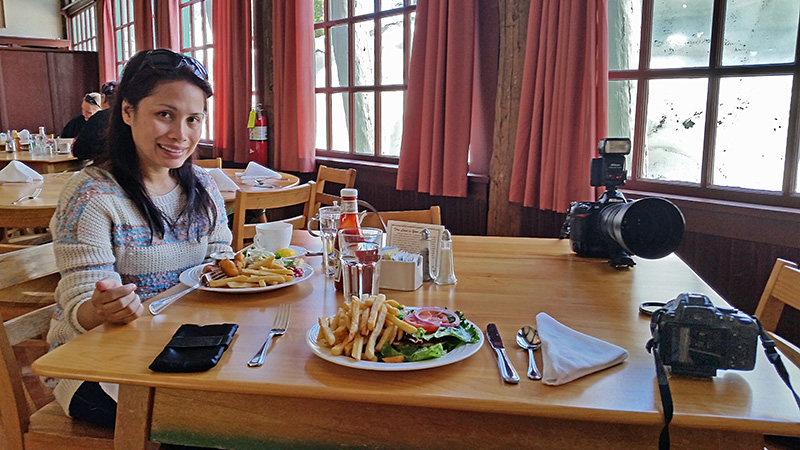
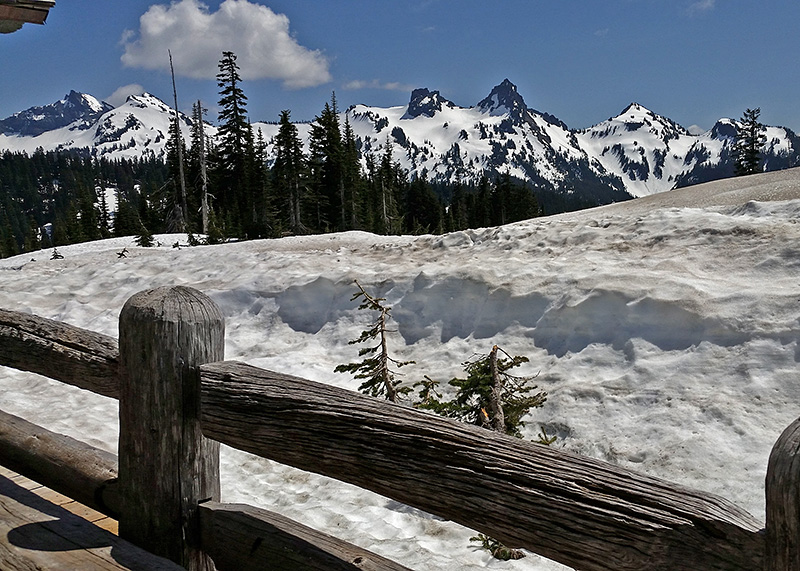
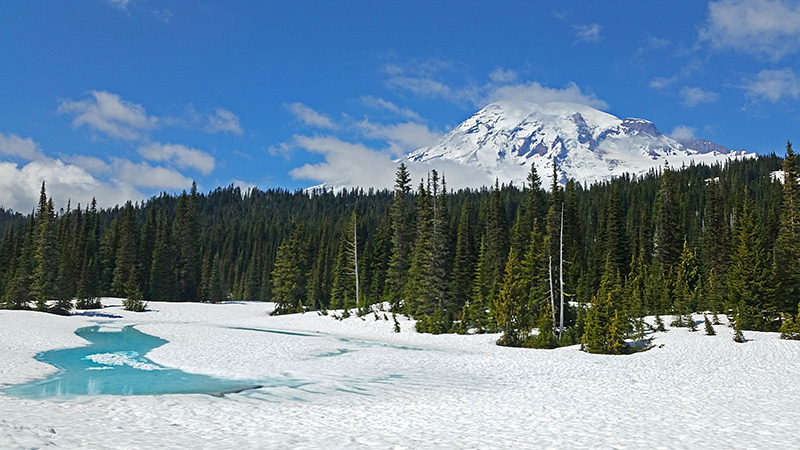
My wife and I went up to Mt Rainier National Park yesterday. Gorgeous day.

This was at the 114 year old Paradise Lodge Inn Restaurant.

S5-MtRainier-800.jpg


Taken from the Lodge.

S5-MtRainier3-800.jpg


At Reflection Lake that was just starting to thaw out.

S5-MtRainier4-800.jpg


I'm pretty pleased the way the S5 is doing. Could be a little better indoors though.
 
I didn't want to hear that baileysqueen. I liked the gs3 more than the gs4 overall. So far, I don't really care for the gs5. Here a sample of my camera.
aje6usup.jpg
 
Thanks, I will try. I haven't taken mine to be replaced yet. Has anyone else noticed after taking a picture, the camera app closes? Maybe another weird setting.
 
Please help.I am a novice.I got my phone and the next day went to California for a vacation.Took two panaramic pics on my phone that I love.One is the la skyline at night with sunset strip in view and the other is the pacific ocean at sunset in santa monica.
the problem is the pic is tiny and I dont know how to enlarge to make a print.I have transferred to google, cloud, and picasa.No matter what the pic is the same size.Please help me.I have googled searched and still can't find any help.
Thank you in advance for any and all help it will be greatly appreciated.
Thank you,
melissa h
 
Thanks, I will try. I haven't taken mine to be replaced yet. Has anyone else noticed after taking a picture, the camera app closes? Maybe another weird setting.

Maybe consider - http://androidforums.com/showthread.php?p=6622711


Might work. Not sure.
Please help.I am a novice.I got my phone and the next day went to California for a vacation.Took two panaramic pics on my phone that I love.One is the la skyline at night with sunset strip in view and the other is the pacific ocean at sunset in santa monica.
the problem is the pic is tiny and I dont know how to enlarge to make a print.I have transferred to google, cloud, and picasa.No matter what the pic is the same size.Please help me.I have googled searched and still can't find any help.
Thank you in advance for any and all help it will be greatly appreciated.
Thank you,
melissa h

I wonder if it's the upload or your browser getting confused.

Can you share one of the links so I/we can check it with you?
 
file:///C:/Documents%20and%20Settings/Missy/Downloads/20140422_195038_Anne_PerfectlyClear.jpg,
https://plus.google.com/u/0/photos/yourphotos?pid=6006027957359708034&oid=114571896901482458742,
https://plus.google.com/u/0/photos/yourphotos?pid=6005998838122459570&oid=114571896901482458742,
I hope this helps.
Thank you for looking

Google makes photo sharing really hard (not like before) without us joining G+ circles and a chicken dance. Basically - I can't get to your pictures with those links.

Let's try this, it might work, I'm not sure but it used to -

Please bring up your pictures and try a right click, view picture. If that works, please copy and paste the link here.

And by the way - welcome to the forums! :)
 
Thank you again.I don't know if they uploaded but here they are again.uploaded straight from my phone
 

Attachments

  • 1404063830612.jpg
    1404063830612.jpg
    9.3 KB · Views: 211
  • 1404063838959.jpg
    1404063838959.jpg
    8.5 KB · Views: 194
#98 (permalink)
trojanmom
New Member

Join Date: Jun 2014
Posts: 4

Device(s):
Carrier: Not Provided

Thanks: 0
Thanked 0 Times in 0 Posts
Default
Thank you again.I don't know if they uploaded but here they are again.uploaded straight from my phone
Attached Thumbnails
Galaxy S5 Camera Thread - ** Please Post Samples! **-1404063830612.jpg Galaxy S5 Camera Thread - ** Please Post Samples! **-1404063838959.jpg
trojanmom is online now Report Post
Last edited by trojanmom; Today at 04:15 PM. Reason: repost
 
Yep they uploaded here trojanmom - but - our web software shrinks everything.

I'm not familiar with your setup, but I'm wondering if you're somehow getting thumbnail views rather than the pictures themselves up to your Google Drive...
 
Back
Top Bottom