
mcidclan
Newbie

Slide to the green or yellow bricks by tilting your device.
But watch out for the traps on the others!
Seven bricks can be found.
- The blue causes the ball to bounce.
- The purple produces greater bounce.
- The black restarts the current level.
Except for the black ball.
- The brown is a breakable brick for all balls.
- The pink is a breakable brick only for the pink ball.
- The green gives access to the next level.
- Yellows gives access to the next level,
if all of them were destroyed.
Shotscreens of the previous version.
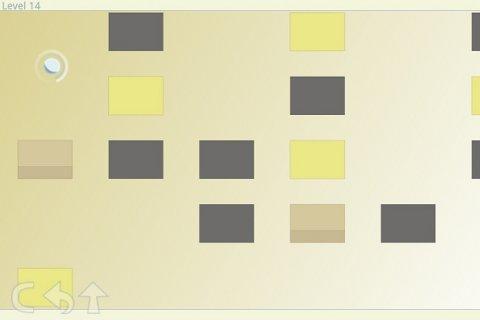
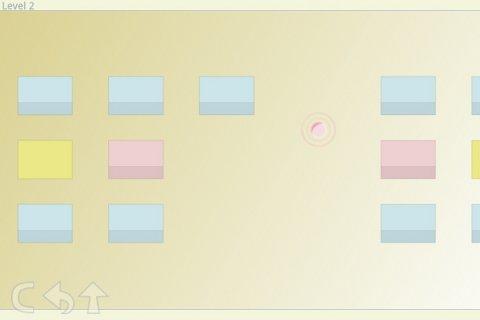
Available icons in game, from the left to right.
- the first allows you to relaunch the calibration step.
- The second allows you to reset the current level.
- The third allows you to back to root menu.
- The next is used to change the ball property.
Tilt the device toward the direction you want to move the ball.
Previous version in video
[Android Game] Slide and Live v1.4+ - YouTube
Download
Available for free in google play http://bit.ly/NyNake
Enjoy!