• After 15+ years, we've made a big change: Android Forums is now Early Bird Club. Learn more here.

Root getting swap to work?

cwhatever

Life Goes On
i am on koumamod 1.7. i used sdparter app, and have 4 partitions, fat ,ext-4,ext-4,swap

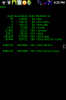
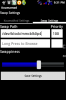
then i did this in koumamod
2012-06-23 21.31.24.png
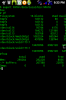
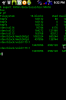
and this is what happens, any answer why or what is wrong why nothing in swap but have swap partition? or how to get it in swap partition?
2012-06-23 21.32.48.png
2012-06-23 21.33.06.png
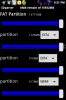
2012-06-23 21.33.39.png

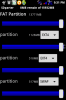
what i have for sd part. is on bottom, sorry ended up that way
 

Attachments

  • 2012-06-23 21.31.51.png
    2012-06-23 21.31.51.png
    28.7 KB · Views: 83
i put swap in system/sd and will show #'s in terminal but then takes up internal mem, so will work but don't understand why won't go on 4th part?
 
i have tried it like really, no exageration 30 diff. ways and will not go, terminal free says 0 0 0, but one way on internal and gives #'s ??? and don't want it that way, my mem goes from 79 minus whatever i make it. so now wasted space on sd. which is what i thought this would do by making another partition to run ssm and swap total of 4?
 
so this is what the partitioner apk did?
2012-06-23 21.31.51.png
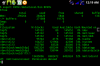
and then why is there only mmblkop2,3 and why no 4?? might be why won't work? might need to fix this?
2012-06-24 00.19.41.png
 
I think the issue you have is that you have the partition, but it isn't mounted as anything.
Try flashing this
http://db.tt/BaQaJgB0
It will create the folder /system/swap
It will also place a file in init.d that will mount 0p4 as /system/swap

You will then direct koumamod swap to /system/swap

Edit-fixed typo in script. Though, it seems a reboot was all that was needed... Lol.
 
Mine looks the same way, but if you type free in terminal, all my used swap shows up as well as what's free. Try it.

4418835c-9b30-6dcc.jpg
 
I think the issue you have is that you have the partition, but it isn't mounted as anything.
Try flashing this
http://db.tt/AT3ePTbp
It will create the folder /system/swap
It will also place a file in init.d that will mount 0p4 as /system/swap

You will then direct koumamod swap to /system/swap
that sounds right, i tried from dropbox to mine and then download to sd an i get (e:error in /sdcard/swapmount.zip)
(status 6)
installation aborted.
did this bolth ways?
 
so i seen it then LORDV seen it , so how do you get the swap partition to mount? see everyone running data no problem but if want ssm i guess not?
 
i guess this only works if on data because have heard manny complaints and when on data no one ever comes back? but i guess ssm , just no way and haven't heard of anyone saying otherwise? no problem, really!! mine works great but thought i'd try something else and just a no go. odined 3 times and formated a bounch and partitioned with kouma app and won't work so just IDK???
 
is all cool!!! and no need to reply anymore to this problem because seem like no one else is having this problem? mine is super fast the way it is and thought might be better ??
and no one will have an answer to this, so it seems but is ok!!!
 
Sorry you are having trouble with it, my friend. I've not had a problem since initial set up and have had to set it up several times since. I only asked about the reboot because mine looks like yours... all 0's after setup. I reboot and it mounts and all is good from then on. Swap partition with Ssm works great for me. :cool:
 
Sorry you are having trouble with it, my friend. I've not had a problem since initial set up and have had to set it up several times since. I only asked about the reboot because mine looks like yours... all 0's after setup. I reboot and it mounts and all is good from then on. Swap partition with Ssm works great for me. :cool:
is that swp with 4 partitions?
 
Sorry you are having trouble with it, my friend. I've not had a problem since initial set up and have had to set it up several times since. I only asked about the reboot because mine looks like yours... all 0's after setup. I reboot and it mounts and all is good from then on. Swap partition with Ssm works great for me. :cool:
i guess frustration sets in, just tried that and worked. thanks a whole bunch!!! thought i did all that, but guess not!!!
 
is that swp with 4 partitions?

try swapper 2 thats what i use for swap partion with swapper2 go to settings where it says place swap file click that and clear it out then change swappiness to like 20 that is what i use then go to advanced check use partion then click what partion u want to use and its like mmlo.... at the end there is a number3 change it to 4 (if u dont it will try to use your ssm partion as a swap ) also disable the swap in kouma mod works for me
 
I think the issue you have is that you have the partition, but it isn't mounted as anything.
Try flashing this
http://db.tt/BaQaJgB0
It will create the folder /system/swap
It will also place a file in init.d that will mount 0p4 as /system/swap

You will then direct koumamod swap to /system/swap

Edit-fixed typo in script. Though, it seems a reboot was all that was needed... Lol.


Thanks for posting this file...i guess this is what i've been missing the whole time to get SSM with a working swap. Thanks to cwhatever for posting this thread. I've posted my own threads bout this and even asked on different threads and never really got a definite answer.. Thanks once again....ya'll are awesome.
 
Back
Top Bottom