
Install the app
How to install the app on iOS
Follow along with the video below to see how to install our site as a web app on your home screen.
Note: This feature may not be available in some browsers.
-
After 15+ years, we've made a big change: Android Forums is now Early Bird Club. Learn more here.
You are using an out of date browser. It may not display this or other websites correctly.
You should upgrade or use an alternative browser.
You should upgrade or use an alternative browser.
Help Google play pop up ad
- Thread starter jleong864
- Start date
-
- Tags
- samsung galaxy s5


AZgl1500
Extreme Android User
You got a "ride along" piece of malware that has secured itself into the OS.
I got one of those 10 months or so back....
I never was able to get rid of it, until I did the dreaded Factory Data Reset.
Those often ride along on stuff that is installed that did NOT come from the Play Store.
I got one of those 10 months or so back....
I never was able to get rid of it, until I did the dreaded Factory Data Reset.
Those often ride along on stuff that is installed that did NOT come from the Play Store.
AZgl1500
Extreme Android User
I using Nova Launcher, which is an option you can try.
You do NOT have to delete you current launcher, you can have several on tap, and switch between them.
this Home Smack app will let you switch between launchers.
https://play.google.com/store/apps/details?id=com.teslacoilsw.homesmack&hl=en
You do NOT have to delete you current launcher, you can have several on tap, and switch between them.
this Home Smack app will let you switch between launchers.
https://play.google.com/store/apps/details?id=com.teslacoilsw.homesmack&hl=en
AZgl1500
Extreme Android User
Give Nova Launcher a try,
It has some neat benefits as it will back up the home screens to the extSDcard, or you can send them to the cloud or email. If you have to do a FDR, with Nova Launcher installed, you can restore the home screens from before the DFR.
I also like Super Backup for handling the apps, data, and other info.
check them both out.
* Nova Launcher - Android Apps on Google Play
* Super Backup : SMS & Contacts - Android Apps on Google Play
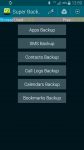
It has some neat benefits as it will back up the home screens to the extSDcard, or you can send them to the cloud or email. If you have to do a FDR, with Nova Launcher installed, you can restore the home screens from before the DFR.
I also like Super Backup for handling the apps, data, and other info.
check them both out.
* Nova Launcher - Android Apps on Google Play
* Super Backup : SMS & Contacts - Android Apps on Google Play
Last edited:

AZgl1500
Extreme Android User
What swung me over to Nova was it implicitly tells you up front that it will save home page screens complete with all folder information to a storage location of your choice.
I have found that it will:
Save a backup to:
Share => Brings up a list of ways to share/store the file. On my S5 it shows, Evernote, Hightail, Blue Mail, Bluetooth, Drive, Email, Gmail, Wi-Fi Direct.
..... so far I have only used Blue Mail and Drive and it worked great with both of those.
Device Storage No way to define where it goes, and can't find it with a file manager either, but it does save it and Restore can see the saved files. They are hidden from a file manager though.
Document Storage Saves it to the SD card. at least it did for me. The first time I did this it showed me the SD card as an option and then it also allowed me to create a Folder. I did and called it Nova Backup. Now it don't ask me anymore, it just saves it to that folder on the SD card.
I have to say that I am impressed with Nova's backup and restore capabilities. It also has a much easier way of assigning which Home Page is the one that the Home Key button will access.
I now have multiple copies of my Home pages backed up all over the place. On the phone, on the SD card, on my PC and in the Cloud on Drive.
So, a three step process to clone your phone from a Factory Reset:
1) Kies 3.0 it repair it and get it going again.
2) Super Backup will restore all of your $$ paid apps and data
3) Nova Launcher will restore all of your Home pages
I have found that it will:
Save a backup to:
Share => Brings up a list of ways to share/store the file. On my S5 it shows, Evernote, Hightail, Blue Mail, Bluetooth, Drive, Email, Gmail, Wi-Fi Direct.
..... so far I have only used Blue Mail and Drive and it worked great with both of those.
Device Storage No way to define where it goes, and can't find it with a file manager either, but it does save it and Restore can see the saved files. They are hidden from a file manager though.
Document Storage Saves it to the SD card. at least it did for me. The first time I did this it showed me the SD card as an option and then it also allowed me to create a Folder. I did and called it Nova Backup. Now it don't ask me anymore, it just saves it to that folder on the SD card.
I have to say that I am impressed with Nova's backup and restore capabilities. It also has a much easier way of assigning which Home Page is the one that the Home Key button will access.
I now have multiple copies of my Home pages backed up all over the place. On the phone, on the SD card, on my PC and in the Cloud on Drive.
So, a three step process to clone your phone from a Factory Reset:
1) Kies 3.0 it repair it and get it going again.
2) Super Backup will restore all of your $$ paid apps and data
3) Nova Launcher will restore all of your Home pages
AZgl1500
Extreme Android User
That sounds interesting...there is a option in my files when you go into the settings to show hidden files
I need to check into that, when I wrote the post above (today's is a copy), I was new to my smartphone.
AZgl1500
Extreme Android User
Ahhh ok. You sound pretty knowledgeable.
Long way from being an expert.....
Just been an electronics tech for 40+ years, since 1958.
Android is a 'johnny come lately' thing for me about 3 years ago.
I am an 'end user' of the stuff, have no intentions of ever learning to program the stuff.