MonDillinger
Well-Known Member
If you bricked and do not have TWRP installed on your phone, this is the fix. In order for this, you had to have been previously rooted. This is for those that flashed a custom rom and replaced TWRP with the boot.img for R/W access. If you still have TWRP, either just factory reset or wipe cache and dalvik cache, then reboot.
Prerequisites:
A. Computer
B. ADB installed/ basic knowledge (if you don't know how to work ADB, step away from this and learn, I won't be covering that here)
C. The phone
D. Time
E. Precision (you can make things worse if done wrong)
D. A stock ROM (Butternoob), you may need this depending on your circumstances
Instructions
1. Boot into FTM mode (power + volume down)
2. Once you see the "FTM" on the screen, plug your phone into the computer via USB.
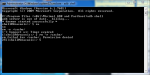
3. Open adb and type "adb devices" to verify connectivity.
4. Then push your Twrp recovery to your tmp directory. So you need to type "adb push /path/to/twrp.img /data/local/tmp"
5. Type "adb shell", then type "su" to get shell root
6. Then you are going to need to write recovery to its partition. Type "dd if=/data/local/tmp/twrp.img of=/dev/block/platform/msm_sdcc.1/by-name/recovery"
Optional: push stock ROM to /data/local/tmp if you don't have one on your SD Card already, and move it to your sdcard using the TWRP file manager.
From here, you can flash and fix or whatever you need to do. I did this many times during butternoob testing.
Q&A:
1. "Can you write a script?" No. This is basic Android, it takes longer to write the script than it does to just follow this guide.
2. "Questions about ADB" - Please refer to an adb guide on the internet, as I won't be covering those or answering those unless I feel it necessary. Again, this is basic android, and if you made it as far as a brick, you should know how to fix the problems.
Not trying to be a jerk, but I don't want the thread flooded with noob questions seeing as how simple this is. I will, however, answer real inquiries that will provide insight for thread readers.
Thanks guys.
Prerequisites:
A. Computer
B. ADB installed/ basic knowledge (if you don't know how to work ADB, step away from this and learn, I won't be covering that here)
C. The phone
D. Time
E. Precision (you can make things worse if done wrong)
D. A stock ROM (Butternoob), you may need this depending on your circumstances
Instructions
1. Boot into FTM mode (power + volume down)
2. Once you see the "FTM" on the screen, plug your phone into the computer via USB.
3. Open adb and type "adb devices" to verify connectivity.
4. Then push your Twrp recovery to your tmp directory. So you need to type "adb push /path/to/twrp.img /data/local/tmp"
5. Type "adb shell", then type "su" to get shell root
6. Then you are going to need to write recovery to its partition. Type "dd if=/data/local/tmp/twrp.img of=/dev/block/platform/msm_sdcc.1/by-name/recovery"
Optional: push stock ROM to /data/local/tmp if you don't have one on your SD Card already, and move it to your sdcard using the TWRP file manager.
From here, you can flash and fix or whatever you need to do. I did this many times during butternoob testing.
Q&A:
1. "Can you write a script?" No. This is basic Android, it takes longer to write the script than it does to just follow this guide.
2. "Questions about ADB" - Please refer to an adb guide on the internet, as I won't be covering those or answering those unless I feel it necessary. Again, this is basic android, and if you made it as far as a brick, you should know how to fix the problems.
Not trying to be a jerk, but I don't want the thread flooded with noob questions seeing as how simple this is. I will, however, answer real inquiries that will provide insight for thread readers.
Thanks guys.
Last edited: