
Install the app
How to install the app on iOS
Follow along with the video below to see how to install our site as a web app on your home screen.
Note: This feature may not be available in some browsers.
-
After 15+ years, we've made a big change: Android Forums is now Early Bird Club. Learn more here.
You are using an out of date browser. It may not display this or other websites correctly.
You should upgrade or use an alternative browser.
You should upgrade or use an alternative browser.
Help Handwriting to text mode
- Thread starter Sovby
- Start date


NeoGrandizer
Android Expert
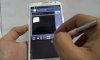
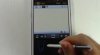
It's built in the default Samsung keyboard. Choose text entry instead of keyboard entry. How you access this will be dependent on the carrier. On my Note 2, there is a 'T' with a pen beside it. Press that and it switches to handwriting to text mode. However, on others, you may need to press and hold on the gear icon to get the option.
It is available anytime you invoke the keyboard for input.
It is available anytime you invoke the keyboard for input.
I wonder if this is a verizon thing. i still dont get the black screen in the bottom like the demo shows. When i select handwriting to text option the keyboard disapears & all i see on my screen besides the tools is whatever paper style that i have set. I thought it might be that i switched to swiftkey because i liked the flow option. I switched it back but i'm still not getting the black screen at the bottom. By the way, is there a fast way to switch back & forth between these keyboards other than going through settings?It's built in the default Samsung keyboard. Choose text entry instead of keyboard entry. How you access this will be dependent on the carrier. On my Note 2, there is a 'T' with a pen beside it. Press that and it switches to handwriting to text mode. However, on others, you may need to press and hold on the gear icon to get the option.
It is available anytime you invoke the keyboard for input.
I wonder if this is a verizon thing. i still dont get the black screen in the bottom like the demo shows. When i select handwriting to text option the keyboard disapears & all i see on my screen besides the tools is whatever paper style that i have set. I thought it might be that i switched to swiftkey because i liked the flow option. I switched it back but i'm still not getting the black screen at the bottom. By the way, is there a fast way to switch back & forth between these keyboards other than going through settings?
I'm on verizon & I have no problem getting what you're asking for. Try this - open the keyboard you're using now (doesn't matter which one), pull down the notification shade & select the "Choose input method" notification (this will be there anytime you have a keyboard visible & is the quickest way to switch between them), select the Samsung keyboard, then long-press the microphone (to the left of the space bar) & choose the T w/pen symbol.
You're a genius. That was it. Now i can play around with this to see how i like it. Thank you very much.I'm on verizon & I have no problem getting what you're asking for. Try this - open the keyboard you're using now (doesn't matter which one), pull down the notification shade & select the "Choose input method" notification (this will be there anytime you have a keyboard visible & is the quickest way to switch between them), select the Samsung keyboard, then long-press the microphone (to the left of the space bar) & choose the T w/pen symbol.


spikeithard
Android Expert
I use Swype keyboard and I wish it supported pen writing.