

AcerBreakdown
Newbie
OK, I know the title is unclear.
First, my device is the Acer Iconia One 7B-1.
I was just browsing the Sky Go all a while ago, found a TV show I wanted to watch, clicked it, and something popped up: "Sky Go does not support this feature on rooted devices".
Now this is where I am just so confused. After getting this notification, I go and download a root checker to be absolutely sure.. Root checker says I don't have root access!
Now I do remember trying to root multiple times with no luck a few months ago. I used those one-click apps multiple times with no luck. I think that this is the problem. I haven't done a manual root. I have performed a factory reset. I tried to clear the cache partition, but it failed with an error. After that I could startup my device, being stuck on the logo screen. That's what forced me to Factory reset.
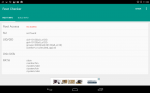
So, with that being all I need to say, SOMEONE PLEASE HELP ME! I'll post screenshots of the root checker stats.
First, my device is the Acer Iconia One 7B-1.
I was just browsing the Sky Go all a while ago, found a TV show I wanted to watch, clicked it, and something popped up: "Sky Go does not support this feature on rooted devices".
Now this is where I am just so confused. After getting this notification, I go and download a root checker to be absolutely sure.. Root checker says I don't have root access!
Now I do remember trying to root multiple times with no luck a few months ago. I used those one-click apps multiple times with no luck. I think that this is the problem. I haven't done a manual root. I have performed a factory reset. I tried to clear the cache partition, but it failed with an error. After that I could startup my device, being stuck on the logo screen. That's what forced me to Factory reset.
So, with that being all I need to say, SOMEONE PLEASE HELP ME! I'll post screenshots of the root checker stats.


