
Install the app
How to install the app on iOS
Follow along with the video below to see how to install our site as a web app on your home screen.
Note: This feature may not be available in some browsers.
-
After 15+ years, we've made a big change: Android Forums is now Early Bird Club. Learn more here.
You are using an out of date browser. It may not display this or other websites correctly.
You should upgrade or use an alternative browser.
You should upgrade or use an alternative browser.
Help
- Thread starter Axx
- Start date

Sorry, but what is the actual problem? That looks like some video tutorial (I'm not wasting 6 minutes watching the thing), so I'm guessing that it's not working for you. But in order to get any help you'll have to explain what isn't working, i.e. what happens when you try to follow the instructions.
It would be really helpful if you told us exactly what you did, rather than just saying "I followed the video", because if you leave something out or type something wrong the video cannot tell us that.
It would be really helpful if you told us exactly what you did, rather than just saying "I followed the video", because if you leave something out or type something wrong the video cannot tell us that.

Jfalls63
Android Expert
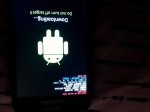
If you can only get into download mode, you may have to flash back to stock and start over.
This seems to be the last released version
https://updato.com/firmware-archive-select-model?record=0EBF96B9315E11E7963AFA163EE8F90B
This seems to be the last released version
https://updato.com/firmware-archive-select-model?record=0EBF96B9315E11E7963AFA163EE8F90B
Jfalls63
Android Expert
USB Debugging doesn't need to be enabled to use Odin. Instructions for flashing should be located at the bottom of the dowldown page but good tutorial here
https://updato.com/how-to/how-to-install-an-official-samsung-stock-firmware-using-odin
You might need to use a older version of Odin, around 3.7 to 3.10 if newer version has problems. Sometimes not backwards compatible.
https://updato.com/how-to/how-to-install-an-official-samsung-stock-firmware-using-odin
You might need to use a older version of Odin, around 3.7 to 3.10 if newer version has problems. Sometimes not backwards compatible.
Jfalls63
Android Expert
Download link for USB drivers here
https://developer.samsung.com/galaxy/others/android-usb-driver-for-windows
https://developer.samsung.com/galaxy/others/android-usb-driver-for-windows