a cooperator
Well-Known Member
Hi everyone!
Please don't close my thread if it is not allowed to ask help for support bypassing of security protocols. This cellphone is my own one. Or otherwise, how to know to log into it (unlock) with using current password or one to be changed. My issue is I do no longer need any log-in password I need it as it was from the factory. But resetting to the factory will not only remove the password. However, it will erase all data to let my cellphone be as it was from factory. I only need to undo the last settings of password security I did recently.
I have this smart cellphone:
System: Android 5.1
Model: LT_M5_lite
App Version: 1.0
-------------------------
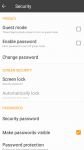
However, today I tried to setup VPN, and I was asked first to set up a password security. I have set it up. But I couldn't find away to remove it unless I will need to rest the default factory which will also remove anything done to the factory settings.
I found here somewhere in this forum the following: But I didn't find like it in my cellphone.
It is simple. To disable a password you created simply:
1. press the "Settings" icon
2. Press "Location & security"
3. Scroll down to "Set Password"
4. Enter the current password
5. Leave the New Password and Confirm new password fields blank
6. Press "Ok"
-----------------------------------------------------------------
Also, I was told "it seems relevant that any way to change the password would include entering the current password."
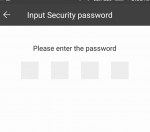
However, I have tried changing existing PW. However, when doing that, I only was asked to first enter new one and had to confirm it. Or otherwise, the old one was still active. (Wasn't changed). I cannot leave confirmation of new PW being empty.
-------------------------------------------------------------------
I was told to watch this video
However, I have tried doing your suggestion.
1 - your video is dedicated to Samsung Galaxy. My cellphone is LT lite M5. I have not found any similar options. I found "Reboot" but not as in your video "Reboot System now". I selected "Reboot", but no difference happened.
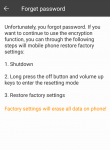
2- in my cellphone when I held on the "turn ON/OFF" along with "voice down/up" once, the factory options appeared. However, in video he said three times holding on "turn ON/OFF" along with "voice down/up"
----------------------------------------------------------------------
I was told Resetting to factory and losing all your data is the only solution.
If it was a PC it would be different but it's Not a PC.
------------------------------------------------------------------------
What Android forum members could be saying?
Please don't close my thread if it is not allowed to ask help for support bypassing of security protocols. This cellphone is my own one. Or otherwise, how to know to log into it (unlock) with using current password or one to be changed. My issue is I do no longer need any log-in password I need it as it was from the factory. But resetting to the factory will not only remove the password. However, it will erase all data to let my cellphone be as it was from factory. I only need to undo the last settings of password security I did recently.
I have this smart cellphone:
System: Android 5.1
Model: LT_M5_lite
App Version: 1.0
-------------------------
However, today I tried to setup VPN, and I was asked first to set up a password security. I have set it up. But I couldn't find away to remove it unless I will need to rest the default factory which will also remove anything done to the factory settings.
I found here somewhere in this forum the following: But I didn't find like it in my cellphone.
It is simple. To disable a password you created simply:
1. press the "Settings" icon
2. Press "Location & security"
3. Scroll down to "Set Password"
4. Enter the current password
5. Leave the New Password and Confirm new password fields blank
6. Press "Ok"
-----------------------------------------------------------------
Also, I was told "it seems relevant that any way to change the password would include entering the current password."
However, I have tried changing existing PW. However, when doing that, I only was asked to first enter new one and had to confirm it. Or otherwise, the old one was still active. (Wasn't changed). I cannot leave confirmation of new PW being empty.
-------------------------------------------------------------------
I was told to watch this video
However, I have tried doing your suggestion.
1 - your video is dedicated to Samsung Galaxy. My cellphone is LT lite M5. I have not found any similar options. I found "Reboot" but not as in your video "Reboot System now". I selected "Reboot", but no difference happened.
2- in my cellphone when I held on the "turn ON/OFF" along with "voice down/up" once, the factory options appeared. However, in video he said three times holding on "turn ON/OFF" along with "voice down/up"
----------------------------------------------------------------------
I was told Resetting to factory and losing all your data is the only solution.
If it was a PC it would be different but it's Not a PC.
------------------------------------------------------------------------
What Android forum members could be saying?