Doc
Android Expert
A Big Fat Disclaimer: "As always, you are ultimately responsible for any root-related activities on your phone."
Ok here is a guide to get root access for your HP Slate 7, this is a modified guide of instructions from stat'o'flow ,Thank you stat, on XDA back in January for a universal root for tablets here is the main link: http://forum.xda-developers.com/showthread.php?t=2092349 . Some items I added will make it a little easier to gain root access.
A couple of things first, you’re going to have to be patient as this process may not work the first time as the software can be a bit buggy and after playing with this for a couple of days and doing it a certain way it will work.
SuperSU: https://play.google.com/store/search?q=supersu
Android Root Toolkit: https://play.google.com/store/search?q=android+root+toolkit
Titanium Backup: https://play.google.com/store/search?q=titanium+backup
.
On your PC:
1. Install USB/ADB drivers from your manufacturer's website
2. Install & connect via Management Tools:
https://www.dropbox.com/s/jd5fpntg5al1e5m/ADBDrivers.exe loads own
device specific ADB-drivers
3. Download & install this Chinese software from http://www.shuame.com/, thank you shuame.....
In case you don't understand what you do:
On Website press blue download-button with arrow pointing downwards
The download is a bit slow (10kb/sec), but is only 10mb
4. On your device: turn on USB-debugging
On your PC:
5. Run Software, then plug your device to USB-Port, wait until it has been recognized it (in
my case i had to click some dialogues...)
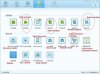
6. Run software from Shuame.com (titled ˢ
You should understand not only the benefits of rooting, but also any possible consequences (voided warranty, boot-loops, bricking, etc.) that might occur as a result of your root-related actions.
AndroidForums.com / Phandroid.com, its owner, and staff are not liable for any root actions you might undertake as a result of information used from this site.
Reading, researching, understanding, and carefully following the published steps and instructions can go a long way towards helping to make your rooting efforts a successful one.
AndroidForums.com / Phandroid.com, its owner, and staff are not liable for any root actions you might undertake as a result of information used from this site.
Reading, researching, understanding, and carefully following the published steps and instructions can go a long way towards helping to make your rooting efforts a successful one.
Ok here is a guide to get root access for your HP Slate 7, this is a modified guide of instructions from stat'o'flow ,Thank you stat, on XDA back in January for a universal root for tablets here is the main link: http://forum.xda-developers.com/showthread.php?t=2092349 . Some items I added will make it a little easier to gain root access.
A couple of things first, you’re going to have to be patient as this process may not work the first time as the software can be a bit buggy and after playing with this for a couple of days and doing it a certain way it will work.
SuperSU: https://play.google.com/store/search?q=supersu
Android Root Toolkit: https://play.google.com/store/search?q=android+root+toolkit
Titanium Backup: https://play.google.com/store/search?q=titanium+backup
.
On your PC:
1. Install USB/ADB drivers from your manufacturer's website
2. Install & connect via Management Tools:
https://www.dropbox.com/s/jd5fpntg5al1e5m/ADBDrivers.exe loads own
device specific ADB-drivers
3. Download & install this Chinese software from http://www.shuame.com/, thank you shuame.....
In case you don't understand what you do:
On Website press blue download-button with arrow pointing downwards
The download is a bit slow (10kb/sec), but is only 10mb
4. On your device: turn on USB-debugging
On your PC:
5. Run Software, then plug your device to USB-Port, wait until it has been recognized it (in
my case i had to click some dialogues...)
6. Run software from Shuame.com (titled ˢ