
• After 15+ years, we've made a big change: Android Forums is now Early Bird Club. Learn more here.

Help How to stop receiving text messages in Google Voice

Hi there, I have Sprint and Google Voice enabled for my Sprint number. I don't like using GV for sms cause it sucks. I've tried stopping sms to GV app but it still comes in and I get a notification for it. Equally frustrating, I don't get a notification from the stock message app or chompsms even though I have notifications turned on. MMS pics come through on the stock app and I get notified of those, but they don't come through to GV app. I've attached screenshots of my settings. Anyone know of a fix?
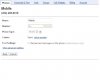
 

Attachments

  • sprint1.JPG
    sprint1.JPG
    26.5 KB · Views: 144
  • sprint2.JPG
    sprint2.JPG
    47.8 KB · Views: 94
Just turn off notification in the GV app and turn on the notifications for the normal messaging app. That's all I did and it works flawlessly.
 
Or like I had to do, go onto Google's website then login to your Gmail that the Google voice is on and disable it.
 
Cleaning...

ELEVEN posts have been deleted... by multiple members of staff. Expect bans if the bickering and fighting continues.


OP - Unfortunately, I do not know the answer to your question because I don't use GV for anything more than voicemail.
 
Epic's suggestion will completely disable all Google Voice services on the phone. You not get phone calls, text messages, or anything else. You will not be able to place GV phone calls. Etc etc. The correct solution is as I described above... disabling notifications in the GV app and enabling them in the messaging app.
 
Back
Top Bottom