

Hawker
Android Expert
I used to like the Daydream clock function of Rootbox on the S2, whereby a dim clock is shown during Daydream mode (settings>display>daydream)
Samsung's daydream has all the other completely useless features (colours/photos) but no clock.
Typical bloody Sammy!
If you want the clock function however, then download DeskClock.apk and LockClock.apk from my DevHost site here, (taken from 4.2.2 S2 RootBox) copy to /system/app set permissions to rw-r--r-- and reboot.
When you then go into the Daydream settings, you will get the far more useful clock option. I set this to come on when charging.
Enjoy
Samsung's daydream has all the other completely useless features (colours/photos) but no clock.
Typical bloody Sammy!
If you want the clock function however, then download DeskClock.apk and LockClock.apk from my DevHost site here, (taken from 4.2.2 S2 RootBox) copy to /system/app set permissions to rw-r--r-- and reboot.
When you then go into the Daydream settings, you will get the far more useful clock option. I set this to come on when charging.
Enjoy


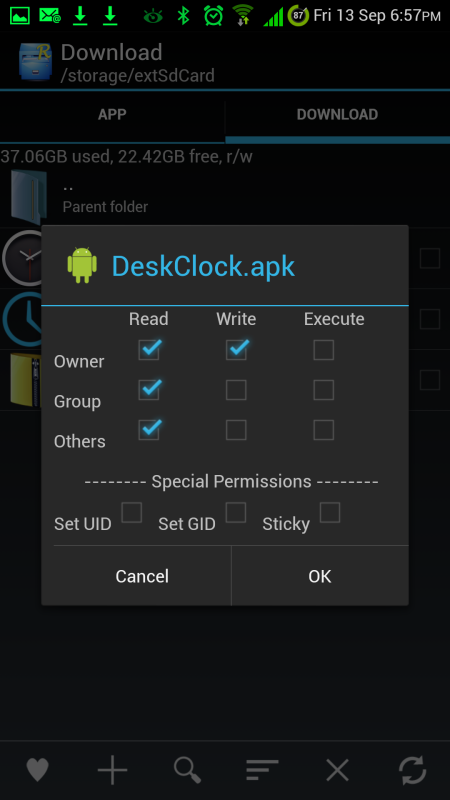
 works a treat. For anyone who does not know How to alter file permissions on Root Explorer copy and paste into /system/app then select it by tapping the square at the side. Now tap the three dots bottom right and select permissions. Then use my picky above to check the correct boxes.