
Install the app
How to install the app on iOS
Follow along with the video below to see how to install our site as a web app on your home screen.
Note: This feature may not be available in some browsers.
-
After 15+ years, we've made a big change: Android Forums is now Early Bird Club. Learn more here.
You are using an out of date browser. It may not display this or other websites correctly.
You should upgrade or use an alternative browser.
You should upgrade or use an alternative browser.
Root [International] Speed Dial?
- Thread starter bigross86
- Start date
-
- Tags
- samsung galaxy s3

I am not familiar with that rom, but can you open the dialer, hit menu, then an option "Speed Dial Settings" comes up?
What carrier are you with?
What carrier are you with?
hmmmm. Is this the rom?
http://forum.xda-developers.com/showthread.php?t=2249984
Did you have the speed dial options on your last rom I would assume?
Now I didn't read thru all those posts on that link, but could it be that speed dial is not an option in that rom? (I don't see why it wouldn't be)
Have you installed the gapps also?
http://forum.xda-developers.com/showthread.php?t=2249984
Did you have the speed dial options on your last rom I would assume?
Now I didn't read thru all those posts on that link, but could it be that speed dial is not an option in that rom? (I don't see why it wouldn't be)
Have you installed the gapps also?
Well, try this....go into your dialer, then long press on a number. Perhaps the option will come up to assign a phone number to that particular number?

funkylogik
share the love peeps ;)
If you cant get it to work, i use Go Contacts EX as my dialer and to add a speed dial, you do as Mike said and hold in the number button. Its quite a bloated app, takes a second to load but theres themes to make it look pretty.
Im on AOKP and havent tried the stock dialer but il have a look at it now :thumbup:
Im on AOKP and havent tried the stock dialer but il have a look at it now :thumbup:
funkylogik
share the love peeps ;)
My rom has an orange theme but does your dialer look anything like this (AOKP)?
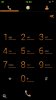
I cant find a way to assign contacts to the keypad buttons but if you press the head icon at top right, you can add speed dial contacts there :thumbup:
EDIT ive decided to get rid of Go Contacts lol. The stock dialer loads instantly and looks good :beer:
I cant find a way to assign contacts to the keypad buttons but if you press the head icon at top right, you can add speed dial contacts there :thumbup:
EDIT ive decided to get rid of Go Contacts lol. The stock dialer loads instantly and looks good
:beer:
funkylogik
share the love peeps ;)
In that tab, isnt there a head with a plus sign at bottom right 
EDIT that seems to be just for adding new contacts. Tbh ive no idea how my speed dials got there lol
EDIT that seems to be just for adding new contacts. Tbh ive no idea how my speed dials got there lol