
Install the app
How to install the app on iOS
Follow along with the video below to see how to install our site as a web app on your home screen.
Note: This feature may not be available in some browsers.
-
After 15+ years, we've made a big change: Android Forums is now Early Bird Club. Learn more here.
You are using an out of date browser. It may not display this or other websites correctly.
You should upgrade or use an alternative browser.
You should upgrade or use an alternative browser.
Keyboard help please !?
- Thread starter rigger67
- Start date

Download Swiftkey keyboard from here https://play.google.com/store/apps/details?id=com.touchtype.swiftkey
and adjust the Size and Layout as you want from the settings
and adjust the Size and Layout as you want from the settings


Hi rigger67,
Since you're looking for an alternate keyboard app, I've moved your post to the Android Applications subforum, where I believe it will get better exposure. :thumbup:
I've used a lot of different keyboards - pretty much all of the popular ones at least. I don't remember any which support T9 in their free variant, but I do remember that Kii Keyboard offered very good T9 input and a lot of options. You can use all the features of the keyboard for free, but any preferences you set will be reset once an hour until you pay. It's kind of naggy, but I think it's a great way to be able to try out the keyboard and see if it will suit your needs before you hand over any money.
Maybe someone else can offer another suggestion?
Since you're looking for an alternate keyboard app, I've moved your post to the Android Applications subforum, where I believe it will get better exposure. :thumbup:
I've used a lot of different keyboards - pretty much all of the popular ones at least. I don't remember any which support T9 in their free variant, but I do remember that Kii Keyboard offered very good T9 input and a lot of options. You can use all the features of the keyboard for free, but any preferences you set will be reset once an hour until you pay. It's kind of naggy, but I think it's a great way to be able to try out the keyboard and see if it will suit your needs before you hand over any money.
Maybe someone else can offer another suggestion?

Stuntman
Android Expert
If you want a keyboard that has big keys so you won't ever miss, try MessagEase: https://play.google.com/store/apps/details?id=com.exideas.mekb
This is not a T9 keyboard. It has a 4x4 layout so the keys are huge. You have to either tap on the key or do a cardinal or diagonal swipe from the centre of the key depending on which character you want to type. There is a rather large learning curve as the layout is unconventional. If you do manage to get proficient with it, you should be able to type each character with very little chance of mistyping.
This is not a T9 keyboard. It has a 4x4 layout so the keys are huge. You have to either tap on the key or do a cardinal or diagonal swipe from the centre of the key depending on which character you want to type. There is a rather large learning curve as the layout is unconventional. If you do manage to get proficient with it, you should be able to type each character with very little chance of mistyping.

hiredgun
Android Expert
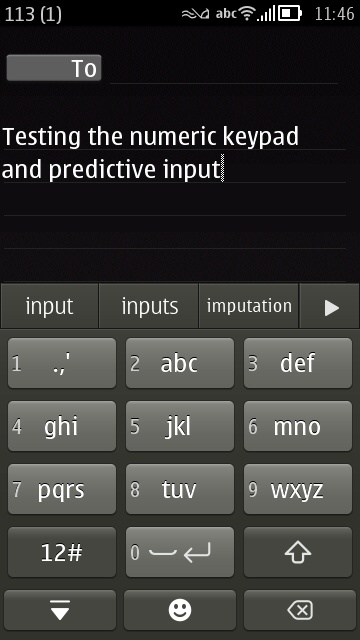
I just checked on my Touchpal X keyboard and it has that layout. I am using it now on my phone and was pleased enough with it to pay for the premium version!
https://play.google.com/store/apps/details?id=com.cootek.smartinputv5&hl=en
https://play.google.com/store/apps/details?id=com.cootek.smartinputv5&hl=en
hiredgun
Android Expert
If you want a keyboard that has big keys so you won't ever miss, try MessagEase: https://play.google.com/store/apps/details?id=com.exideas.mekb
This is not a T9 keyboard. It has a 4x4 layout so the keys are huge. You have to either tap on the key or do a cardinal or diagonal swipe from the centre of the key depending on which character you want to type. There is a rather large learning curve as the layout is unconventional. If you do manage to get proficient with it, you should be able to type each character with very little chance of mistyping.
I watched the video stuntman, and I have to ask you, just how long did it take you to get comfortable with this keyboard? The other thing is that they say their current "world" champion is typing 63 words a minute, is that really considered all that fast???
Stuntman
Android Expert
I watched the video stuntman, and I have to ask you, just how long did it take you to get comfortable with this keyboard? The other thing is that they say their current "world" champion is typing 63 words a minute, is that really considered all that fast???
I didn't. After a few days, I gave up on it. I found that I could already type quite quickly on a more conventional QWERTY keyboard layout. I felt that the amount of time I would have to invest in order to get a reasonable amount of proficiency with this keyboard would be more than I was willing to spend and put up with painfully slow typing. I was chatting with a friend for a couple of hours one night. I felt that I just wasn't improving fast enough, so I went back to a conventional keyboard.
Maybe if I haven't already been typing on conventional keyboards for years that I would have found MessagEase to be a decent alternative. I love the fact that I never press the wrong key. It just took too long for me to find out where the character I wanted to type was and what gesture (if any) I need to use. If I had found this keyboard a few years ago, maybe I would have stuck with it.
As for typing speed, my typing on a PC keyboard is around 65 wpm. My typing on a phone is around 30 wpm using SwiftKey. I estimate I was less than 10 when I was using MessagEase before I gave up.
hiredgun
Android Expert
I didn't. After a few days, I gave up on it. I found that I could already type quite quickly on a more conventional QWERTY keyboard layout. I felt that the amount of time I would have to invest in order to get a reasonable amount of proficiency with this keyboard would be more than I was willing to spend and put up with painfully slow typing. I was chatting with a friend for a couple of hours one night. I felt that I just wasn't improving fast enough, so I went back to a conventional keyboard.
Maybe if I haven't already been typing on conventional keyboards for years that I would have found MessagEase to be a decent alternative. I love the fact that I never press the wrong key. It just took too long for me to find out where the character I wanted to type was and what gesture (if any) I need to use. If I had found this keyboard a few years ago, maybe I would have stuck with it.
As for typing speed, my typing on a PC keyboard is around 65 wpm. My typing on a phone is around 30 wpm using SwiftKey. I estimate I was less than 10 when I was using MessagEase before I gave up.
Lol, ask a straight question you get a straight answer, thanks!!!