
Install the app
How to install the app on iOS
Follow along with the video below to see how to install our site as a web app on your home screen.
Note: This feature may not be available in some browsers.
-
After 15+ years, we've made a big change: Android Forums is now Early Bird Club. Learn more here.
You are using an out of date browser. It may not display this or other websites correctly.
You should upgrade or use an alternative browser.
You should upgrade or use an alternative browser.
Let's see your DROID PRO Screens !
- Thread starter pman219
- Start date
-
- Tags
- motorola droid pro
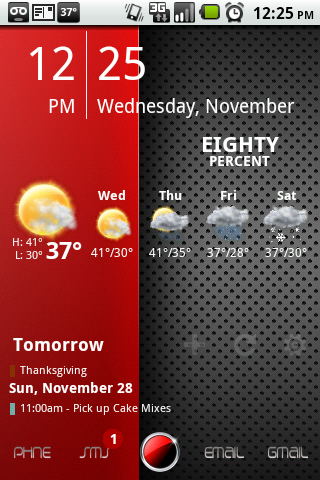
RadYOacTiVe
Android Expert
Phone is rooted but everything can be done without root other than the change in font.
My lockscreen with WidgetLocker:
Beautiful Widgets 1x1
Some digital clock I found on a message board
BattStatt

Homescreen: Launcher Pro, Beautiful Widgets Smaller Home

Right 1: Switchpro, Batterylife, Audiomanager

Right 2:

Right 3: Jorte widgets

Left 1: News Genie Widget, Scoremobile Widget

Left 2: Beautiful Widgets 4x1, More Icons Widget

Left 3: Games using Folder Organizer

My lockscreen with WidgetLocker:
Beautiful Widgets 1x1
Some digital clock I found on a message board
BattStatt
Homescreen: Launcher Pro, Beautiful Widgets Smaller Home
Right 1: Switchpro, Batterylife, Audiomanager
Right 2:
Right 3: Jorte widgets
Left 1: News Genie Widget, Scoremobile Widget
Left 2: Beautiful Widgets 4x1, More Icons Widget
Left 3: Games using Folder Organizer

pman219
Well-Known Member
That's pretty cool looking. Rooted?
Thanks
It is rooted, but the only part you would need root for is for the notification bar. (using ninjamorph)
Weather is beautiful widgets
Clock is simiclock
Calendar is purecalendar
RadYOacTiVe
Android Expert
Can you provide a link how to change the notification bar?
Thanks!
Thanks!
Thanks
It is rooted, but the only part you would need root for is for the notification bar. (using ninjamorph)
Weather is beautiful widgets
Clock is simiclock
Calendar is purecalendar
jwgraves62
Newbie

I like mine nice and simple
Love the calendar/weather widget...what is it?
pman219
Well-Known Member
Can you provide a link how to change the notification bar?
Thanks!
Here you go: How To NinjaMorph - xda-developers
Obviously use at your own risk

jhalsey205
Lurker
Here's mine. Added simi clock (thanks pman219); a few transparent Power Control plus widgets, Beautiful Weather and Launcher Pro.


WARRIIOR
Well-Known Member
here's mine. Added simi clock (thanks pman219); a few transparent power control plus widgets, beautiful weather and launcher pro.
great pic!!

flash24
Member
Love the calendar/weather widget...what is it?
Beautiful widget
jwgraves62
Newbie
Nothin fancy here just launcher pro and fancy widget. If my icons look a bit smaller than usual, its because I installed LCD Density changer and set it to 130 instead of the default 160.

Wow - beautiful screen...but battery at 60% before 10AM....? I hope you didn't start the day at 100%.
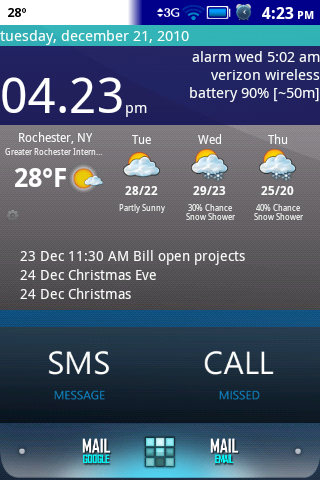

Okay, I give... I'm a total Android newb, how in the heck are you guys coming up with these sick screen shots?
I had a MyTouch4G for about five minutes before realizing that T-Mobile wasn't going to cut it for me. Plus I'm a Blackberry guy and despite my best efforts could not embrace typing on a virtual keyboard. So I switched over to Verizon and the Droid Pro. Verizon has already proven itself, but I'm having only luke warm feelings about the handset itself. I'm not a big fan of the Moto overlay compared to the HTC Sense for one thing. So help me out here folks, I am totally jealous of these screen shots.
Thanks!
I had a MyTouch4G for about five minutes before realizing that T-Mobile wasn't going to cut it for me. Plus I'm a Blackberry guy and despite my best efforts could not embrace typing on a virtual keyboard. So I switched over to Verizon and the Droid Pro. Verizon has already proven itself, but I'm having only luke warm feelings about the handset itself. I'm not a big fan of the Moto overlay compared to the HTC Sense for one thing. So help me out here folks, I am totally jealous of these screen shots.
Thanks!
stellar981
Lurker
I had NO idea you could change your screen so much. HOW?? I am also new to Android. Coming from BB. So this is high tech for me : )
bsweetness
Android Enthusiast
I'm still in the process of rescaling the icons from my Droid X, where I had a nearly identical setup. You'll notice that the vertical icons and the cubed icons still need to be adjusted slightly, but I'm almost finished.
This is my home screen, which is screen 4:

Here are my three screens to the right of the home screen in order. Screen 7 is compose of various frequently used widgets and utilities that I haven't taken the time to customize like the rest of the screens. That's next on the list after getting the vertical and cubed icons sized correctly.


The three screens to the left are frequently used contacts. The first screenshot is of screen 1, which is the furthest away from the home screen, with the third screenshot being directly to the left of my home screen. I covered the faces to protect the innocent...except for Samuel L.


And finally, my lock screen:

This is my home screen, which is screen 4:
Here are my three screens to the right of the home screen in order. Screen 7 is compose of various frequently used widgets and utilities that I haven't taken the time to customize like the rest of the screens. That's next on the list after getting the vertical and cubed icons sized correctly.
The three screens to the left are frequently used contacts. The first screenshot is of screen 1, which is the furthest away from the home screen, with the third screenshot being directly to the left of my home screen. I covered the faces to protect the innocent...except for Samuel L.
And finally, my lock screen:
whitetshirtguy
Lurker
i really like you lock screen how did you do that
RadYOacTiVe
Android Expert
Looks like he's using Widgetlocker, worth every penny and the dev is very responsive.
bsweetness
Android Enthusiast
Yep, it's WidgetLocker. Definitely worth every penny. I can only fit two sliders plus the clock after the latest update, but the improvements to the overall app are fantastic.
RadYOacTiVe
Android Expert
Here is my lock screen:

picopapero
Lurker
Woot
What a pita
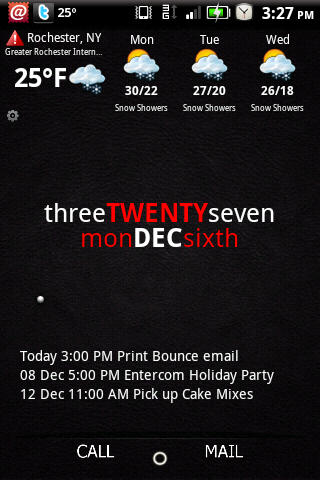
i'm able to change battery incons with ninjamorph... but what about the clock color?? thank you!
Here's my desktop screen, and my home screen. Use Widget Locker with no slider, so a clean look. Unlocks with back key.
My home screen has everything I use ona daily basis. Use Touchdown for work email and calendar. Gmail for personal email.
And I love seeing the sunrise/sunset app on my home page.
Next up are some new icons.
So many great posts, I love seeing everyone's creativity!