• After 15+ years, we've made a big change: Android Forums is now Early Bird Club. Learn more here.

MiniBrowser Mobile BETA

Perec

Newbie
MiniBrowser Mobile BETA is a fast, powerful and easy to use web browser. It has all important browser features combined with simple minimalistic design.

BETA version supports:
- Tabs
- Auto-complete address bar
- Bookmarks
- Download images and files
- Find on page
- Pinch to zoom, double-tap to zoom
- Flash video
- Desktop User-Agent mode
- Exit button

(Note that Ad-blocker, Incognito browsing and Video Downloader is not supported in BETA version. It will be available in official MiniBrowser version.)

Links:
Google Play
Homepage
 

Attachments

  • main500.png
    main500.png
    99.7 KB · Views: 92
  • web500.png
    web500.png
    88.9 KB · Views: 92
  • settings500.png
    settings500.png
    18.6 KB · Views: 89
Impresively very nice browser! I can easily put in on same level as Dolphin and Opera. The only problem is that android market is overloaded with different browsers so this one will be lost in bunch of crap.
 
New version 1.4 is available.

What's new:
- Fixed video playback in full-screen mode.
- Improved stability.
 
Version 1.7 is out some time ago.
What's new in 1.7:
- improved app stability
- download link file name recognition improvement
 
Version 1.9 is out.
What's new:
- import, export, backup and rename bookmarks functionality
- bugfix related to bookmarks disappearance
- performance optimizations
 
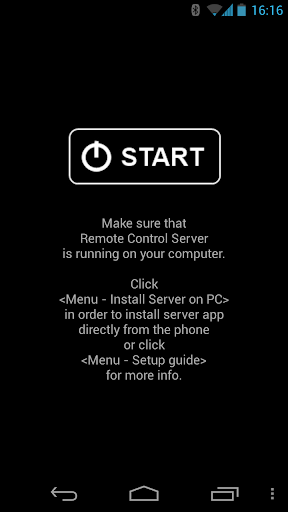
Remote Control for PC turns your mobile phone into an universal Bluetooth remote controller for Windows computer. The application is perfect for home entertainment and business purpose.
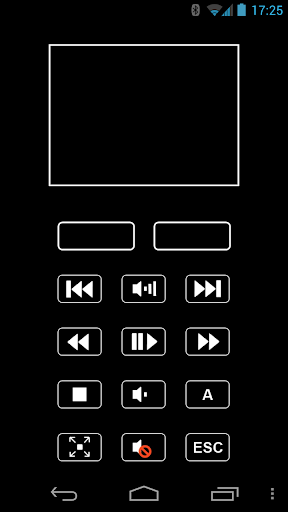
The software will get you to remotely manage your PCs favorite apps, navigate with the cursor and perform mouse button clicks.

Software supported: Microsoft Office PowerPoint, OpenOffice presentations, Winamp, Windows Media Player, WinDVD, VLC player, DivX player, QuickTime, Media Player Classic, MPC Home Cinema, Windows Media Center, Youtube flash player and more.
Requirements: Windows XP, Vista, 7 or 8; Bluetooth (Microsoft Bluetooth stack)
NOTE: Remote Control works only with Microsoft Bluetooth software for now. It means it supported on 90% of notebooks and computers. In order to check if it works for your PC as well, please, try this Remote Control TRIAL VERSION first before purchase the full version! Support for Broadcom Bluetooth software coming soon.
Application is easy to set up and easy to use. Remote Control server part included in to installation and can be extracted to computer right from the phone or freely downloadable from Remote control for PC
Because of unique all-in-one interface you can navigate cursor, control volume and play/pause flash/media players without switching the screens.
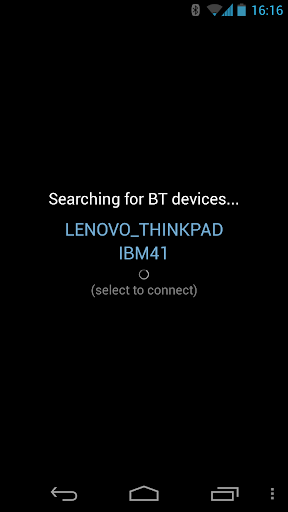
Thanks to Bluetooth connection you don't need to care about wifi access points, firewall and ports configuration. This is great for presentations on customer side (notebook & projector + phone as Remote Control).

Google play
Google play (Trial version)

Home page

eMYBcp5QJYiWxoaAVESI4NRjRT5Y4AdxseTTyK03M_OGFQjsoxMVWeyDAaaRt_upS98


0Wg60M4twr-oMobq6p7Y8zZ2coHFxb9YeemiQOVLUX-3udN7SsfiK7JHtOtiDKSfxv0


N53r4GeQtVSCoKX0IEbJ-HykpVFev2QckD_yg1PthBYy75J3DO1YbMMvIZkpIfOUpA
 
Back
Top Bottom