
• After 15+ years, we've made a big change: Android Forums is now Early Bird Club. Learn more here.

Move app to external SD card

Krody

Lurker
Hi !
I recently bought a Galaxy S6, with a 64Go microSD card and a microSD adapter like this :
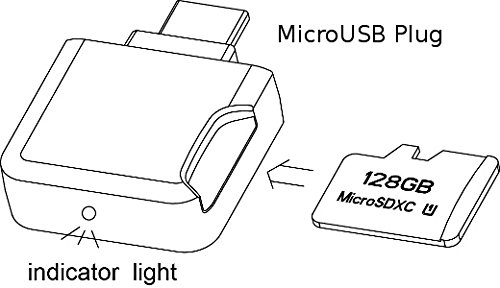
41zdqdOZKyL.jpg

I would like to install the Deezer application to synchronize my music on my external SD card, but I can't move the application to SD card (no option available in Settings).
I can choose from the application itself where to download the music, but the external SD card isn't available.
So I would like to install Deezer on my SD card, but I don't know how.

Can you help me ?

 
Welcome to the forum, and I hope you are enjoying your phone :)

I think we need to clarify the terminology. When people talk about an "external SD card", what they mean is a card that's in the slot in a phone (which the S6 doesn't have). What you are talking about here is a "USB OTG adapter". To you this may be doing the same job, but to the OS it's a different device.

Android hasn't supported moving apps to external SD since 4.0. Samsung did add it back to some of their phones (in some software versions), but since the S6 doesn't have an external SD card I can't imagine why they would add it to the S6's software. I've never heard of any phone which allows moving apps to USB OTG storage. Also it's not obvious to me that moving the app, if you could do so, would change which devices it could use - I would not expect that to happen myself, since the app itself isn't changed by moving it.

It sounds like the real problem is that Deezer doesn't know about USB OTG storage. I don't know whether there is any answer to that, though I guess you could ask the developers whether they could consider adding it?
 
Hi !
Thank you for your answer.
I asked one of the Deezer's application developer, he told me that the ability to move storage to somewhere else depends on the phone builder's choice, and not on the application itself.
 
Back
Top Bottom