• After 15+ years, we've made a big change: Android Forums is now Early Bird Club. Learn more here.

Music player defaults to alphabetical order when selecting an album to play

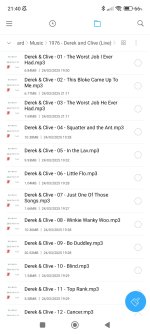
this is from phone
 

Attachments

  • Screenshot_2025-12-05-21-40-08-790_com.mi.android.globalFileexplorer.jpg
    Screenshot_2025-12-05-21-40-08-790_com.mi.android.globalFileexplorer.jpg
    158.3 KB · Views: 6
well i am now using musicolet app since they are in album order until Mi Music gets fixed or someone can check my metadata for me since I don't know what I am doing
 
Does Musicolet play your CDs in track order? If not, in your list of songs, choose a song that plays in alpha mode on your Mi player. To the right of the song title you will find three dots that when ticked will display options to manage that song. File info will bring the matadata file in view. Edit tags will allow you to change the fields in the file info.... the metadata file.
 
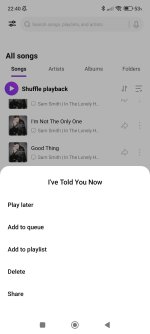
yes musicolet does play in track order this is what is on when i tap on a song using the three dots on Mi Music app it doesn't show file info or edit tags or what you are referring to
 

Attachments

  • Screenshot_2025-12-05-22-40-30-371_com.miui.player.jpg
    Screenshot_2025-12-05-22-40-30-371_com.miui.player.jpg
    76.3 KB · Views: 6
I know nothing about the Mi player. The post was to inform you how to access the metadata info if needed in the Musicolet app. It sounds like you don't need to do anything but enjoy your music with the better player and forget Mi.
 
Back
Top Bottom