• After 15+ years, we've made a big change: Android Forums is now Early Bird Club. Learn more here.

Apps New Project - An SDK Target must be specified

I has same issue in Eclipse. I RESOLVED it.
PLEASE MAKE SURE YOU PUT '\' at the end of SDK Location. My Targets were also empty earlier. After inserting '\' at the end of location , I got targets populated. Hope this will help
<Your dir>\android-sdk-windows\

You sir, are the man. THANK YOU.
 
I has same issue in Eclipse. I RESOLVED it.
PLEASE MAKE SURE YOU PUT '\' at the end of SDK Location. My Targets were also empty earlier. After inserting '\' at the end of location , I got targets populated. Hope this will help
<Your dir>\android-sdk-windows\

Fixed the problem for me too.
 
If you got this error, but you have the sdk installed, you may have one or two issues:

1) your res is too low
2) you have not reset the targets since installing the sdk.

Solution: eclipse => window => preferences => android => Click Apply. The target list should populate, if not, restart eclipse and try again.

I had this issue because I installed the eclipse plugin before the SDK(s), specified the location, had eclipse open, and then installed the SDK from the setup gui.
 
I has same issue in Eclipse. I RESOLVED it.
PLEASE MAKE SURE YOU PUT '\' at the end of SDK Location. My Targets were also empty earlier. After inserting '\' at the end of location , I got targets populated. Hope this will help
<Your dir>\android-sdk-windows\

Indeed! thanks very much!
 
Incase not, go to window menu option and select preferences. Here you can specify the android sdk from the android download file, android-sdk-window.
Thank you sir for this information. Even though my SDK was in my PATH environment variable, Eclipse wasn't seeing it. Telling Eclipse where to go to find my SDK was exactly what I needed to resolve the issue I was having.
 
Have you also defined your SDK in your manifest?

inside the manifest tag enter:


<uses-sdk android:minSdkVersion="8" />

replace 8 with w/e sdk your using
 
One of the case this error "An SDK Target must be specified " also come's when opening the new project . when no target build is selected and when no options appeare to select . try to change your screen resolution eg : 1024*728 it worked for me...
 
just figuring this out now, but, the whole chain in eclipse is byzantine. if you start from the top, you're never going to find the way down except by searching outside the box. it's unspecified-dependency hell.

i downloaded eclipse, it had no android ADT

i went to the android pages and got the ADT installed, but had this same "An SDK Target must be specified" error when i tried to create my first android project.

couldn't find anything android in the eclipse installation tree. searched for a couple of hours (it's a big machine) and thought i'd found something like the android SDK, but no, that's not it.

looked on this forum, realized that i don't even have an android SDK installed (why didn't it come packaged with the ADT, and why wasn't it mentioned in the ADT download?)

went back to the android webpage, got the android SDK installer downloaded. ran it. it says i don't have a java JDK (why doesn't the android SDK download and install it while it's downloading the android SDK?)

went to the sun--sorry, oracle--webpages, got the java JDK installer downloaded. ran it. it installed with the only hitch being that i had to kill eclipse because it was using some files the java JDK installer wanted to munge.

ran the android SDK installer again. it says i don't have a JDK. nice. i just installed one. probably redundantly, at that.

according to this 64 bit - Huh? JDK not found? (on Windows 7 64-bit) - Super User the android SDK installer is stupid and looks only for the 32-bit JDK. great. that page also suggests downloading the android SDK as a zip file. okay.

the page Installing the SDK | Android Developers gives no hint at all as to what's an appropriate location to unzip the files, just says to use a "safe" one. bril.

nowhere in that page does it say whether the android SDK is 32- or 64-bit compatible, so choosing between Program Files and Program Files(x86) is a crapshoot. or should it go in one of the subdirs eclipse created in my home folder. that doesn't seem right; the ADT installer created a .android folder, but if ADT expects to be installed after the android SDK that folder can't have existed before. unless the android SDK installer that didn't work would have created if it worked. but again since the .zip installation page is mute about appropriate locations, it's impossible to tell.

long story short: the android ADT installer should have been up-front about its dependencies, and the android SDK installer should have mentioned it only looks for 32-bit java JDKs, and the android SDK installation webpage should be more informative and less verbose. i'm learning way too much about the hierarchy of android dev tools, here, and wondering how anyone dumb enough to build and release a fart-noise app ever got this working.

 
Wow hi I'm new to Android. Wow took me 2 days to install android.

Anyway to share some wisdom on windows 7 64bit it will tell u java sdk is missing. If you have java sdk installed already and it still says its missing click the back and next and it will install properly.

Next step if u encounter issues with the ADT not installing then you will need to uncheck the last option "Contact all update sites during install to find required" and also download the ADT file to your harddirve

Finally u may not have a target. There is addititional setup up need to do


If there is none listed, cancel the dialog, and go to menu Window > Preferences > Android, specify the SDK location (android-sdk-windows directory on Windows), and press Apply.
 
just figuring this out now, but, the whole chain in eclipse is byzantine.

...


went back to the android webpage, got the android SDK installer downloaded. ran it. it says i don't have a java JDK (why doesn't the android SDK download and install it while it's downloading the android SDK?)

went to the sun--sorry, oracle--webpages, got the java JDK installer downloaded. ran it. it installed with the only hitch being that i had to kill eclipse because it was using some files the java JDK installer wanted to munge.

ran the android SDK installer again. it says i don't have a JDK. nice. i just installed one. probably redundantly, at that.

according to this 64 bit - Huh? JDK not found? (on Windows 7 64-bit) - Super User the android SDK installer is stupid and looks only for the 32-bit JDK. great. that page also suggests downloading the android SDK as a zip file. okay.

the page Installing the SDK | Android Developers gives no hint at all as to what's an appropriate location to unzip the files, just says to use a "safe" one. bril.

nowhere in that page does it say whether the android SDK is 32- or 64-bit compatible, so choosing between Program Files and Program Files(x86) is a crapshoot. or should it go in one of the subdirs eclipse created in my home folder. that doesn't seem right; the ADT installer created a .android folder, but if ADT expects to be installed after the android SDK that folder can't have existed before. unless the android SDK installer that didn't work would have created if it worked. but again since the .zip installation page is mute about appropriate locations, it's impossible to tell.

long story short: the android ADT installer should have been up-front about its dependencies, and the android SDK installer should have mentioned it only looks for 32-bit java JDKs, and the android SDK installation webpage should be more informative and less verbose. i'm learning way too much about the hierarchy of android dev tools, here, and wondering how anyone dumb enough to build and release a fart-noise app ever got this working.

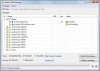
I got this "JDK not found" message during my installation epic journey also. I "re-installed" the JDK twice due to this message. I KNEW it was installed but still got the message. I got around it by clicking the "BACK" button and then it picked up and recognized that it was installed and everything went fine. I guess the dialog had to be refreshed for it to actually check that it had been installed.

I agree that the installation procedure seemed overly complex just to get the dev environment set up. JMO

Cheers, Deux
 
Click on "Window-> Preferences-> Android". In the field "SDK location:", write the absolute path for the folder "android-sdk" including it. For example: "C:\Arquivos de programas\Android\android-sdk". Click on aply/ok and, then, try again create a new project of type "Android"...
 
Hi everyone, I have the same problem too (Im also a new to Android).
I'm using windows 7 -64bits, and my problem begins with my menu of Window. Because i can choose:
Window>Android SDK Manager
or
Window>AWD Manager
As you mantioned in your posts, they must be together in the manu, but in my eclipse, they are different choises?

I'm also sending my Android SDK Manager manu, so maybe you can help me.
Thank youuu <3
 

Attachments

  • vision.jpg
    vision.jpg
    108 KB · Views: 72
Hi,
I also encountered such issue, and searched a solution for it.
To run the android sdk manager, and select one platform (it is android 2.3.3 in my case) to download. After this done,you should see some difference.:)
 
I am getting these kind of error when i proced to make an new project of android on netbeans.......
so help me
 
This thread is too clogged with lots of different bits of info.

I will start a new thread addressing the problem of Eclipse not recognising/picking up the SDKs installed in the Android directory.
 
Hi Folks,
I'm sorry if you've heard this one before - I've had a look through the forums and can't find any solution that works.

So I try to create a new project and I get the above error in the New Android Project window. I've tried setting the SDK location preference in Window / Preferences / Android and it points to the folder that contains the \tools directory. Now I'm stuck. Can anyone offer any help? Much appreciated if you can.
Cheers,
Andy


Kindly check what targets do you have at your system by android list targets in command prompt (move your cmd to android-SDK/tools/)
 
Back
Top Bottom