
Install the app
How to install the app on iOS
Follow along with the video below to see how to install our site as a web app on your home screen.
Note: This feature may not be available in some browsers.
-
After 15+ years, we've made a big change: Android Forums is now Early Bird Club. Learn more here.
You are using an out of date browser. It may not display this or other websites correctly.
You should upgrade or use an alternative browser.
You should upgrade or use an alternative browser.
Note 7 Battery Issue
- Thread starter projectfx
- Start date



TexandroidSS
Well-Known Member
Looks like it's been trying to sync with the cloud. Did you let it sync over cloud from your previous phone? I say you're better off using the USB cable and adapter that came included.

projectfx
Lurker
Looks like it's been trying to sync with the cloud. Did you let it sync over cloud from your previous phone? I say you're better off using the USB cable and adapter that came included.
thanks. i disabled the cloud service and its been good since. i sync everyhting with google now, so i dont think i need it. i googled and it looks like these VZ applications are a known issue.

Okay, how the heck do you disable apps on the Verizon Note7? Do you have to first replace the app and then disable it? Every time I try to disable bloatware, I'm prompted to cancel or replace.
Most of the google apps can be disabled by holding down on the app and moving to disable. Also, to assist with battery life, you need to disable a bunch of items. Also check out the following site for some simple tips. https://www.gottabemobile.com/2016/08/19/how-to-fix-bad-galaxy-note-7-battery-life/
This really helped.
This really helped.
Riverpilot
Member
I just let it replace with the "factory version" and it would disable. :shrug: Dunno if that's the correct way or not.Okay, how the heck do you disable apps on the Verizon Note7? Do you have to first replace the app and then disable it? Every time I try to disable bloatware, I'm prompted to cancel or replace.

Teegunn
Android Expert
I just disabled "cloud" in my applications settings. It looks like the cloud app was running a lot, burning battery. Not sure what disabling the cloud app effects however. I also disabled the NFL app - I will never use that one.
EDIT: I also disabled "message +" which is a Verizon app. I use Handcent for my texting and didn't need another messaging app running. So far no negatives, hopefully it won't hurt anyting disabling "messaging +" and "cloud" (which I think is Veriozn cloud).
EDIT: I also disabled "message +" which is a Verizon app. I use Handcent for my texting and didn't need another messaging app running. So far no negatives, hopefully it won't hurt anyting disabling "messaging +" and "cloud" (which I think is Veriozn cloud).
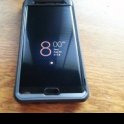
MannyrtFresh
Well-Known Member
Not saying that doing what it suggest there doesn't help with battery life but I haven't turned off anything crazy and i get 24hrs from my phone at like 4hrs screen on time. That's still using the always on display.Most of the google apps can be disabled by holding down on the app and moving to disable. Also, to assist with battery life, you need to disable a bunch of items. Also check out the following site for some simple tips. https://www.gottabemobile.com/2016/08/19/how-to-fix-bad-galaxy-note-7-battery-life/
This really helped.
Did you copy over your phone settings and app to your new phone or start fresh on your Note 7? From my experience, porting over settings and apps from my old phone was convenient but then eventually find stuff that do not work properly. Some issues I found were, overheating, battery drain, bluetooth dropping out, google voice detection is spotty etc. I've learned my lesson and just always start fresh and skip the option to restore my phone settings/apps from my previous phone. I've done this on my old S7Edge and after factory reset the phone just smooth and fast. I did the same thing with my Note 7 and couldn't be happier. No issues, battery lasts me easily in a day. We had power outage last Sunday afternoon and my phone was at 12% as my son was playing some games with it, power came back on around 10pm and was surprised my phone was still on at 5% on standby.

PyroSporker
Android Expert
Did you copy over your phone settings and app to your new phone or start fresh on your Note 7? From my experience, porting over settings and apps from my old phone was convenient but then eventually find stuff that do not work properly. Some issues I found were, overheating, battery drain, bluetooth dropping out, google voice detection is spotty etc.
I've learned my lesson and just always start fresh and skip the option to restore my phone settings/apps from my previous phone.
I have suspected the same about importing settings imports and such over the years. However, Since I have never imported settings I have no first hand knowledge and no experience or data to back up my suspicions.
While it may require a little extra work, I always start fresh too and it leads to a much smoother device transition.