
anton pistol
Lurker
Hi !
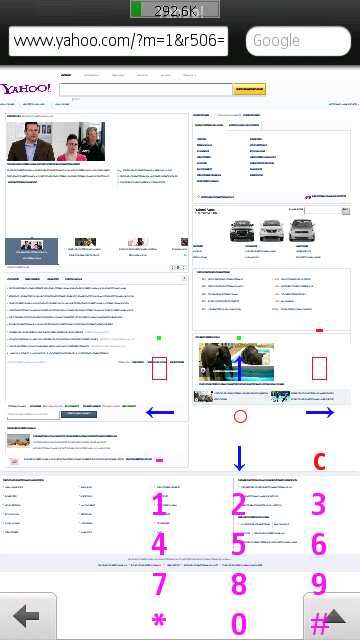
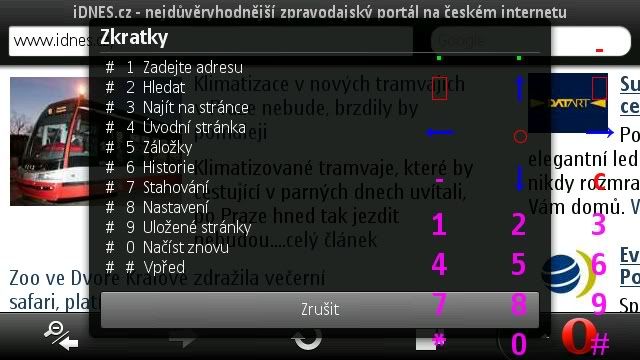
This idea worked really well on my old symban phone in conjunction with opera mini - there was an overlay, transparent, standard phone keyboard on the screen, in the operamini browser I could use the number shorcuts (key 2 - page up, key 8 page down, 5 zoom in/out ...etc), I could use directional arrow keys as well ... very usefu !!! As I sent a request for this application some time ago, not even one reply came, I started a new thread addin several self explanatory pictures of the old symbian application "wf virtual keyboard"):

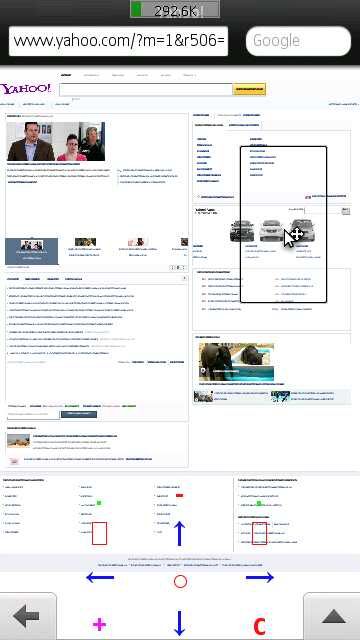
pressing the little violet + sign would collapse the keypad, leaving only the + to bring it up again ... the green dot keys at the top shifted the keyboard to the lef/right sides/to the center ...
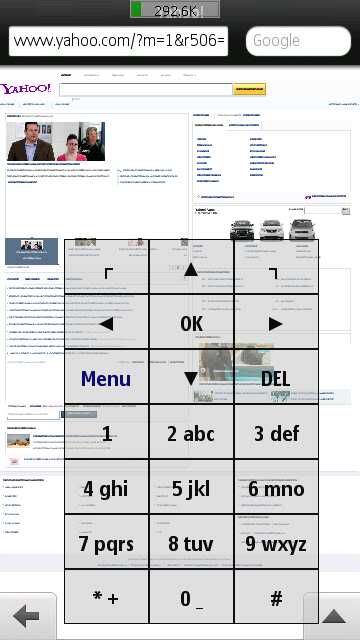
there were several modes of the displayed keyboard I liket the above setup most, but there were others:
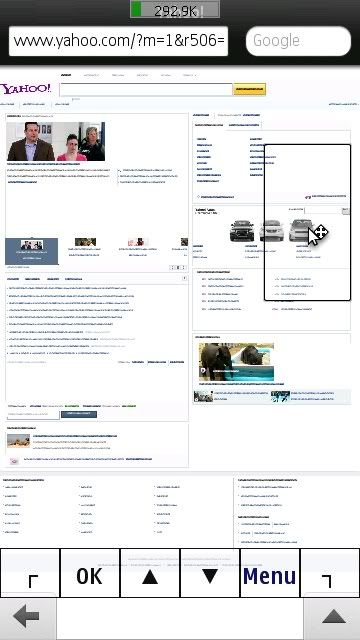
or just a strip of chosen functional buttons at the bottom of screen:
The navigation using this setup in browser/ebook reader etc. is really great ... I have to admit i still cannot (and probably never will) get used to the fact that when I want to go one page down I have to fiddle move the finger across the whole length of display instead of just simply pressing a button :/ ...
I would be so happy it the author made a version for android,... or some other programmer ...
... I hope this thread will not be left unnoticed, so please even if you are not interested in this app, tell me your opinion or a tip how to navigate easier on a touchscreen phone
This idea worked really well on my old symban phone in conjunction with opera mini - there was an overlay, transparent, standard phone keyboard on the screen, in the operamini browser I could use the number shorcuts (key 2 - page up, key 8 page down, 5 zoom in/out ...etc), I could use directional arrow keys as well ... very usefu !!! As I sent a request for this application some time ago, not even one reply came, I started a new thread addin several self explanatory pictures of the old symbian application "wf virtual keyboard"):
pressing the little violet + sign would collapse the keypad, leaving only the + to bring it up again ... the green dot keys at the top shifted the keyboard to the lef/right sides/to the center ...
there were several modes of the displayed keyboard I liket the above setup most, but there were others:
or just a strip of chosen functional buttons at the bottom of screen:
The navigation using this setup in browser/ebook reader etc. is really great ... I have to admit i still cannot (and probably never will) get used to the fact that when I want to go one page down I have to fiddle move the finger across the whole length of display instead of just simply pressing a button :/ ...
I would be so happy it the author made a version for android,... or some other programmer ...
... I hope this thread will not be left unnoticed, so please even if you are not interested in this app, tell me your opinion or a tip how to navigate easier on a touchscreen phone