
Phoenix777
Android Enthusiast
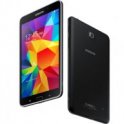
Every time I delete a picture from the camera app it also is deleted from my gallery app. How do I just delete photos from the camera app only but still save them in my gallery app? I have a Samsung Galaxy Tab 4.
Follow along with the video below to see how to install our site as a web app on your home screen.
Note: This feature may not be available in some browsers.

I just checked and my DCIM folder is empty so that doesn't seem to be the issue. I just want them off my camera app but saved in gallery.The camera app probably only looks in the DCIM folder on your phone while the gallery app scans all your folders for images. If you use a file manager or plug in your phone to a PC and move them out of DCIM and into another folder, then the phone app won't see them, but the gallery will.
I'm just using the stock pre-installed camera app that came with my tablet (Samsung Galaxy Tab 4 + Nook). It's called "Camera." lol The images were in my DCIM/Camera folder, so I created a new folder under the "Images" folder and moved it there.What camera app are you using and where was it storing your images?
... Thom
Hmm...interesting! I like this idea...BUT...what do you mean exactly? Can you give an example? I'm kinda confused...if you want to hear something you just click on "Play"...if you don't wish to hear it, you don't click it...right? (I know I'm missing something lol)I think we'll make a Android expert out if you yet. Another little hint. If you ever have any type of media that you do not wish to see or hear, place them in a folder. Inside the folder, create a file
and name it ".nomedia" without the quotes. This tells the media scanner to exclude those items from your libraries.
Can't you just move the photos that you don't want to be displayed in Gallery...out of Gallery and into a different folder?Some people may have photos that they do not want to be displayed in the gallery app. Also, this is how cache and thumbnails operate. Sometimes there are large stores of photos on the device that are obscured due to this.

