Used system:
Ubuntu 8.10 & 9.04
kernel 2.6.28
T-mobile G1 (HTC)
* as well as @ 8.10 as 9.04 I can see the drive, but drive will not mount or recognised
* further I can't find a device with "adb devices" therefor cannot connect to the phone
tail of var/log/messages:
bankey@vrindaban:~$ tail /var/log/messages
Feb 10 00:08:19 vrindaban kernel: [ 5159.377565] usb 4-4: configuration #1 chosen from 1 choice
Feb 10 00:08:19 vrindaban kernel: [ 5159.394945] scsi9 : SCSI emulation for USB Mass Storage devices
Feb 10 00:08:20 vrindaban kernel: [ 5159.480995] usb 4-4: New USB device found, idVendor=0bb4, idProduct=0c02
Feb 10 00:08:20 vrindaban kernel: [ 5159.481002] usb 4-4: New USB device strings: Mfr=3, Product=2, SerialNumber=1
Feb 10 00:08:20 vrindaban kernel: [ 5159.481015] usb 4-4: Product: Android Phone
Feb 10 00:08:20 vrindaban kernel: [ 5159.481018] usb 4-4: Manufacturer: HTC
Feb 10 00:08:20 vrindaban kernel: [ 5159.481021] usb 4-4: SerialNumber: HT91AKV00777
Feb 10 00:08:25 vrindaban kernel: [ 5164.484234] scsi 9:0:0:0: Direct-Access HTC Android Phone 0100 PQ: 0 ANSI: 2
Feb 10 00:08:25 vrindaban kernel: [ 5164.498897] sd 9:0:0:0: [sdc] Attached SCSI removable disk
Feb 10 00:08:25 vrindaban kernel: [ 5164.501340] sd 9:0:0:0: Attached scsi generic sg3 type 0
I made a udev rule :
SUBSYSTEM=="usb", SYSFS{idVendor}=="0bb4", MODE="0666"
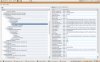
I'll add a screenshot of devicelist & lsusb
Please if anyone can help me further then it would be great..
Ubuntu 8.10 & 9.04
kernel 2.6.28
T-mobile G1 (HTC)
* as well as @ 8.10 as 9.04 I can see the drive, but drive will not mount or recognised
* further I can't find a device with "adb devices" therefor cannot connect to the phone
tail of var/log/messages:
bankey@vrindaban:~$ tail /var/log/messages
Feb 10 00:08:19 vrindaban kernel: [ 5159.377565] usb 4-4: configuration #1 chosen from 1 choice
Feb 10 00:08:19 vrindaban kernel: [ 5159.394945] scsi9 : SCSI emulation for USB Mass Storage devices
Feb 10 00:08:20 vrindaban kernel: [ 5159.480995] usb 4-4: New USB device found, idVendor=0bb4, idProduct=0c02
Feb 10 00:08:20 vrindaban kernel: [ 5159.481002] usb 4-4: New USB device strings: Mfr=3, Product=2, SerialNumber=1
Feb 10 00:08:20 vrindaban kernel: [ 5159.481015] usb 4-4: Product: Android Phone
Feb 10 00:08:20 vrindaban kernel: [ 5159.481018] usb 4-4: Manufacturer: HTC
Feb 10 00:08:20 vrindaban kernel: [ 5159.481021] usb 4-4: SerialNumber: HT91AKV00777
Feb 10 00:08:25 vrindaban kernel: [ 5164.484234] scsi 9:0:0:0: Direct-Access HTC Android Phone 0100 PQ: 0 ANSI: 2
Feb 10 00:08:25 vrindaban kernel: [ 5164.498897] sd 9:0:0:0: [sdc] Attached SCSI removable disk
Feb 10 00:08:25 vrindaban kernel: [ 5164.501340] sd 9:0:0:0: Attached scsi generic sg3 type 0
I made a udev rule :
SUBSYSTEM=="usb", SYSFS{idVendor}=="0bb4", MODE="0666"
I'll add a screenshot of devicelist & lsusb
Please if anyone can help me further then it would be great..