
• After 15+ years, we've made a big change: Android Forums is now Early Bird Club. Learn more here.

Problems with pics and video

So my gf got the s6 (not edge) yesterday. Loved it until her mom sent her a video in .mov form. Clicked it, couldn't find an app to play it. OK, that's weird, my s5 doesn't have that problem. Downloaded mx viewer. Works now. Went onto photo bucket to download old pics. Shows up as downloaded in notifications, shows up in download history. nowhere in gallery, click the file in download history under my files app, can't find app to open files. Wth? Cmon samsung. Anyone have a solution besides do loading 50 apps?
 
So my gf got the s6 (not edge) yesterday. Loved it until her mom sent her a video in .mov form. Clicked it, couldn't find an app to play it. OK, that's weird, my s5 doesn't have that problem. Downloaded mx viewer. Works now. Went onto photo bucket to download old pics. Shows up as downloaded in notifications, shows up in download history. nowhere in gallery, click the file in download history under my files app, can't find app to open files. Wth? Cmon samsung. Anyone have a solution besides do loading 50 apps?
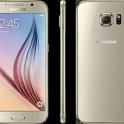
Mine does the same.It seems no mtter wha media you download ,whether ringtones,picture,mp3s, wallpaper the are saved te th internal storage.Some reason the phone does no see any files saved to the internal storage, I used the samsung Myfile app to check where the files were downloaded.I even moved the to the correct folders and they would still not show. Noapp will see them ,music player, gallery ect ringtones or notifications.I read somewhre you had to hav root access .I'm not sure what to do.Wish someone could help
 
I also have this problem. It is extremely disappointing. I have tons of photos and videos that I transferred from my old phone to the Galaxy S6. Everything was fine at first. Then I started uploading them to the One Drive. When I woke up it was still uploading, but I had to go to work, so the WiFi connection was lost and when I checked the gallery at work, nothing was recognized in the gallery. Also new photos I download from the Internet or take with the camera are not recognized either. I downloaded the FX file manager app to help me track them down. The files are there, but they are not being recognized in the gallery. Nobody at the Samsung Experience counter at Best Buy could figure it out and neither could anyone at the Best Buy Mobile store. I suppose I'll try the Sprint Store tomorrow. It's an incredibly annoying bug considering part of the reason I got the phone was because I wanted more space for media and a better quality camera. I may have to end up returning it if a solution cannot be found.
 
WOW FINALLY FOUND SOMEONE THAT UNDERSTANDS WHAT I BEEN TRYING TO SAY. One way I found around it is to upload your pictures to Flickr( from Yahoo, you get a whole terabyte of free space). Once they are uploaded and in Flickr ,delete them out your phone so you don't have 2 copies. Go back into Flickr and download them to the phone. You have to do it one by one and they will show up in the gallery. Otherwise leave the others on Flickr so you'll always have then and can download whenever. Whatever you download ton Flickr will show up for some reason. Nothing from google drive or one drive or any other apps will show in the gallery.
FYI any pic you take with the camera or you screenshot,these are the only things that show up in the gallery beside Flickr.No matter what you do. Ringtones mp3s and wallpapers all do the same,They will download to storage but will nit show up in ANY music player, in ringtones or as a wallpaper. If you find anything else that works let me know
 
You know it could be something with the Lollipop update also. I had the S5 before. After I updated my music player and gallery would not find anything from the internal storage, only from the sdcard.Then I got the s6 end which doesn't have an SD card only internal storage . It's not reading things downloaded to the internal storage on this phone either just like lollipop on the S5.when I had kit Kate on the S5 I didn't have this problem. I'll try researching it on the Internet and let you know
 
Yes you can also check settings-privacy and safety-and check it on maybe you accidently put the file in safety mode and this way you can acces it again?
I have all my voice recordings in private mode :)
 
Back
Top Bottom