

SUroot
Extreme Android User
This is a mid-level complexity profile to set the screen brightness higher if its bright outside.
This profile is for those who don't use Auto-brightness (which we know uses power whilst constantly polling the light sensor).
Thanks to Davoid for the inspiration / base and to guys on google groups helping me iron out issues with the light sensor.
NB. These are my values, set up for my preference. Please experiment with your own
V2:
This consists of 3 profiles.
I have exported them and attached them as a zip.
The two .xml files inside need to go to /sdcard/tasker/profiles/ to import them.
To import, long press on the "Profiles" tab. I haven't tested these.
Profile 1: GetLight
Profile
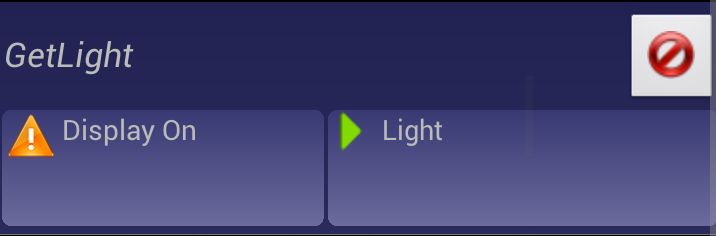
Context
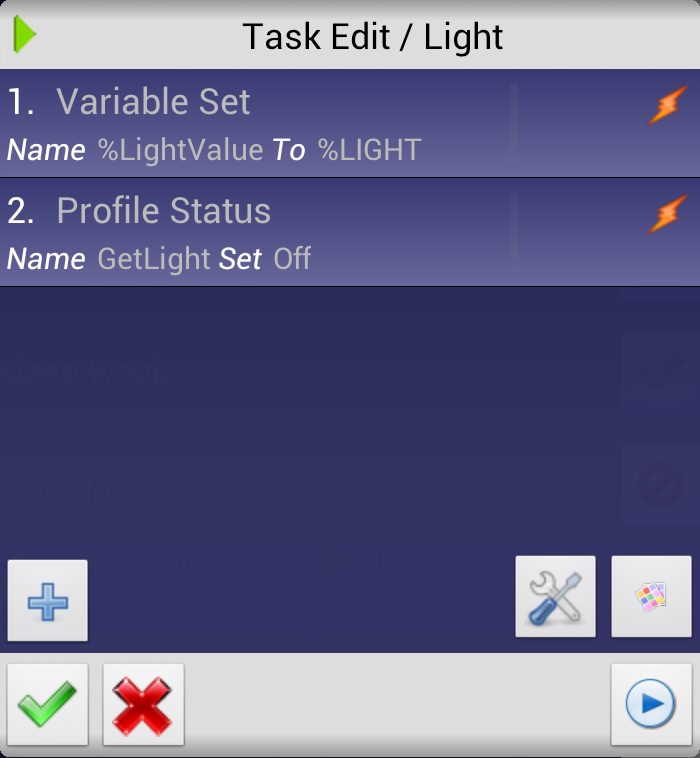
Task
Profile 2: DisplayOn
Profile
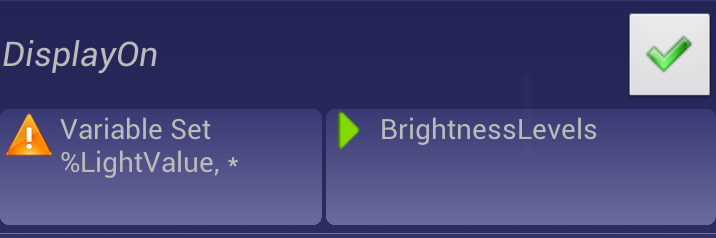
Context
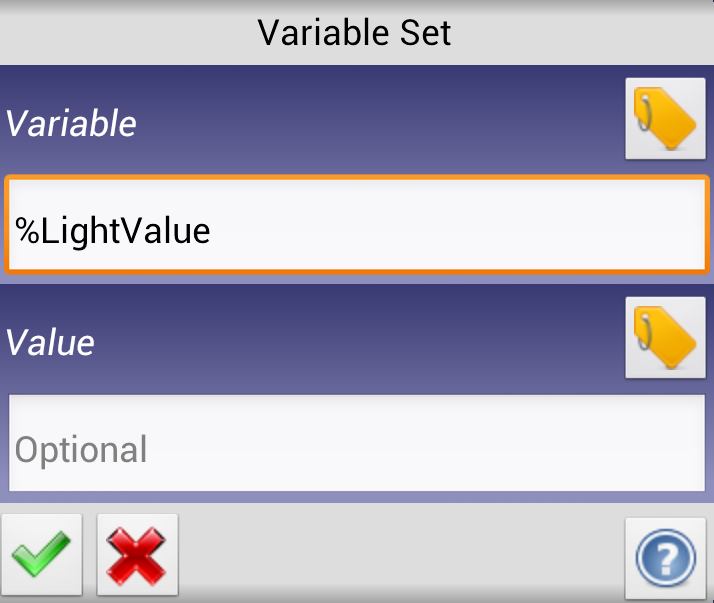
Task
Profile 3: DisplayOff
Profile
Context
Task
V1:
This profile is for those who don't use Auto-brightness (which we know uses power whilst constantly polling the light sensor).
Thanks to Davoid for the inspiration / base and to guys on google groups helping me iron out issues with the light sensor.
NB. These are my values, set up for my preference. Please experiment with your own
V2:
This consists of 3 profiles.
I have exported them and attached them as a zip.
The two .xml files inside need to go to /sdcard/tasker/profiles/ to import them.
To import, long press on the "Profiles" tab. I haven't tested these.
Profile 1: GetLight
Profile
- Add (+) Profile, name "GetLight"
Context
- Select Event > Display > Display on
Task
- New Task
- + Variable > Variable Set >Name "%LightValue", To "%LIGHT"
- + Tasker > Profile Status > Name "GetLight", Set "Off"
Profile 2: DisplayOn
Profile
- Add (+) Profile, name "DisplayOn"
Context
- Select Event > Variable > Variable set > "%LightValue"
Task
- New Task
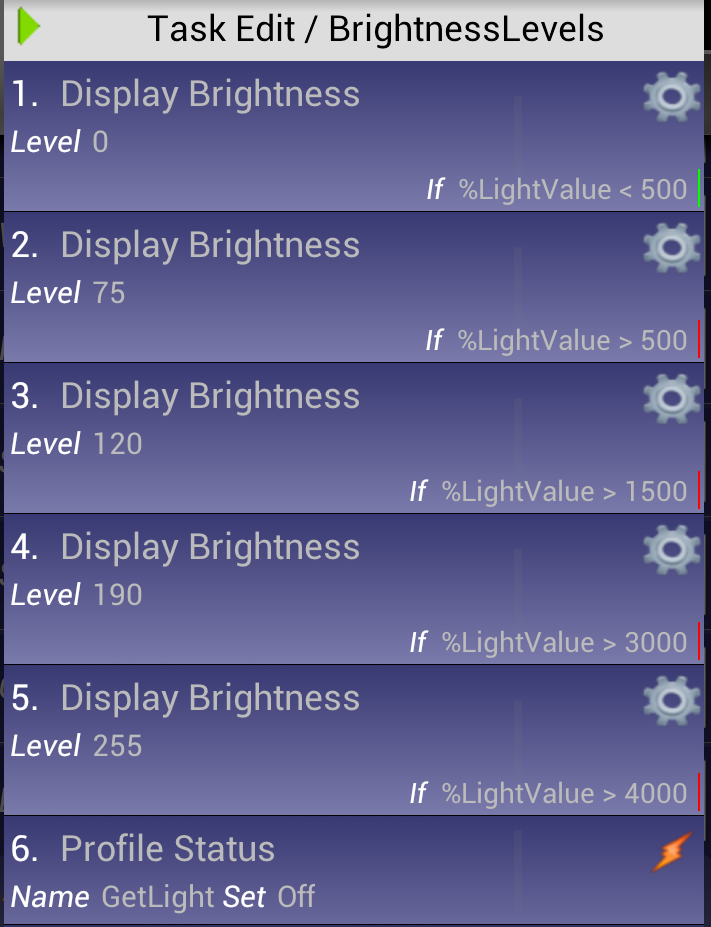
- + Display > Display Brightness > Level (0), IF "%LightValue" < "500"
- + Display > Display Brightness > Level (75), IF "%LightValue" > "500"
- + Display > Display Brightness > Level (120), IF "%LightValue" > "1500"
- + Display > Display Brightness > Level (190), IF "%LightValue" > "3000"
- + Display > Display Brightness > Level (120), IF "%LightValue" > "4000"
- + Tasker > Profile Status > Name "GetLight", Set "Off"
Profile 3: DisplayOff
Profile
- Add (+) Profile, name "DisplayOff"
Context
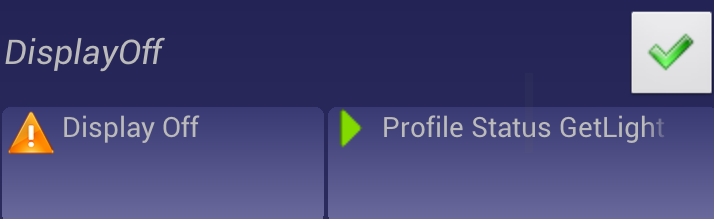
- Select Event > Display> Display Off
Task
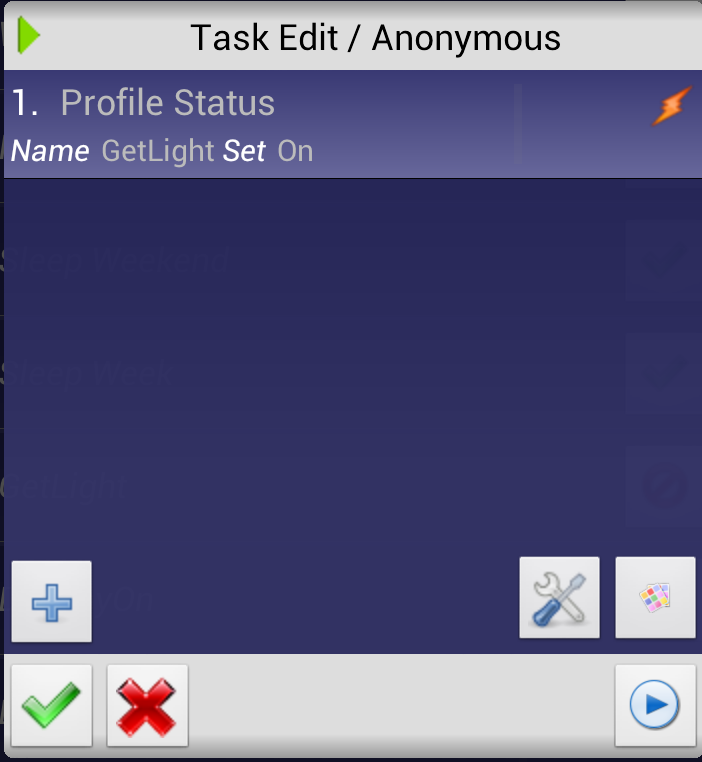
- New Task
- + Tasker > Profile Status > Name "GetLight", Set "Off"
V1:
This consists of 2 profiles.
I have exported them and attached them as a zip.
The two .xml files inside need to go to /sdcard/tasker/profiles/ to import them.
To import, long press on the "Profiles" tab. I haven't tested these.
Profile 1: GetLight
Profile
Context
Task

Profile 2: DisplayOn
Profile
Context
Task
You can add a few values and IF's here. This example has 3. Just ensure you start with the lower values and build up. Don't add too many though.
I am aware there is a "Wait Until" task that probably makes more sense than the "Wait" with 1MS. Truth is I hadn't noticed it until writing this up. I'm sure it works but I haven't tested it so....

I have exported them and attached them as a zip.
The two .xml files inside need to go to /sdcard/tasker/profiles/ to import them.
To import, long press on the "Profiles" tab. I haven't tested these.
Profile 1: GetLight
Profile
- Add (+) Profile, name "GetLight"
Context
- Select Event > Variable > Variable Set > Variable "%WantLight", Value "1"
Task
- New Task
- + Variable > Variable Set >Name "%LightValue", To "%LIGHT"
- + Tasker > Profile Status > Name "GetLight", Set "Off"
Profile 2: DisplayOn
Profile
- Add (+) Profile, name "DisplayOn"
Context
- Select Event > Display > Display On
Task
- New Task
- + Tasker > Profile Status > name "GetLight", Set "On"
- + Variable > Variable Set > name "%WantLight", To "1"
- + Task > Wait > (1 MS) Until "%LightValue" Is Set
- + Display > Display Brightness > Level (100), IF "%LightValue" > "1000"
- + Display > Display Brightness > Level (180), IF "%LightValue" > "2000"
- + Display > Display Brightness > Level (255), IF "%LightValue" > "3000"
- + Variable > variable Set > name "%WantLight%, To "0"
- + Tasker > Profile Status > Name "GetLight", Set "On"
You can add a few values and IF's here. This example has 3. Just ensure you start with the lower values and build up. Don't add too many though.
I am aware there is a "Wait Until" task that probably makes more sense than the "Wait" with 1MS. Truth is I hadn't noticed it until writing this up. I'm sure it works but I haven't tested it so....


