

• After 15+ years, we've made a big change: Android Forums is now Early Bird Club. Learn more here.

Help Rooting without admin access on PC

I have an S6 Edge+ (T-Mobile, running Android 6.1) I want to root for a few reasons.

Changing hardware button functions permanently and changing how the status bar works. I actually like TouchWiz more than stock, but I'd simply like to change the notification display colors and icons without using a theme. Also, overclocking/underclocking the CPU.

I don't have full access to this computer, I'm not an admin. I can't install anything that requires it. I've heard that I may need Samsung drivers to see my device in my PC (which requires admin access to install), and I can browse files fine through my computer already, so I'm not sure if they're already installed.

If there isn't a non-admin solution for a PC root, is there any reliable method on rooting on-device?

 
I'm sure you need admin access on Windows to install the drivers, no other way around that I think. If it's public internet bar or library or faculty PCs, keeping them locked down is basic security 101.

You got a Samsung with 6.1 Marshmallow, one-click exploit root apps very likely won't work on that.

Quite frankly do you really need to root this phone? What are your particular reasons? Because rooting a current Samsung will void the warranty, and negate any Samsung updates. T-Mobile....I know that certain US carrier subsidized version devices, apparently can actually be impossible to root.
 
I'm sure you need admin access on Windows to install the drivers, no other way around that I think. If it's public internet bar or library or faculty PCs, keeping them locked down is basic security 101.

You got a Samsung with 6.1 Marshmallow, one-click exploit root apps very likely won't work on that.

Quite frankly do you really need to root this phone? What are your particular reasons?
I already said my main reasons in my main post. In addition to some apps having more features of rooted phones, (MacroDroid, Status) I really want the ability to flash a custom rom if I ever want to, or to get 7.0 sooner since it'll be a decade before Samsung rolls it out.

Also, I forgot to say that I also really want to mess with my status bar. The Status app is extremely unreliable as an overlay of the status bar. I wanted the time in smaller font, notifications in the middle, and battery icon on the right.

Also, it's a relative's computer. Not my PC, and they set up the alternate account on purpose.
 
I already said my main reasons in my main post. In addition to some apps having more features of rooted phones, (MacroDroid, Status) I really want the ability to flash a custom rom if I ever want to, or to get 7.0 sooner since it'll be a decade before Samsung rolls it out.

Also, I forgot to say that I also really want to mess with my status bar. The Status app is extremely unreliable as an overlay of the status bar. I wanted the time in smaller font, notifications in the middle, and battery icon on the right.

Also, it's a relative's computer. Not my PC, and they set up the alternate account on purpose.

OK, ask your relative nicely then for admin access to it, say "please". :) However is this is a T-Mobile version S6 Edge with 6.1, but even if you did get admin access, I'm pretty sure root for this particular phone might be impossible, like it's impossible for the Verizon version ones. This is only things I've read of course, as I'm not in the US.

FYI there's our AF S6 Edge all things root forum. :thumbsupdroid:
http://androidforums.com/forums/root-samsung-galaxy-s6-edge.3006/
Seems to be a lot of people asking about this, but no definite answers.
 
Maybe I'll try to get on their account when they're asleep or something.

Anyway, what do I need to download? I hardly trust anything I Google since every site looks untrustable and random.
 
Do you know how to locate the build number on the phone? If so post the last 3 and i will check back in after i'm done with a client of mine.
 
@James L Is the bootloader unlockable on this device?
The bootloader is not locked on the T-mobile version of this device. If this is the Sm-G925T.

I know there is TWRP builds and CF-autoroot for this device. Sorry gotta reply quickly. Working with a international client and trying to communicate the best i can with him due to a language barrier. The root is done as well as the rom install but he likes to ask alot of questions lol. Nexus 5 running Fake Nexus rom at least now it is lol
'
 
I have an S6 Edge+ (T-Mobile, running Android 6.1) I want to root for a few reasons.

Changing hardware button functions permanently and changing how the status bar works. I actually like TouchWiz more than stock, but I'd simply like to change the notification display colors and icons without using a theme. Also, overclocking/underclocking the CPU.

I don't have full access to this computer, I'm not an admin. I can't install anything that requires it. I've heard that I may need Samsung drivers to see my device in my PC (which requires admin access to install), and I can browse files fine through my computer already, so I'm not sure if they're already installed.

If there isn't a non-admin solution for a PC root, is there any reliable method on rooting on-device?

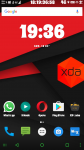
hey there ,yes with root on your phone and xposed framework installed , you can nearly do whatever you like with your android ( even a hardware change as your saying about ) thats my stock marshmallow fully customized by me :) see the status bar !

And about the admin rights , you cannot perform a root without admin rights on your pc , You may try going with the kingroot app from xda to root via phone if it works ;)You can contact me via email if you need personnel help in rooting and unlocking bootloader , installing xposed .

 

Attachments

  • Screenshot_20161218-193700.png
    Screenshot_20161218-193700.png
    245.1 KB · Views: 149
Last edited by a moderator:
Back
Top Bottom
