• After 15+ years, we've made a big change: Android Forums is now Early Bird Club. Learn more here.

Help S-Pen nib change

Simon_Gardner

Android Expert
My launch day Note 3 came with a bunch of what I assumed were replacement nibs for the S-pen. I can see no way to replace the nib. Anyone know how?
 
Just pinch the old one with your finger nails or tweezers and pull it out. I doubt you'll need to replace it anytime soon tho. Mine still in good shape and I use it all the time.
 
Thanks to all. Using the S-pen "all the time" is also clearly one of those highly flexible terms depending on how much "all" is. After over a year, mine definitely needs changing else I have to resort to my alternate black original S-pen.

(With a black Note 3 I bought my white S-pen as easier to find when it goes astray; though attempts to paint it fluorescent orange didn't last.)
 
Here is a quick video showing how to do it:

My Note 3 didn't come with a gripping tool but a pair of tweezers will do the job beautifully.
 
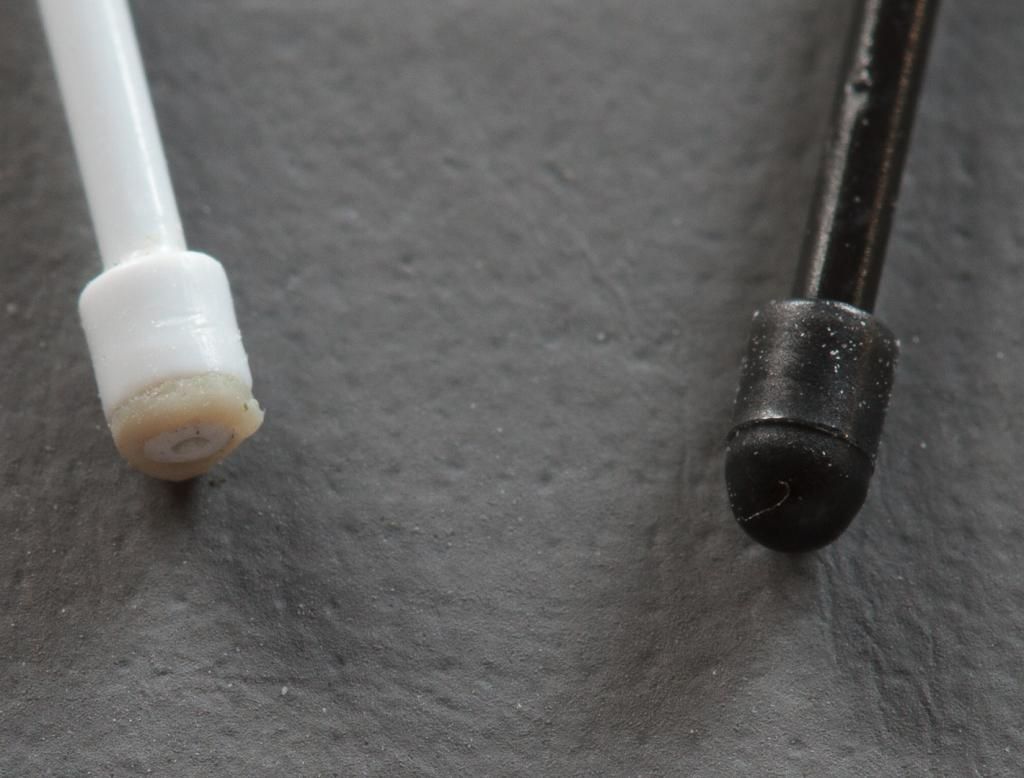
S-Pentipmacro2014-12-16IMG_100_0881-1_zpsf1939082.jpg


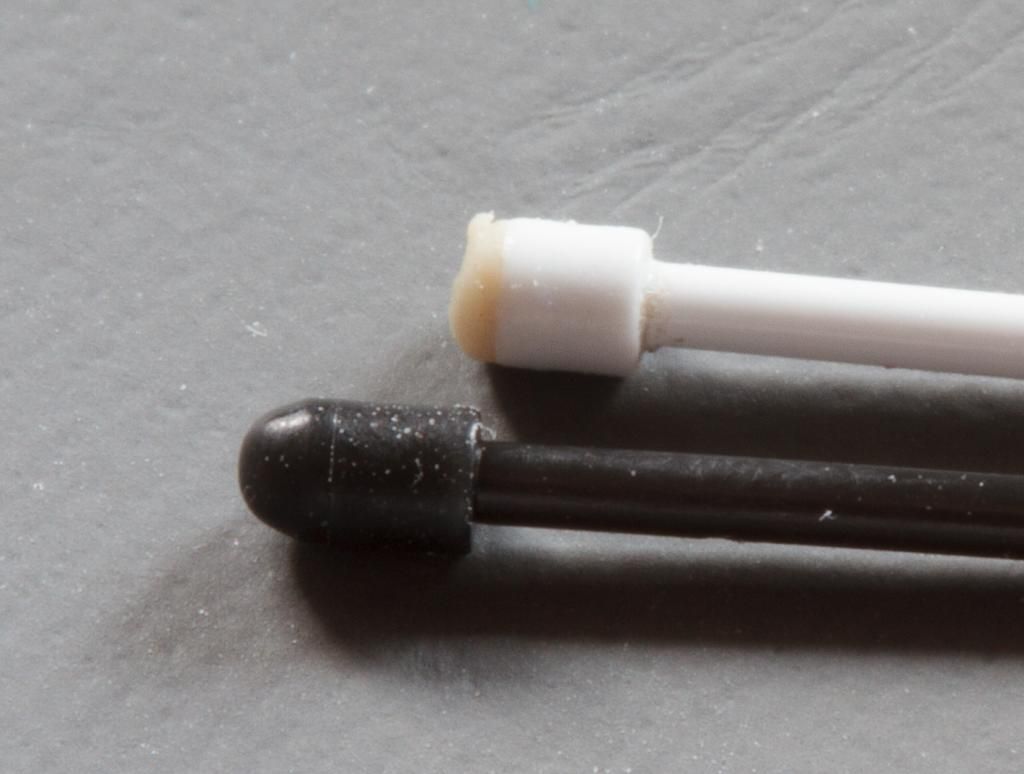
S-Pentipmacro2014-12-16IMG_100_0885-1_zpsef349e72.jpg


Used is white. New is black.

I had lost a great deal of accuracy with the used nib and the macro photo shows exactly why. It certainly DID need changing.

For those needing more control with their S-Pen, changing the nib is definitely worthwhile before yours gets in as bad a state as my white one above. You'll be surprised at the difference.

My original Samsung box DID in fact have nib tweezers as it turns out. But in fact finger nails were sufficient.
 
My nibs both wore out to the point that using the S-Pens on my two Notes (especially the 10.1 2014 Edition) makes ugly streak marks on the screens. i wasn't aware they were replaceable and i'd have to buy a replacement S-Pen. glad to know i can change them! sadly, in my use, they don't last very long before making streak marks on the screen.
 
The mechanism revealed in the end of the white nib - first picture - might account for a lot of marking. My second S-Pen from Amazon didn't come with any replacement nibs - unlike the original.
 
the marks are obviously remnants of the 'rubber-like' tip. it isn't as degraded as yours but marks it up like razor-thin pen-sized smudges--exactly why i wanted a device with a stylus to begin with-to prevent such marks requiring almost OCD-style cleaning of the screen during use. Sadly it wasn't long before the S-pen became a smudge inducer every bit as annoying as fingerprints. i just learn to use it when i can use air-view to scroll so i don't have to touch the screen at all.

If there is an all-plastic nib without the rubber tip i'd buy it.
 
Back
Top Bottom