
BlackberrySux
Member
When I take picture with my phone and then plug it into USB I can view the files in Windows picture viewer.
If I take a video and plug it into USB, if I double click on the video to play it, before it plays it copies the video to a temp folder in Windows.
Does anyone know why it does this for video playback and how I can stop it from doing this and be able to plug it in and just watch the video without it transferring to my computer first.
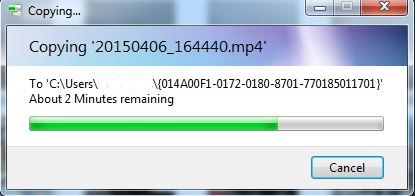
The picture is what happens when I plug in the phone and try to watch it. If I copy the file to desktop first it does not do this. So it seems before the phone will play a video on the computer it wants to copy it to the computer first.
My point & shoot camera does not do this and it is also a Samsung.
If I take a video and plug it into USB, if I double click on the video to play it, before it plays it copies the video to a temp folder in Windows.
Does anyone know why it does this for video playback and how I can stop it from doing this and be able to plug it in and just watch the video without it transferring to my computer first.
The picture is what happens when I plug in the phone and try to watch it. If I copy the file to desktop first it does not do this. So it seems before the phone will play a video on the computer it wants to copy it to the computer first.
My point & shoot camera does not do this and it is also a Samsung.

