
Install the app
How to install the app on iOS
Follow along with the video below to see how to install our site as a web app on your home screen.
Note: This feature may not be available in some browsers.
-
After 15+ years, we've made a big change: Android Forums is now Early Bird Club. Learn more here.
You are using an out of date browser. It may not display this or other websites correctly.
You should upgrade or use an alternative browser.
You should upgrade or use an alternative browser.
S7 - something wrong with camera API?
- Thread starter peterh337
- Start date
-
- Tags
- samsung galaxy s7

shimceltic
Lurker
I've pressed mode and the only option at the top is INFO. No download option. Just come from a HTC m9 and feel like I'm missing something obvious.You have to download other modes/options from Samsung. Tap mode, then download at the top whilst in the camera.

sargan
Member
You have to download other modes/options from Samsung. Tap mode, then download at the top whilst in the camera.
All pre-installed on my S7
shimceltic
Lurker
How wouldI know if I was in pro mode? I just went to the camera app after turning on the phone and all it shows under mode is auto and panoramic,with info on the top of the screen.
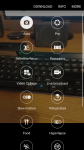
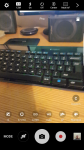
shimceltic
Lurker
I'm on EE , it seems like the camera app looks like a dumbed down version
shimceltic
Lurker
This is the only option 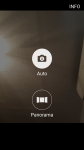
Edit..... my phone was in easy mode for some reason. All working now and the edge function is there. Thanks for the help.
Edit..... my phone was in easy mode for some reason. All working now and the edge function is there. Thanks for the help.
Last edited:
Richard Park
Member
The stock app has no config for saturation etc. The pics are way over-saturated - as per my other post here.
I am also using Camera-FV5. That has the settings for saturation and sharpness. The saturation control works, and -1 drops it down just right. But the sharpness setting doesn't work. In the neutral position there is way too much unsharp mask sharpening. But going down -1 produces massive jpeg compression artefacts. I have reported this to the app developer. It may be the app or it may be a bug in the API.
Neither app can generate RAW files. The stock app records nothing. FV5 records DNGs but with zero size. Definitely another bug! I cannot believe Samsung can launch a product which is buggy in such an obvious place.
OP, most Companies do not pay attention to 3rd Party Applications. You cannot blame a Company for not being able to run a 3rd Party Application... You should be contacting the 3rd Party App. Developer for your issue. There are so many applications out in the Play Store Market and there wouldnt be enough engineers to test each and every single one.
"What did you see that was wrong that now performs better ?"
Difficult to be specific but the raw image is a lot better.
"You cannot blame a Company for not being able to run a 3rd Party Application... You should be contacting the 3rd Party App. Developer for your issue. There are so many applications out in the Play Store Market and there wouldnt be enough engineers to test each and every single one."
Of course but almost nobody would be buying a £550 smartphone like this today if it wasn't for the "ecosystem" i.e. the range of apps. Google/Samsung therefore have a responsibility to provide usable APIs. For the most part they do this of course but there are claims (see e.g. CAMERA-FV5 in the appstore) that on the S7 they crippled the official API on resolution.
The specific problem with 3rd party camera apps is that they don't get access to the image file! They are merely a "control panel" onto the API and the operating system does all the stuff, all the way to saving the file. I was told this by one camera app developer. Actually he found some hack whereby he could do some additional processing but it involved saving the image first and then re-opening it. This is why e.g. every camera app has the same number of selectable steps when it comes to saturationand other parameters.
Difficult to be specific but the raw image is a lot better.
"You cannot blame a Company for not being able to run a 3rd Party Application... You should be contacting the 3rd Party App. Developer for your issue. There are so many applications out in the Play Store Market and there wouldnt be enough engineers to test each and every single one."
Of course but almost nobody would be buying a £550 smartphone like this today if it wasn't for the "ecosystem" i.e. the range of apps. Google/Samsung therefore have a responsibility to provide usable APIs. For the most part they do this of course but there are claims (see e.g. CAMERA-FV5 in the appstore) that on the S7 they crippled the official API on resolution.
The specific problem with 3rd party camera apps is that they don't get access to the image file! They are merely a "control panel" onto the API and the operating system does all the stuff, all the way to saving the file. I was told this by one camera app developer. Actually he found some hack whereby he could do some additional processing but it involved saving the image first and then re-opening it. This is why e.g. every camera app has the same number of selectable steps when it comes to saturationand other parameters.