

Rooted, stock 4.4.2 rom, LG G3 Verizon.
I managed to screen record my device using this guide.
All went fine and dandy using these commands to record:
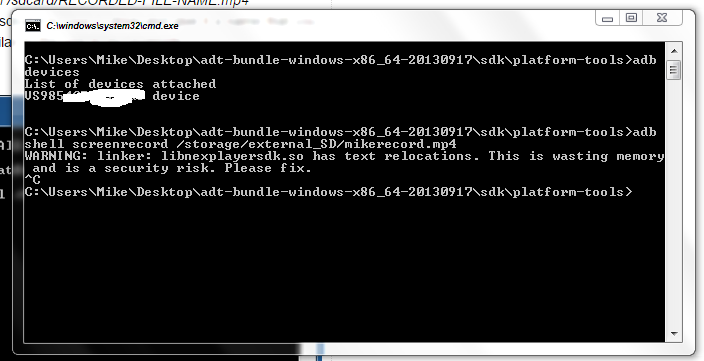 (sidenote, what the heck does that warning even mean??????)
Anyway, it saved to my external SD card just fine (mikerecord.mp4) :

However, I cannot view it (on my device)..I get this message:

I says to myself, "Let me try to view it on the computer!", but alas Windows Media Player says it doesn't support the way it's formatted.
I saved it as an mp4. Should I save it as something else, or do I need to change the resolution for recording as the popup states?? If so, I gotta figure that out....
Just kinda putting my thoughts out here. I thought ADB would auto record to my devices' specs.
And what duh fun is that, "Advanced Video Coding (AVC) encoder" bit?????
I managed to screen record my device using this guide.
All went fine and dandy using these commands to record:
Anyway, it saved to my external SD card just fine (mikerecord.mp4) :
However, I cannot view it (on my device)..I get this message:
I says to myself, "Let me try to view it on the computer!", but alas Windows Media Player says it doesn't support the way it's formatted.
I saved it as an mp4. Should I save it as something else, or do I need to change the resolution for recording as the popup states?? If so, I gotta figure that out....
Just kinda putting my thoughts out here. I thought ADB would auto record to my devices' specs.
bold emphasis mine.--size <WIDTHxHEIGHT> Sets the video size, for example: 1280x720. The default value is the device's main display resolution (if supported), 1280x720 if not. For best results, use a size supported by your device's Advanced Video Coding (AVC) encoder
And what duh fun is that, "Advanced Video Coding (AVC) encoder" bit?????