
Install the app
How to install the app on iOS
Follow along with the video below to see how to install our site as a web app on your home screen.
Note: This feature may not be available in some browsers.
-
After 15+ years, we've made a big change: Android Forums is now Early Bird Club. Learn more here.
You are using an out of date browser. It may not display this or other websites correctly.
You should upgrade or use an alternative browser.
You should upgrade or use an alternative browser.
Help SCREEN SHOT DOESNT work
- Thread starter natnat
- Start date
-
- Tags
- samsung galaxy s3


Pookeysgirl
Well-Known Member
Alternatively press and hold power & home simultaneously until the screenshot is captured.
Agreed...make sure you hold it for at least a few seconds.
Pookeysgirl
Well-Known Member
I find the key combo very difficult.
Best way to describe swipe is, as said the side of the palm. Imagine a karate chop onto the edge of the screen (left or right) then swiping that hand slowly from one edge to the other.
I leave the phone on a table so I can press both buttons. I've never been able to get the swipe to work for me


silentwitness
Android Expert
I find the key combo very difficult.
Best way to describe swipe is, as said the side of the palm. Imagine a karate chop onto the edge of the screen (left or right) then swiping that hand slowly from one edge to the other.
the button press is very easy u just need to keep both buttons pressed for a few seconds not just tap and release.


SUroot
Extreme Android User
the button press is very easy u just need to keep both buttons pressed for a few seconds not just tap and release.
This I know. It's just overly awkward compared to swipe for me.

SUroot
Extreme Android User
I have an app in beta called Screen Grabber that makes it easier to share screen grabs once taken. If you want to try it just send me a private message and I'll send you the link.
Thanks, Steve
Thanks. Although on the S3, the built in screen shot function already has a brilliant share function in the notification area:
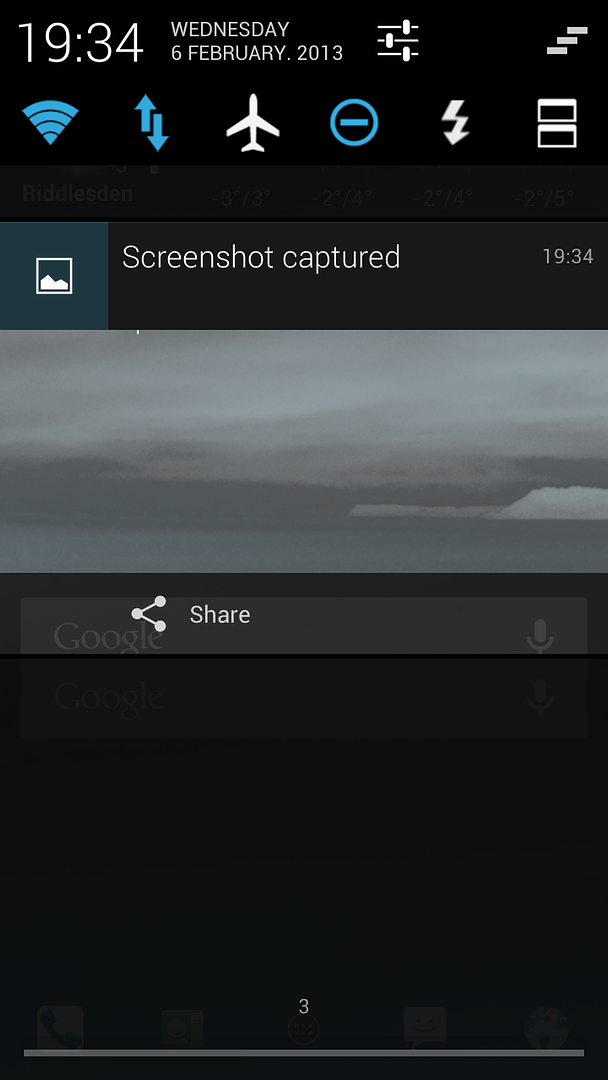

Hi guys, For some reason my screen shot isnt working. When I swipe my finger across the screen nothing happens. Does anyone know why this could be or does anyone know another way to screen capture as the swipe method is rubbish anyway?Thank you. Nat
It works absolutely great!
view the 2 videos listed here and remember, if right-to-left doesn't do it for you, try doing it left-to-right!
samsung galaxy s3 (PALM SWIPE TO TAKE SCREEN SHOT) - YouTube
How To Use Palm Swipe To Capture Screenshots On The Samsung Galaxy S3 (S III) - Phones 4u - YouTube
I'll bet you get to make it work after watching them. The first one is the best.
THANKS GUYS,I did know how to use swipe capture ive used it loads but it stopped working. Just checked though and my motion sensor was switched off in settings?Also thank you as I didn't know you could do the 2 button press. I wasnt holding them long enough, I much prefere this.Thanks again

gingersnapgirl
Android Enthusiast
This I know. It's just overly awkward compared to swipe for me.
I find it incredibly easy, but I came from the iPhone and this was the only way to do it on the iPhone.
It works consistently for me, the first time, whereas swiping, I sometimes have to try multiple times to get it to work.

valorian
Android Expert
The thing I hate about swiping to do a screenshot, is when I'm trying to take a shot of my home screen the screen moves to my next home screen. Really annoying. It usually takes about five tries before I get one that's not between home screens lol.
Your not supposed to touch the screen when swiping. Swipe across just off the screen surface.
SUroot
Extreme Android User
Your not supposed to touch the screen when swiping. Swipe across just off the screen surface.
What?
No, you're supposed to touch the screen. Maybe your way only works for those who report more sensitive capacative screens but it certainly doesn't work for me that way.
http://www.youtube.com/watch?v=T4dPoY1Z6hc