• After 15+ years, we've made a big change: Android Forums is now Early Bird Club. Learn more here.

SD card is empty but shows full

Hi guys. I was just adding music to my Captivate and I decided that I would delete everything and start again. After doing so, I noticed that my SD card showed itself to be almost completely full; around 12 gigs plus out of 13. And I checked all my folders and see no sign of it being full. Any ideas on how to resolve this?

Thank you :)
 
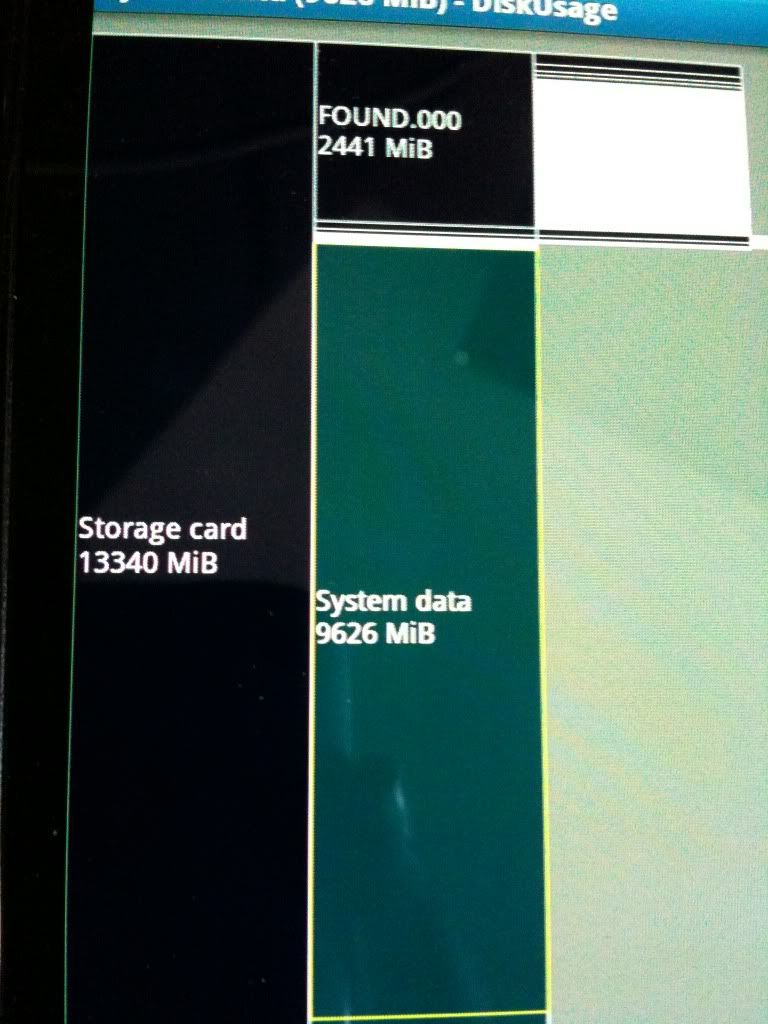
Thanks for suggesting the app. I scanned my SD card and found that system data is taking up 9 gigs. Any suggestions on how to get rid of it? Because I can't seem to find any of these files
 
Thanks for suggesting the app. I scanned my SD card and found that system data is taking up 9 gigs. Any suggestions on how to get rid of it? Because I can't seem to find any of these files
"System Data" is not on the SD card (internal or external) and is actually part of the internal 2GB app partition.

Can you be more-exact about where the "system data" directory you're seeing is located?
 
Like I said, I scanned the 13 Gb sd card and it says system data is taking up 9 Gb. It does not show me what directory within the SD card it is situated but I can't open it to see what's inside. I'm not sure what to do about it. I'll post a picture if possible
 
IMG_0607.jpg
 
Could someone please provide me a solution to my problem? I can't figure out what to do other than to reformat the SD card.
Reformatting is exactly what you should do. The lost capacity and huge FOUND.000 directory suggest that the filesystem is/was corrupted. Best bet is to start fresh.
 
Back
Top Bottom