• After 15+ years, we've made a big change: Android Forums is now Early Bird Club. Learn more here.

Root Signal Fix After CM12

DrJonJ

Newbie
So it seems I'm the only one who has actually managed to fix my signal issues after installing CM12, so here's how I fixed it.

I did the procedure to fully return to stock (LG Tool) and upon it being loaded up and done, forced the phone to do the Hands Free Activation. You can do this by calling the following in the dialer app. This will NOT work on a non-stock ROM!!!

Code: ##UPDATE# (##873283#)

Let me know if this works or not.

All you need to do is install a stock ROM.
 
Last edited:

I just tried this right now...no dice.

Just to rehash the steps I tried. I completely reset the phone using the LG flash tool. I have it reset to stock zv3 rom. No root, no updates no additional 'fixes'. As others have reported on my screen instead of the Virgin logo, I see an 'LG' logo for the 'carrier'.

Still no LTE.
 
I just tried this right now...no dice.

Just to rehash the steps I tried. I completely reset the phone using the LG flash tool. I have it reset to stock zv3 rom. No root, no updates no additional 'fixes'. As others have reported on my screen instead of the Virgin logo, I see an 'LG' logo for the 'carrier'.

Still no LTE.
Yeah, I did the same. Still nothing. I even tried to do a factory reset from the stock ZV3 and that didn't work either. Does anyone know what settings would be retained/unwiped when doing the ZV3 restore that could cause this issue?
 
My guess is one of the custom Roms here replaced some file it shouldn't have on one of the partitions it shouldn't have touched. Which ROM and which file is a hell of a question though. I'm thinking its in the carrier partition.
 
My guess is one of the custom Roms here replaced some file it shouldn't have on one of the partitions it shouldn't have touched. Which ROM and which file is a hell of a question though. I'm thinking its in the carrier partition.

Tonight - when I am not actually at work, I will try and do a complete FORMAT of the internal memory - then do the steps to rebuild zv3 from scratch. That is the only thing I have not tried. I will use TWRP to format then shut down...install from the LG flash tool and go from there. Otherwise - I just don't get it. Unlike other phones - recovery was always a way to go back to what the phone WAS...not retain ANYTHING...this phone, seems to be retaining something from that tainted CM12 3/16 file (I don't want to place blame - but that seems to be what is doing this) - but this is the ONLY rom I actually tried. :( :(

As others have said, we just gotta keep trying. :)
 
My guess is one of the custom Roms here replaced some file it shouldn't have on one of the partitions it shouldn't have touched. Which ROM and which file is a hell of a question though. I'm thinking its in the carrier partition.
In any case, a downgrade using LGFlashTool && TOT should have wiped/overwritten all files and partitions
 
, I will try and do a complete FORMAT of the internal memory - then do the steps to rebuild zv3 from scratch. That is the only thing I have not tried. I will use TWRP to format then shut down...

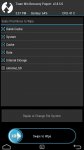
When you say complete format do you mean like this picture?
 

Attachments

  • 1426887449487.jpg
    1426887449487.jpg
    49.7 KB · Views: 182
Reason I ask is because that is how I've always prepared for a ROM flash or a nandroid restore, and I've always been able to revert back to a stock backup with no issues whatsoever.
 
Reason I ask is because that is how I've always prepared for a ROM flash or a nandroid restore, and I've always been able to revert back to a stock backup with no issues whatsoever.
Yes, that is what I need to try. Up to this point...I thought using the LGtool to restore zv3 would be enough...but I guess it isn't.

Unless there is another way to format completely? I'm open to ANY suggestions. :)
 
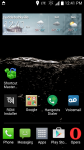
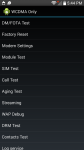
Theres a nice little app called Shortcut Master (LITE) that lets u into some dangerous hidden menus.
Screenshot_2015-03-20-12-41-35.png Screenshot_2015-03-20-17-44-12.png Screenshot_2015-03-20-17-44-23.png Screenshot_2015-03-20-17-44-41.png
Use extreme caution
I had my 3g icon reading as GSM until i ##UPDATE#
 
In any case, a downgrade using LGFlashTool && TOT should have wiped/overwritten all files and partitions

I wish I had taken a backup of everything before I lost LTE so I could compare and contrast. You and I might have to get together on irc and compare some partitions here soon to see if we can't figure out what's happening. I read somewhere on XDA where the g2 after an update had a botched carrier partition and lost LTE, but it was pretty vague about what happened and how to fix it.
 
Would it help note that I flashed my carrier fix THEN restored stock? This way it's Boost Branded.

At any rate, if you have a Boost Mobile store or Virgin Mobile store (perhaps even a Walmart) they should replace the phone as long as you haven't had it for over a year as they will see it as a defect. Just be sure to bring the original packaging and some form of receipt.
 
Back
Top Bottom