
mcampellone
Newbie
I am still looking for a solution for this issue. You are quite right - the internal storage, which is labeled as "USB Storage", is recognized as the first SD card. I have made a step by step bunch of screen shots below, to show exactly what I mean. Also, why I feel that 2GB will not be enough storage for me - I have a LOT of apps purchased, however I will need more space, and on my last device installing many of these to the SD card was never a problem. So, here we go - these screen shots are just to make sure that we are on the same page and that I explain myself fully.....
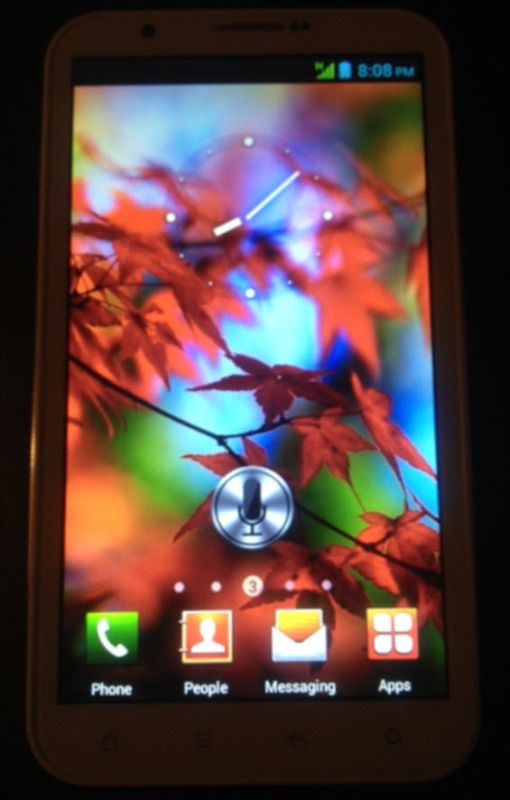
This first screen shot is the main screen of my phone after powering on:
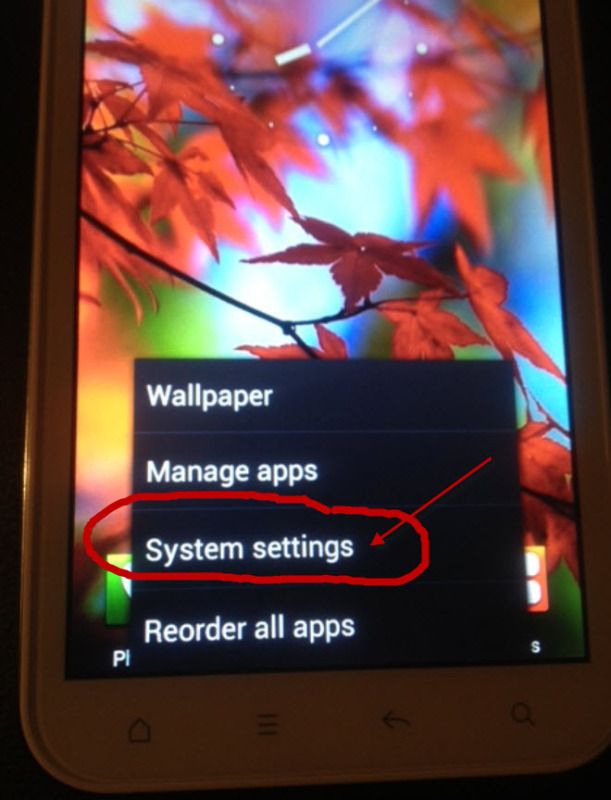
This next photos shows that I just pull up the settings menu:
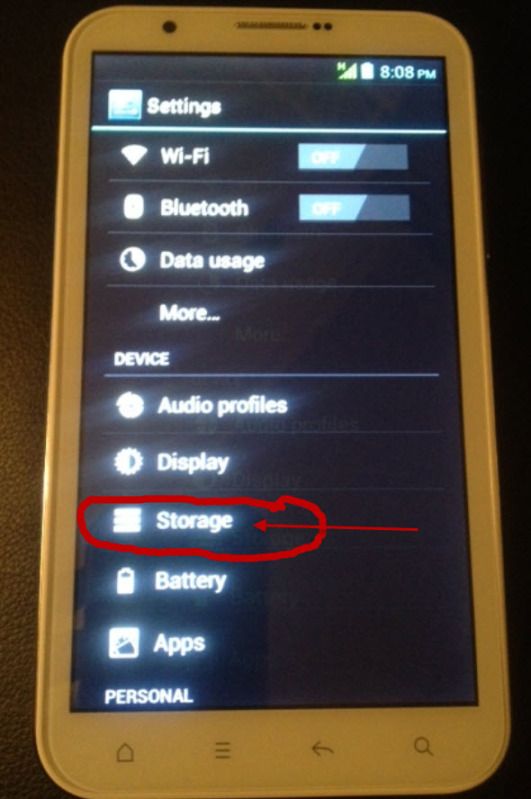
Under "Settings", I select "Storage" as follows:
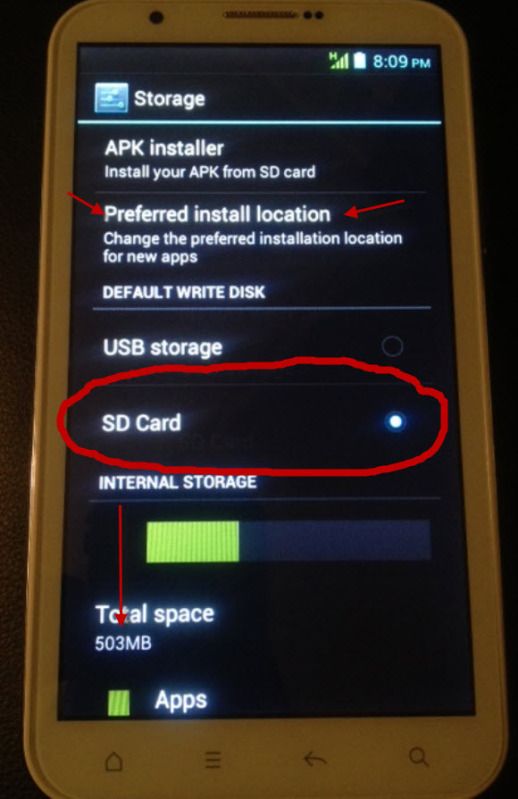
This next screen shows that the "preferred install location" is the SD Card and NOT the USB Storage. (The USB Storage is what it calls the built-in 2GB storage in the phone). It also shows the Internal Storage is 503MB as shown:
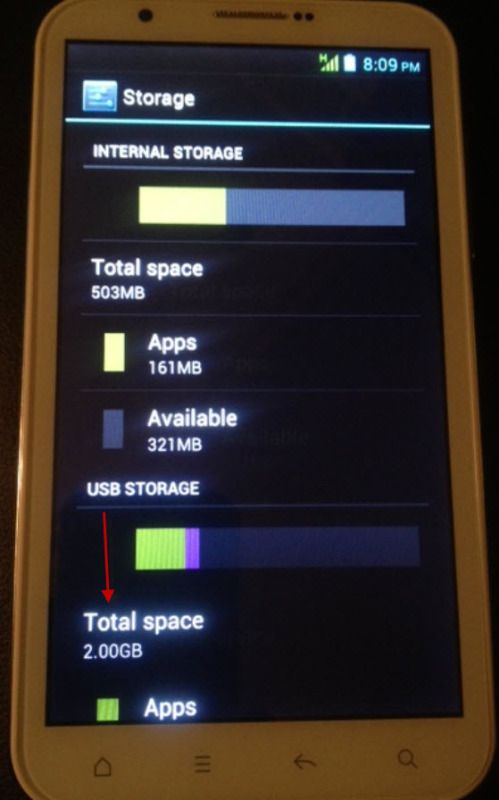
Now, when scrolling a bit down, you see that the internal phone storage, which is 2GB, is called "USB Storage". Why they gave it this name, I will never know. This is where the apps are moving to whenever I run App2SD Pro......
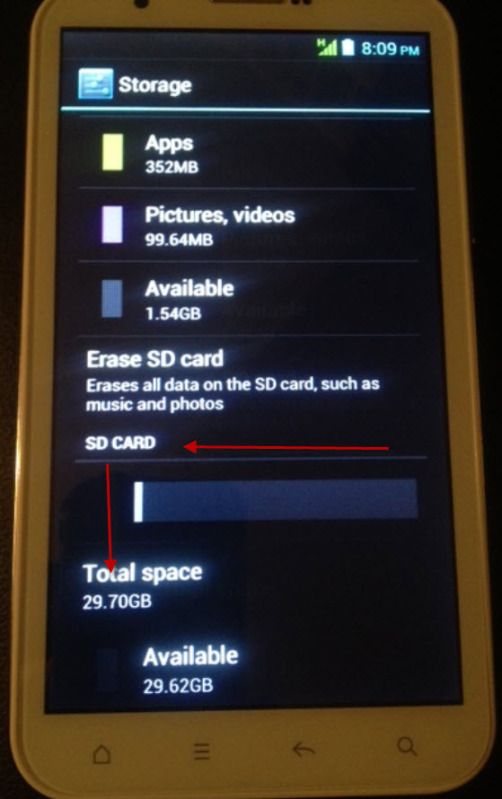
Scrolling a bit further down, you can see how that 2GB of internal memory, called "USB Storage", is broken down as 352MB Apps, 99.64MB Pictures and videos, and leaving 1.54GB available. Then, below that it shows the TRUE physical external SD card that I have inserted in the card slot, with total space of 29.70GB, with 29.62GB available, as shown:
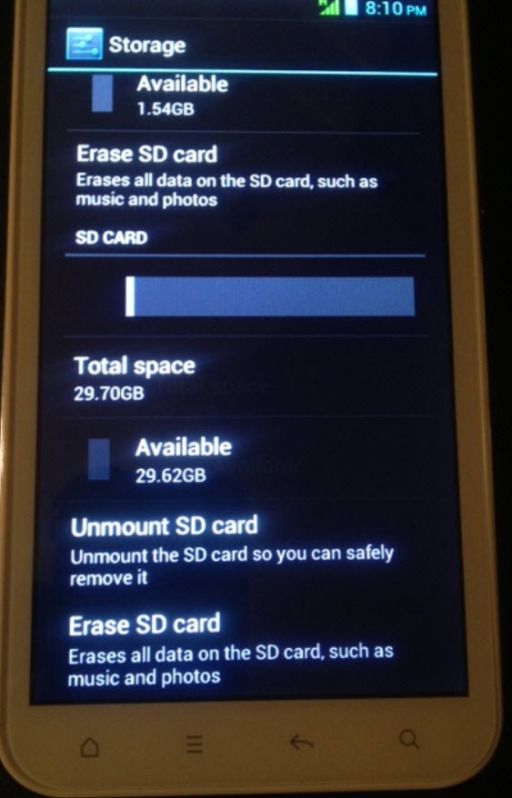
Here is the very end of scrolling to the bottom of that same screen, just for reference......
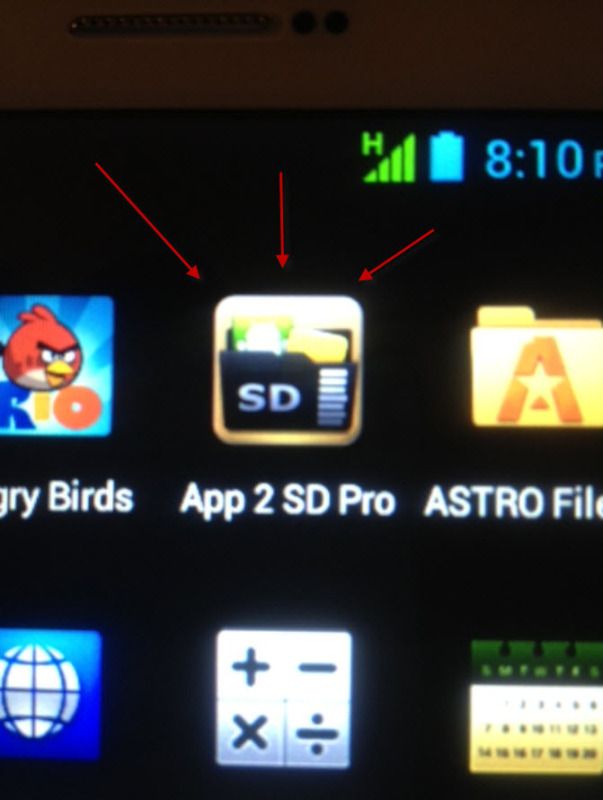
Now, with that out of the way, here is where I go into Apps and I launch App 2 SD Pro as shown:
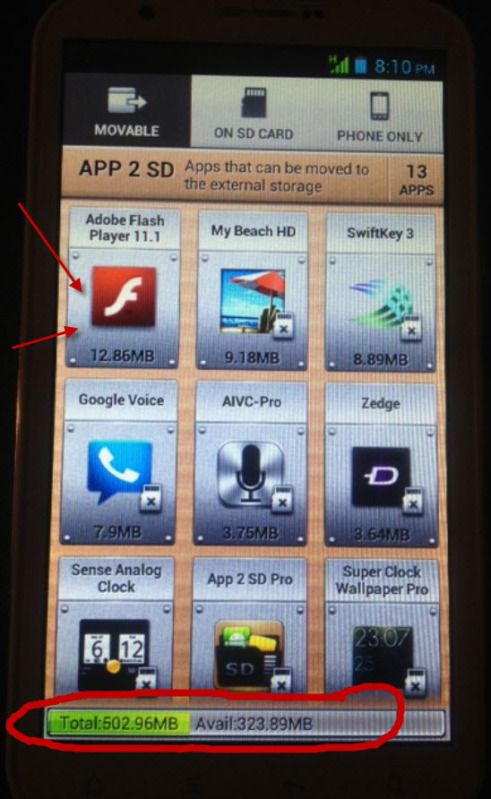
Here, in App 2 SD's main screen, I will use Adobe Flash as the example app here. You can also see at the bottom that it is referencing the total INTERNAL storage, and NOT the secondary "USB" storage...
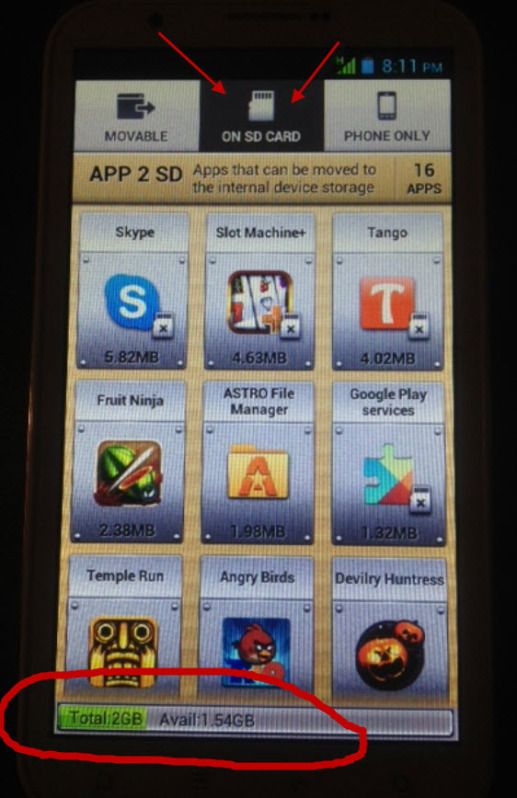
Here, once I select the "On SD Card" tab, if you look at the bottom, it is actually referencing the internal "USB" storage, and NOT the SD card...... as shown.....
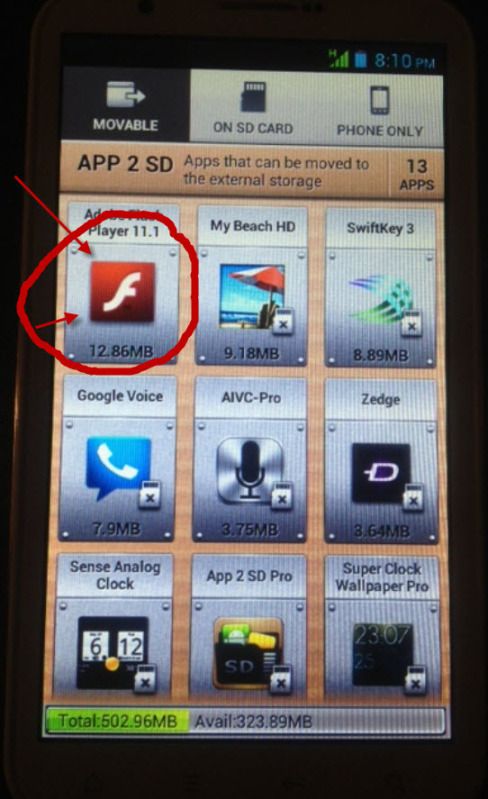
Now, to start the example - I will select Adobe Flash from the "Movable Apps" screen as shown...
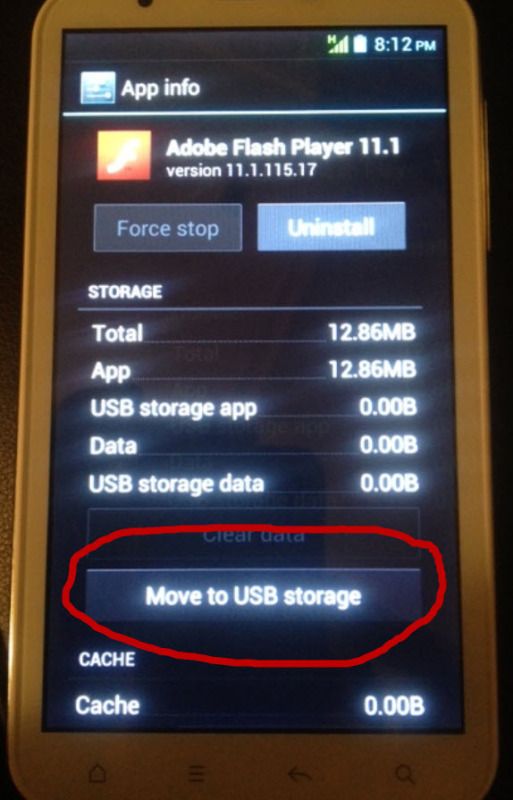
You will see that my only choice is to "Move to USB Storage" and NOT to move to the SD card - that is not even an option....
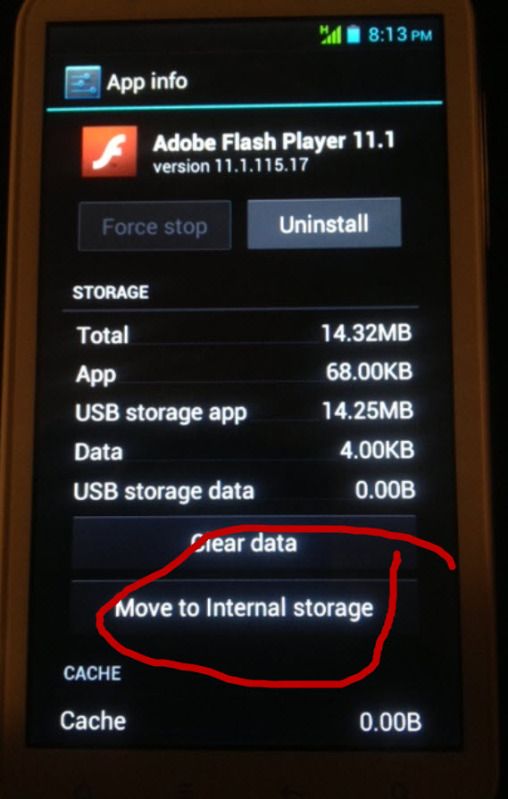
Once the move is finished, the choice changes to "Move to Internal Storage" as shown:
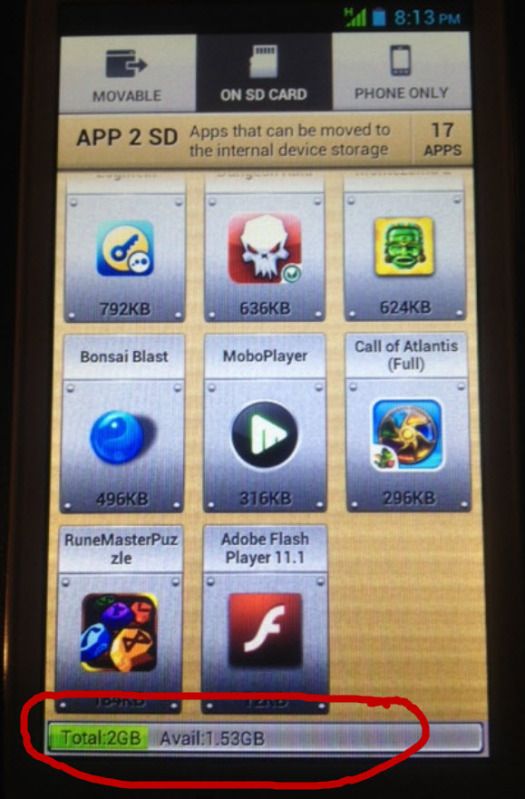
You can see now, on the "On SD Card" tab in App 2 SD Pro, Flash is now there, but the bottom is still referencing the 2GB of internal "USB" storage and not the SD card.... as shown....
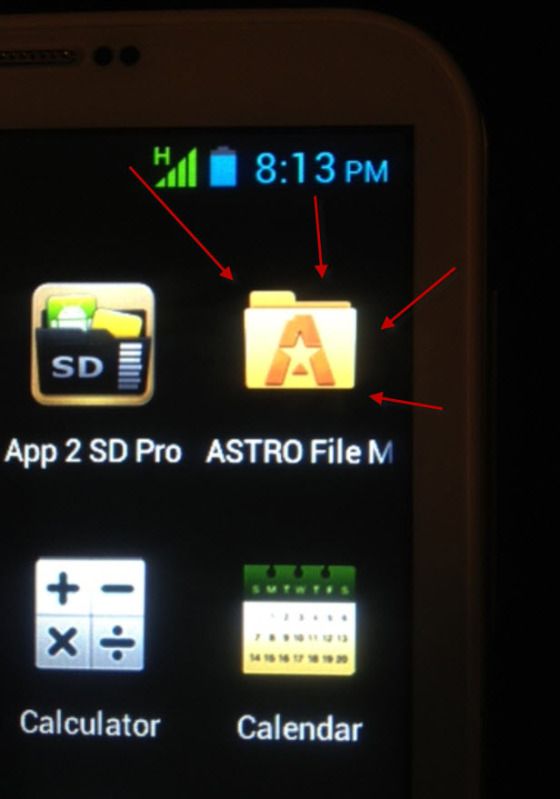
Now, back to my apps, I will launch my ASTRO File Manager Pro as shown:
Here, in the mounted volumes, you will see that it shows "SDCard" and "SDCard2" rather than "USB Storage" and "SD Card", as shown:
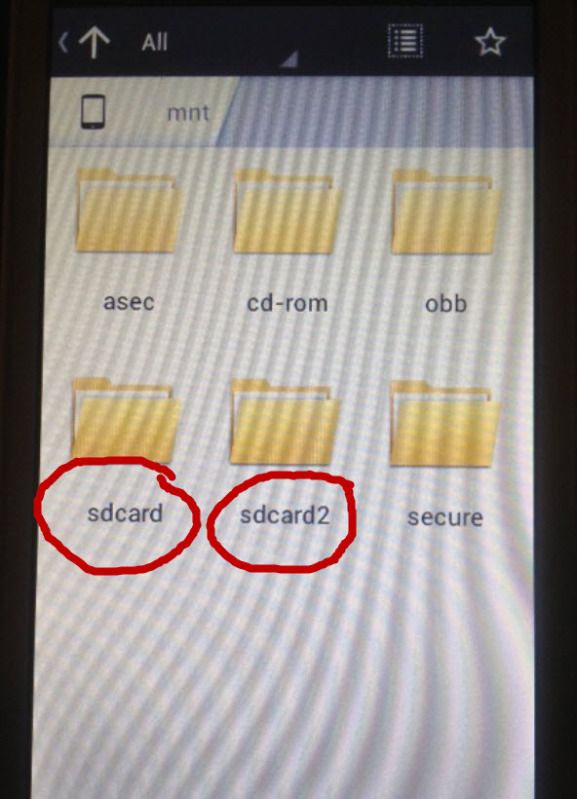
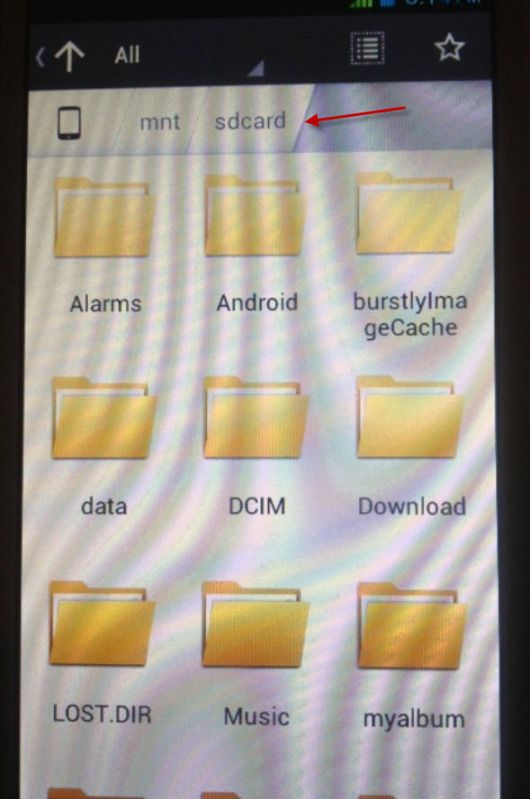
When you go into "SDCard", which is actually the 2GB internal "USB" storage, you will see all of the folders created, etc. and this is where all of the installs are going. As shown:
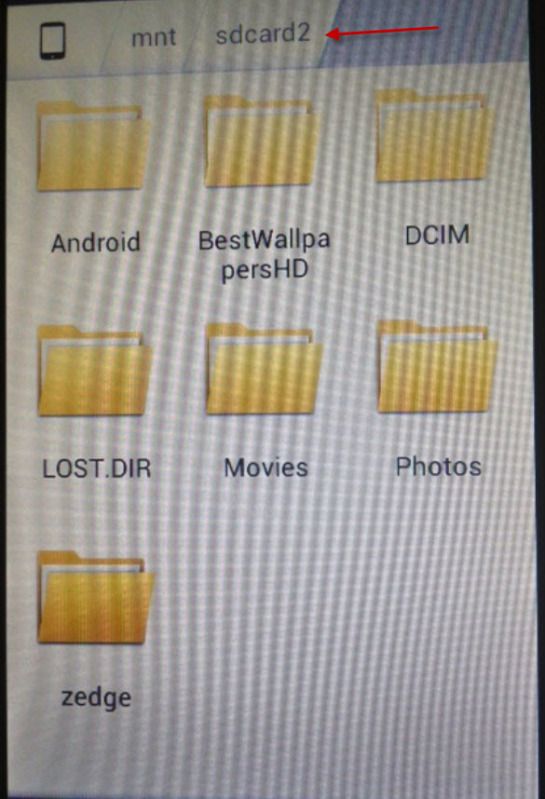
And finally, when you go into SDCard2, which in reality is my large SD Card, the ONLY folders that were created were Android and LOST.DIR - both of which were pretty empty. I manually created the rest and moved any pictures, movies, etc. that I could from the internal storage....
Now, I DID download the SDK tools, installed the USB driver for my phone, hooked up to the PC via USB in debug mode, and I carried out the "adb shell pm setInstallLocation 2" command and it took. Even after doing that, this is still a problem, and has had no effect at all.
I SHOULD be able to install apps to the SD card, otherwise 2GB of storage to work with, at least for me, is NOT ENOUGH for apps - especially since I use a LOT of business apps, etc. - - and coming from my iPhone, where I had NO music, but rather 20GB of apps, I will need the space.
Someone told me to root the phone, convert the two internal partitions and create a single new partition for Android etc., forcing the system to see the external as SD Card.... I have one of our techs who is very used to rooting Android devices coming to help me tomorrow. But, in all honestly I would much rather not - I would like to keep the phone original, etc. and just get this to work if possible?
What really pisses me off, is that even in the phone's OWN settings, it specifically gives the choice to make the default installation location for new apps EITHER the "USB Storage" location, or the "SD Card" - and STILL it installs to the internal "USB" storage. I just don't get it.
I have heard this is also very common on a lot of Samsung devices too.
AT ANY RATE - MY QUESTION (YES!! I have a question! LOL) - is, can ANYONE out there who might have dealt with crap like this before possibly give me any help or pointers at all? If I can't figure this stupid thing out, I will have to scrap the whole phone and get another device..... Maybe go back to iPhone. But I would really like to make this work.
THANK YOU very much ahead of time for any help or advice you can give me - I really do appreciate it!
Thanks,
Mike
This first screen shot is the main screen of my phone after powering on:
This next photos shows that I just pull up the settings menu:
Under "Settings", I select "Storage" as follows:
This next screen shows that the "preferred install location" is the SD Card and NOT the USB Storage. (The USB Storage is what it calls the built-in 2GB storage in the phone). It also shows the Internal Storage is 503MB as shown:
Now, when scrolling a bit down, you see that the internal phone storage, which is 2GB, is called "USB Storage". Why they gave it this name, I will never know. This is where the apps are moving to whenever I run App2SD Pro......
Scrolling a bit further down, you can see how that 2GB of internal memory, called "USB Storage", is broken down as 352MB Apps, 99.64MB Pictures and videos, and leaving 1.54GB available. Then, below that it shows the TRUE physical external SD card that I have inserted in the card slot, with total space of 29.70GB, with 29.62GB available, as shown:
Here is the very end of scrolling to the bottom of that same screen, just for reference......
Now, with that out of the way, here is where I go into Apps and I launch App 2 SD Pro as shown:
Here, in App 2 SD's main screen, I will use Adobe Flash as the example app here. You can also see at the bottom that it is referencing the total INTERNAL storage, and NOT the secondary "USB" storage...
Here, once I select the "On SD Card" tab, if you look at the bottom, it is actually referencing the internal "USB" storage, and NOT the SD card...... as shown.....
Now, to start the example - I will select Adobe Flash from the "Movable Apps" screen as shown...
You will see that my only choice is to "Move to USB Storage" and NOT to move to the SD card - that is not even an option....
Once the move is finished, the choice changes to "Move to Internal Storage" as shown:
You can see now, on the "On SD Card" tab in App 2 SD Pro, Flash is now there, but the bottom is still referencing the 2GB of internal "USB" storage and not the SD card.... as shown....
Now, back to my apps, I will launch my ASTRO File Manager Pro as shown:
Here, in the mounted volumes, you will see that it shows "SDCard" and "SDCard2" rather than "USB Storage" and "SD Card", as shown:
When you go into "SDCard", which is actually the 2GB internal "USB" storage, you will see all of the folders created, etc. and this is where all of the installs are going. As shown:
And finally, when you go into SDCard2, which in reality is my large SD Card, the ONLY folders that were created were Android and LOST.DIR - both of which were pretty empty. I manually created the rest and moved any pictures, movies, etc. that I could from the internal storage....
Now, I DID download the SDK tools, installed the USB driver for my phone, hooked up to the PC via USB in debug mode, and I carried out the "adb shell pm setInstallLocation 2" command and it took. Even after doing that, this is still a problem, and has had no effect at all.
I SHOULD be able to install apps to the SD card, otherwise 2GB of storage to work with, at least for me, is NOT ENOUGH for apps - especially since I use a LOT of business apps, etc. - - and coming from my iPhone, where I had NO music, but rather 20GB of apps, I will need the space.
Someone told me to root the phone, convert the two internal partitions and create a single new partition for Android etc., forcing the system to see the external as SD Card.... I have one of our techs who is very used to rooting Android devices coming to help me tomorrow. But, in all honestly I would much rather not - I would like to keep the phone original, etc. and just get this to work if possible?
What really pisses me off, is that even in the phone's OWN settings, it specifically gives the choice to make the default installation location for new apps EITHER the "USB Storage" location, or the "SD Card" - and STILL it installs to the internal "USB" storage. I just don't get it.
I have heard this is also very common on a lot of Samsung devices too.
AT ANY RATE - MY QUESTION (YES!! I have a question! LOL) - is, can ANYONE out there who might have dealt with crap like this before possibly give me any help or pointers at all? If I can't figure this stupid thing out, I will have to scrap the whole phone and get another device..... Maybe go back to iPhone. But I would really like to make this work.
THANK YOU very much ahead of time for any help or advice you can give me - I really do appreciate it!
Thanks,
Mike


