• After 15+ years, we've made a big change: Android Forums is now Early Bird Club. Learn more here.

The Amazing Knock Code

Tetelasti

Newbie
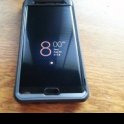
This is probably one of my new favorite features as mentioned before. I find myself just turning my screen off and on just so that i can use knock code because it is fun. But not only is it fun and cool, but very secure as well. With over 80,000 combinations of a code 3-8 knocks, i highly doubt anyone will figure out how to get into your phone!

Here is how to set it up:

Go to Settings:

Lock Screen:

Select Lock Screen:


BOOM! there yah go. Just put in your code twice and away you go! You can do the knock code while the screen is off, or on the lock screen itself.

Remember to follow me for many more review on the new LG G3!
 
I've got knock on working. How about ''knock off''?


In case you not just trying to be funny. If you "double tap" any blank spot on a home screen or the notification bar, it will "knock off"

Note: I've heard it doesn't play well with custom launchers.
 
I've tried everything including what you suggested and the only way I can turn off the phone is with the power button on the back. Is there something I need to do on one of the setup screens maybe? Like I said, "knock on" works fine. Thanks
 
I've tried everything including what you suggested and the only way I can turn off the phone is with the power button on the back. Is there something I need to do on one of the setup screens maybe? Like I said, "knock on" works fine. Thanks


If tapping twice on an empty space on a home screen (not within an app) or in the notification bar at the top of the screen doesn't turn off the screen, then something is amiss.
 
There is no open spot on my home screen, none, it's full. However, tapping twice on the very top notification bar did it! Thank you so much. Art
 
There is no open spot on my home screen, none, it's full. However, tapping twice on the very top notification bar did it! Thank you so much. Art

Then open a space so that it can work without having to tap all the way at the top of the notification panel.
 
Hi,

My lg g3 takes a photo if the wrong knock code is entered. However, I don't know what application takes them or where they're stored. I have installed where's my druid and that's all for security. How can I find this app or these photos?

Thanks
 
This morning when I entered my knock code it gave me some kind of 'security check' similar to a captcha asking me to enter the phrase 'life is good'. Not sure what that's about but I do hope it's not something which happens often as that would be extremely annoying.

 
Back
Top Bottom