• After 15+ years, we've made a big change: Android Forums is now Early Bird Club. Learn more here.

VNC Over Browser?

Trying to get this to work.

I want to connect to my work PC from outside our (very restrictive) firewall.

I've tried LogMeIn or GotoMyPC and neither work.

The only way into my computer is to use a browser-based access using Juniper. I did install Juniper Pulse, which lets me into the firewall, but not remote desktop. My PC's all run Wintendo - XP and Vista.

I have TightVNC setup as a server and can log in from a browser link using another PC. This works on *nix, Wintendo and PC's running MacOS.

However, when i try to connect using my Galaxy Tab, I get simply a link to TightVNC.com.

2012-11-09%2012.23.43.png


I googled and found this thread in another forum - tightvnc java applet on android browser

Is it true? Can I not run Java applets inside of the browser?
 
Trying to get this to work.

I want to connect to my work PC from outside our (very restrictive) firewall. ...

As a Unix Network Administrator, judging by the URL you provided (lacounty.gov) you'd damn-well better get your Network Administrator involved, as I've had people fired for (maliciously at least) doing exactly what you're trying to do without my authorization.

That said, and hopefully clearly understood by you, your VNC server uses a particular port on your PC, generally port 5200 unless configured otherwise. The Android VNC client will attempt to contact the VNC server on port 5200 unless configured otherwise, but unless your "(very restrictive)" firewall can forward that port 5200 connection request to your particular PC IP address within whatever lacounty.gov sub-domain your PC is part of, your VNC connection won't happen, and the activity will be perceived as an intrusion attempt.

That's why you need to work with the Network Administrator to make things happen. If they're worth half their salt they'll know exactly what needs to be done, what ports need to be used, what routing, etc..

You (apparently) have a good job ... don't lose it by attempting un-authorized access.
 
That's why you need to work with the Network Administrator to make things happen. If they're worth half their salt they'll know exactly what needs to be done, what ports need to be used, what routing, etc..

You (apparently) have a good job ... don't lose it by attempting un-authorized access.
Thank you for your answer.

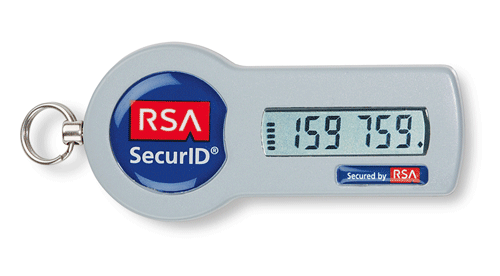
I think you mis-understand. I AM connected to the County WAN using the Juniper VPN (SA Series Secure Access SSL VPN - Secure Remote VPN Access Solution - Juniper Networks) and authenticating using a three-factor system including a PIN, password and a SecureID token.

SID700.gif


This is part of my work. In fact, I spent the day in Orange County discussing penetration testing with an auditor from the State Attorney General for one of our multi-county implementations.

In any case, I've been connecting via Wintendo or Linux for years. We used to have an IPSEC connection. I even wrote an article about it in '05

20090317_desktop.jpg


However, with Android there doesn't seem to be a way to pipe the VNC (or RDP) through the Juniper SSLVPN connection.

Ideas?
 
Back
Top Bottom