
Hi,
I'll try to be brief, but we wish to inform you that "Volume Ace" V 2.0 is has been released.
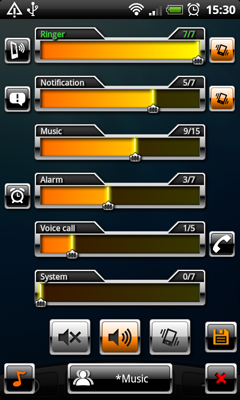
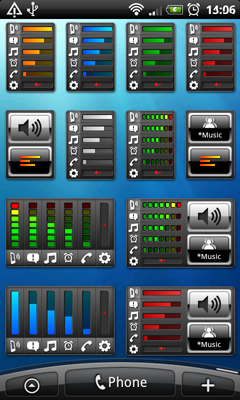
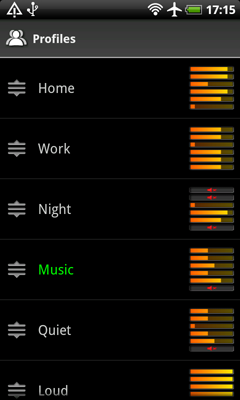
Volume Ace is a volume manager that allow you to manage your device volume levels in a practice single place. You can create profiles and switch or select them straight from the widgets. Schedule profiles to apply automatically.
We have many positive user responses and we wish it will be the same for you.
Some key features:
- Create custom profiles
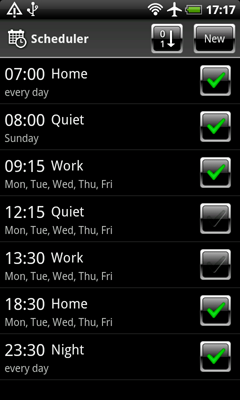
- Schedule profiles to be applied automatically at the time and day you chose.
- 5 different Widgets
- No battery drain
And some screens...
Of course you can check all the details on Android Market.
Best Regards
Optimizer
I'll try to be brief, but we wish to inform you that "Volume Ace" V 2.0 is has been released.
Volume Ace is a volume manager that allow you to manage your device volume levels in a practice single place. You can create profiles and switch or select them straight from the widgets. Schedule profiles to apply automatically.
We have many positive user responses and we wish it will be the same for you.
Some key features:
- Create custom profiles
- Schedule profiles to be applied automatically at the time and day you chose.
- 5 different Widgets
- No battery drain
And some screens...
Of course you can check all the details on Android Market.
Best Regards
Optimizer
