• After 15+ years, we've made a big change: Android Forums is now Early Bird Club. Learn more here.

Wallpaper Help

Brendanmurphy

Android Enthusiast
2093br7.jpg


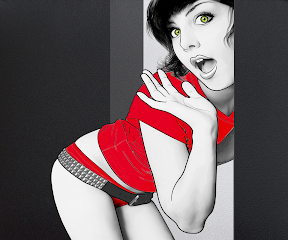
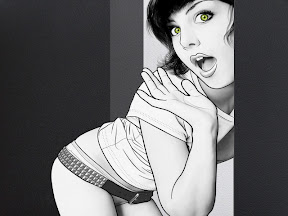
So basically i found this image in b/w but i wanted to add color to it. So i selected the eyes and changed that and that worked good. So then i selected the shirt and underwear, as you can see the bottom part of the underwear turned out a nice deep red and i really like it so i want all of the underwear and shirt that color.

I used quick selection tool then adjusted it using hue/saturation with colorize. Your help is appreciated

qxuv79.jpg


Here is the untouched image if it helps
 
Here's my best try at it.

To save, enlarge on the linked page with magnifying glass or use download button to save it at 960x800. If your phone wont save it full size, or it looks fuzzy, download and save it with a computer, then USB or email the full sized version to your phone.

Click the pic -
 
Hmm, any chance you could whip up a Mass Effect 2 wallpaper for my EVO? I like your work which is why I keep coming back >_< lol
 
Here's my best try at it.

To save, enlarge on the linked page with magnifying glass or use download button to save it at 960x800. If your phone wont save it full size, or it looks fuzzy, download and save it with a computer, then USB or email the full sized version to your phone.

Click the pic -

Wow that turned out great. How did you do it? I used magic wand and selected all of the parts then used hue/saturation colorization and the shirt and part of the underwear went pink but the bottom went that beautiful crimson red.
 
Having problems uploading mine to my phone, always saves as a bmp.ink file?

Any suggestions?

Instead of left-click dragging the file, right-click drag it and choose the copy option instead of create shortcut. It looks like you are creating a shortcut link file (.lnk) instead of copying the file.
 
Back
Top Bottom