• After 15+ years, we've made a big change: Android Forums is now Early Bird Club. Learn more here.

Help Wi-Fi Problem

Eboga

Lurker
Hi, guys.
I've faced Wi-Fi problem since I came back from work that my Wi-Fi won't connect. "Saved" but no any connections. However, yesterday at my home it worked normally. By the way I just bought this phone yesterday though.
I've tried to deal with it by forgetting this network and re-connect which it didn't work.
Then, I had to restart my phone. Fortunately, it works!
Does anyone know how this problem caused?
It makes me upset because I don't know whether this is the bug or hardware problem. Will it happen again? Do I need to restart my device every time?

Lollipop 5.1.1


12696230_1262823557066578_749802345_n.jpg
 
Hi

Go into settings
wifi (or long press wifi in the pulldown)
check that "smart network switch" is enabled.

It may be that your home and work wifi services use different frequenct bands and this setting is needed to allow auto switching.
 
Hi

Go into settings
wifi (or long press wifi in the pulldown)
check that "smart network switch" is enabled.

It may be that your home and work wifi services use different frequenct bands and this setting is needed to allow auto switching.

Hi, girolez

I can't find "smart network switch" on my device, Sony Xperia Z5.

Thank you for the response.
 
You've restarted your phone, try restarting your home WiFi router, as it might be that acting funky. Quite a common problem.
Hi, mikedt

It's my bad that I didn't tell earlier that I've restarted my home Wi-Fi router too which it didn't work. So, I've restarted my phone after that.

Thank you for your suggestion.
 
When your Z5 wasn't connecting to your home WiFi, did you check to see if it was receiving an IP address from your router? (When you're in the 'Settings' menu and click once on your home WiFi's name and a window should pop up indicating general info like status and the IP address.) Also, is your home network on a DSL or cable connection and which service are you using?
 
Hi

(that setting I mentioned is a Samsung thing)

A few thoughts:

Are you set up as a different user at work? (in which case your work "user" account may not contain your home wifi settings.)
Do you use a vpn at work?

Once you have it connected at home (having restarted the phone), can you disconnect the wifi and reconnect without having to reboot the phone? (just using the pulldown settings)

When it is not connecting at home (on your return from work) have you tried
menu
settings
wifi
menu (three dots)
refresh
 
Hi,
try!
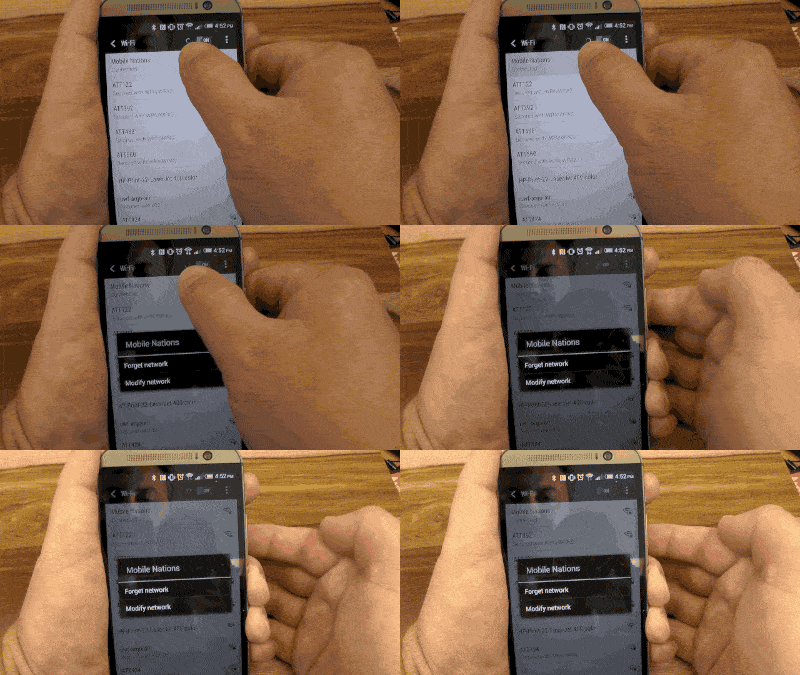
delete a saved Wifi network from your phone or tablet, all you need to do is go to the Wifi section of your settings menu. Find the network you want to get rid of. Long press it, then chose "Forget."
3f1857ce13.gif
 
Back
Top Bottom