• After 15+ years, we've made a big change: Android Forums is now Early Bird Club. Learn more here.

Shleepy Stories: Nighty Night

Hi!
I am from indie-studio "Dotbake". Reсently we created an interactive lullaby "Shleepy Stories: Nighty Night". The purpose of our app is to help parents get their kids ready for bed. Meditative gameplay and calm music soothes children, create the right atmosphere for sleep.

Soon we will add a lot of interesting things. We will be happy to receive your suggestions and ideas.
Our instagram: https://www.instagram.com/dotbake.team/

Download free app without ads:https://dotbake.onelink.me/AUX7/45195bbe

5g Ethernet tether to wireless router create home network

I have a 5g Moto Edge 20 Pro running Android 11. It has ethernet tethering option. I'd like to provide a wireless router with internet from my 5g moto via usb c to ethernet adapter to wireless router - belkin has one for £30 that I can also charge my Moto at same time. I want to provide internet to a wireless router to use on 2 devices one desktop using ethernet cable and sometimes a laptop as well wirelessly like a home network and basically turn my 5g Moto to a cable modem from my 5g plan it has over 300 Mbps in the area I'm in. I have unlimited data tethering included available and no throttling on my plan. I'm positive it should work as with the Android 11 you can provide internet with ethernet tethering. I couldn't find anything online about this. Please let me know if this is possible.

Music app question

I had the Samsung music app on previous phones, but on the A52 many of the songs would not play. I added the Power Amp player which it's working well. Some songs are listed on Samsung app but not Power Amp. If I delete the Samsung app, will those songs transfer over to Power Amp? All the songs should be on my SD card.

Spen inputs to mouse inputs

Hi,
So a little backstory- i bought tab s8 for work (im grading and annotating med scans) but it turns out that the website apps, where I do my work, don't recognize Spen inputs, only mouse. So i bought bluetooth mouse an it works just fine but i want to use my pen to annotate and paint.
My question is if its possible to make an overlay that changes spen inputs to mouse inputs and of course pen touch to lmb click (and hold). If it is possible to make this, how much would be considered as adequate payment if I wanted to hire someone to write it?

Help Unroot Galaxy S8

Good Afternoon,

I rooted my galaxy S8 (SM-G950FD) bought in the United Arab Emirates few years ago. Turns out, nowadays a lot of apps won't work because of it including some pretty important ones.

Can someone guide me through the unrooting process? Careful with the jargon, I am a noob.

thanks a lot

MIUI 13.0.4: What is this new icon?

My Xiaomi Mi 11 phone received a system upgrade a few days ago, and now I have a new icon on the lock screen - it looks like a green camera icon, and it disappears after a few seconds (I've tried to attach a screenshot, but it is the first time I post here, so...)

Any ideas what it is for (and how to get rid of it)?

Attachments

  • Screenshot_2022-03-29-14-51-06-709_lockscreen.jpg
    Screenshot_2022-03-29-14-51-06-709_lockscreen.jpg
    583.8 KB · Views: 205

REFORMAT SD CARD

I added an SD card to my Nokia 4.2 running Android 11 with a view to making it available to store offline maps, music and photos.
I did not really understand the terminology and it was formatted as internal storage. I now think that was wrong and want the card to be able to be used a portable storage.
At the moment I cannot add anything to the sd card via a USB connection to a PC. In fact when I connect a USB all I see in Nokia 4.2 and cannot access any other files.
Under Settings - Storage I can see Internal shared storage (total used 19gb of 64gb)
Then underneath SD card 1.3gb used of 32gb
When I select the SD card is show 1.30gb in large blue letters and below -
Apps - 0.00gb
System - 0.35gb
Cached data 0.00gb
The phone has 32gb of shipped internal storage, and the SD card is a 32gb. Hence the 64gb figure above.
So my question is how do I safely uninstall and reformat the SD card. Then I can use it totally for portable storage, able to be changed via USB where necessary.
I have only taken one photo and downloaded one offline Gmap since installing the sd card.

Soft bricked Moto e7 - ‘fastboot: command not found’

I have a Moto e7 at the SP Fastboot Flash Mode (Secure) screen.

Product/Variant: ginna XT2052-5 32GB PVT
flashing_unlocked
Transfer Mode: USB connected

My OS is Linux and there’s no data I need to recover. I'm merely trying to boot and restoring to original settings would be fine.

I read a post indicating I need firmware, fastboot, and the attached script (unbrick.txt) in one directory. I’ve copied the firmware and platform-files into one directory. The directory listing (files.txt) is also attached.

I set the unbrick.sh permissions with ‘chmod +x.’ However, when executing ./unbrick.sh I receive ‘fastboot: command not found.’ Attempting to source the script produces the same error message.

Are the files and procedures correct? Why would fastboot not execute?

Attachments

QR & Barcode Scanner: QR Code Reader Free Scan QR

7y853fnDFTS25T5KW7LoljRMPzXqx2Pyu0B5PRbPtWBMzwziO6l-APG8gkAbD0r3hmU=s180-rw
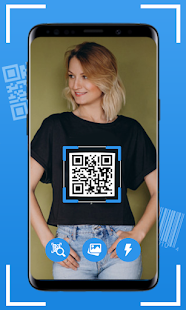
QR & Barcode Reader is an advance QR code scanner and barcode scanner with all the features you need. QR scanner provides you quick scan functionality. QR and bar scanner gives you accurate results. QR code scanner QR code reader can scan and decode all kinds of the QR code and barcode, such as contacts, products, URL, Wi-Fi, text, books, E-mail, location, calendar and so on. QR & Barcode Scanning is also commonly used to scan promotion and coupon codes in shops to get discounts.


Features:

✔ Scan QR and Barcodes from Gallery.
✔ Direct Scan Barcode and Scan QR from QR Camera.
✔ Auto Zoom Bar Code Scanner Camera.
✔ Flashlight for reliable scans in dark theme.
✔ Support All QR and Barcode formats.
✔ No internet Connection required for QR scanner.
✔ You can Scan Promotion and Coupon Codes.
✔ Generate QR and save details of your own.
✔ Barcode Maker helps to create Barcode of your own details.
✔ Wi-Fi QR Code Password Scanner to Scan Wi-Fi Password.

zQ2MetRkl0nsUmjDGZ58GprgMnmBqXFPzQwwsM_hRk7oG5Ow4AcmC9dMZPjdJtUBWlLp=w720-h310-rw

Madhur AI : An AI text to speech reader

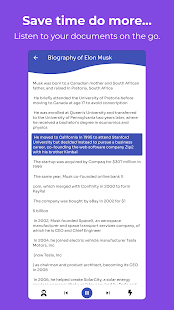
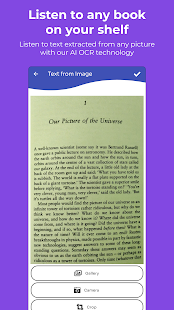
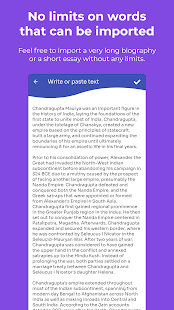
Madhur is an AI text to speech reader which can read text from documents like PDFs, word, EPUBs and multiple other types. It can also read text from images. So you can scan your books and documents with the AI scanner and listen to it.

How does it work?
It can extract text from documents and images which are then read in an easy to listen sentence by sentence fashion by our natural sounding AI voices. You can also paste web articles or emails in the write or paste section.

Why use a text to speech readers like Madhur?
A text to speech reader like Madhur converts your reading material into an interactive audiobook. Which can help you save time. You can listen to your homework, documents or a story book while on commute, cooking ,cleaning or any other activities. Save your time and do more by using our text to speech reader.

Why choose Madhur?
  • It helps you save time.
  • Read more by listening as listening is 2-3 times faster than reading.
  • Listen while moving or while doing other activities. Free up your time to do other things.
  • Listen and take notes for deeper learning. Understand and retain more of what you’ve heard.
  • We have natural sounding AI voices which make listening to the documents more engaging and Human like.
  • Madhur also scans images for text so that you can scan your books or papers and save them for a later read.
Important features

Scan books, review papers and documents or any other text :

With Madhur you can use our AI OCR technology to read the text from images which can be then read by using natural AI voices.

Extract Text from multiple types of documents:
We use a powerful document parser which can parse multiple types of documents for text. So that the documents can be read easily.

Fast reading speeds:
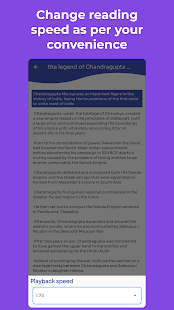
You can change the reading speed of the reader which can help you listen to your document faster and save your time.

Natural sounding human like voices:
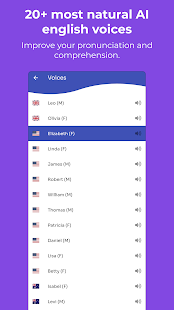
We have 20+ natural AI English voices which feel like a human is reading the document for you.
The voices have very good pronunciation and comprehension.

Why did we create Madhur?

We created Madhur so that reading may never be a barrier for anyone no matter who they are. Education empowers people and reading is an important pillar. Madhur helps people to consume their reading content with ease. It is also designed for people who are suffering with dyslexia, ADHD, Low vision acuity, concussions, and other reading disabilities.
It is for people who have reading disabilities or they are auditory learners, productivity fanatics, hobbyists, and more. We love all of our users and strive every day to create a reading assistant that empowers them to read more and succeed in life.
We strive to create a better text to speech reader that empowers our users to read more and succeed in their life.
Website
Google play link

DV4iPxmmoXSLU-ZfCd8tau4W7ydtiCSzmvkIS7qGBsnEwquLXbkHLLgYEOhzWb31NHk=w720-h310-rw
wDIC7Lr8IwiTk49n8BhELLiEZ8MYXucQnV41sQ0Nx2QZI8RNHXs32nqiqDRoYk1dvw=w720-h310-rw
_tf6wSfy8cWYvxIHjeynCFuehybaj36PV6rVZUvHoCD9zF8PAf8ztoqcInKmuSvH8iQ=w720-h310-rw
tWXpPXU4sk4JUKupYDLs4ciXz9Zki2rBJWuCBscnATtYxv639dLhAyzGdJf5TdRCPQ=w720-h310-rw
09opa8JSBkKVMJUe4Rnv62pX6MaFEUwmLvGmq9tpTZLm3-zY-gINdc-wq5YvNlpCuA=w720-h310-rw
JNHnKA9wO9GjEX1A4D0c7xpuzb8l6067kSHVdYnGAwpolDhGkCpCNFQ0iKohp9hb-g=w720-h310-rw

SimpleNotepad notes gone as well as Photos and Videos on S21 Ultra

My s21 went nuts on me, turning off and rebooting itself in safe mode until I gota message on the screen telling me I had to do a factory reset. There was supposedly no way around it. Went to an AT&T store and the guy backed up my phone and did the factory reset. Problem is no matter what I do these super important notes I had saved in SimpleNotepad are gone. I was able to find some from sheer fishing around on my phone some of the notes but not the two most important ones. I'm desperate here guys. Can someone help me out as to why these notes restored? Also all of my photos and videos are gone too. Ugh. Can this get any worse? I don't know know how to even get down to the root level of my phone or if there's any sort of decent/easy to navigate software programs that might save me. Is it even worth calling AT&T Tech Support?

SUNNY

Help Huawei M865 Muve Touch Screen Issues

I recently found some old Huawei Muve's (2 of them) and both are having a bit of an issue. The issues are with the touch screens, one of them only works if you are using the very top of the display (you have a very small amount of space to work with), and the other one just has a massive freak out (pretty much just spam pressing a single spot). I have tried switching the displays to see if it was just a display issue, but it didn't seem like they were the issue. I have gotten the phone that only works at the top of the screen to do a factory reset, but the other one I haven't gotten around to just yet.
And I assume that I could get the first phone to work (somewhat) if I get myself a Mirco-USB adapter for a mouse. And the final issue for the second phone is that no matter which one of the displays I plug into the board, it will have some fading and yellow discoloration for a few moments. I assume that that might be caused by the front glass or something like that.

If anyone has any ideas or tips for me to try then please feel free to share them.

Thanks!

Attachments

  • 20220328_191545[1].jpg
    20220328_191545[1].jpg
    285.9 KB · Views: 205

Filter

Back
Top Bottom