• After 15+ years, we've made a big change: Android Forums is now Early Bird Club. Learn more here.

Accessories New App: Wedding Invitation Card Maker - Create Cards to Invite

full
An Invitation Card is a tool to invite people to your special events such as Birthday party, Anniversary party, Wedding party, etc. However, everyone wants to be an important person that others take an interest to invite into the party. So, Invitation card will help you achieve this goal as a marketing tool since it can also help strengthen relationships between individuals.


Download: Wedding Invitation Card Maker


Wedding Card Maker is the simplest method to create wedding cards. Instantly choose an Attractive Card Design and make a Wedding Invitation Card using this app. You can make following wedding cards types

✔️ Royal Wedding Cards

✔️ Moody Floral Wedding Cards

✔️ Golder Storm Wedding Cards

✔️ Winter Wreath Wedding invitation

✔️ Vintage wedding card

✔️ Any many more minimalist wedding invitation designs


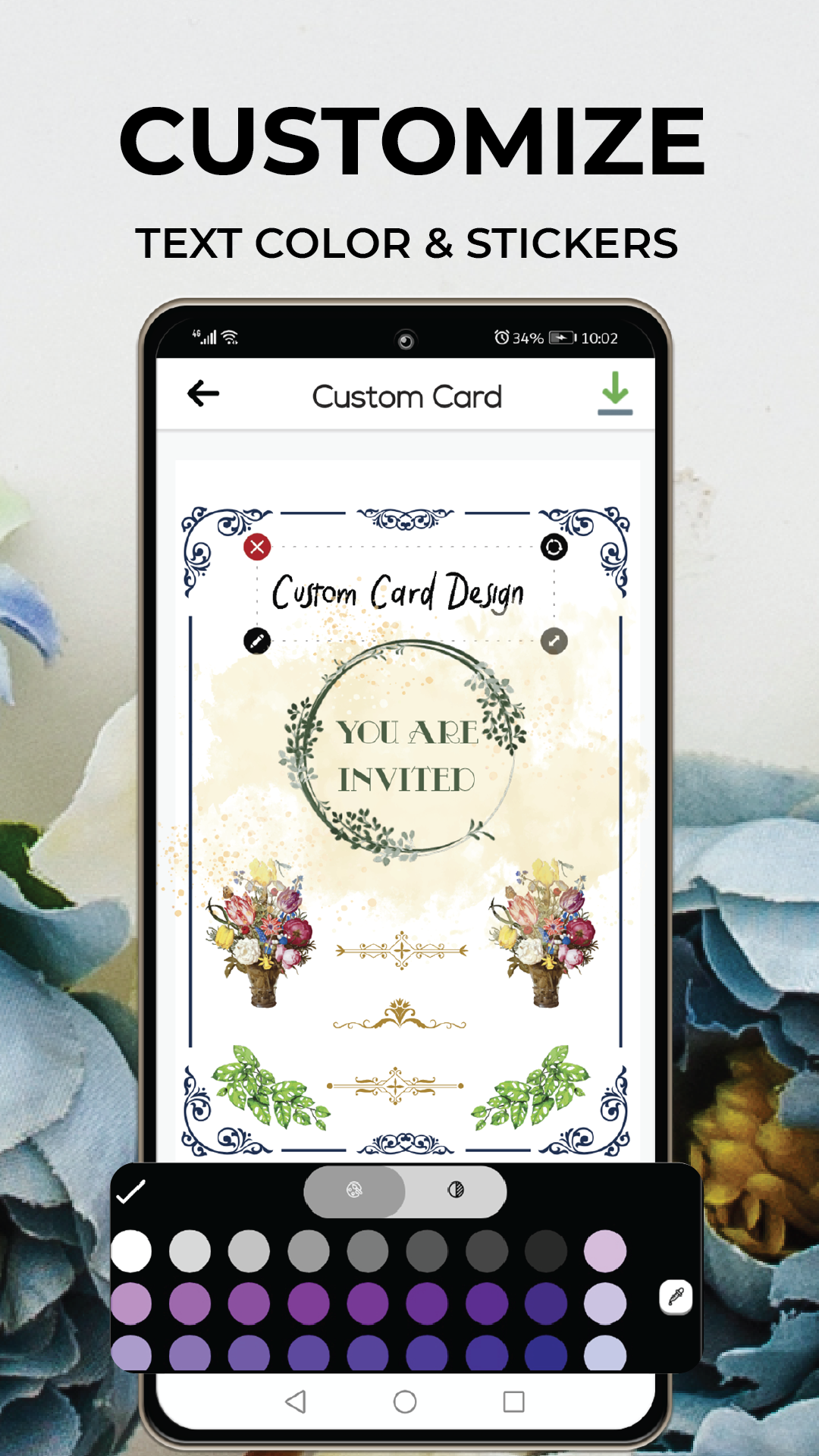
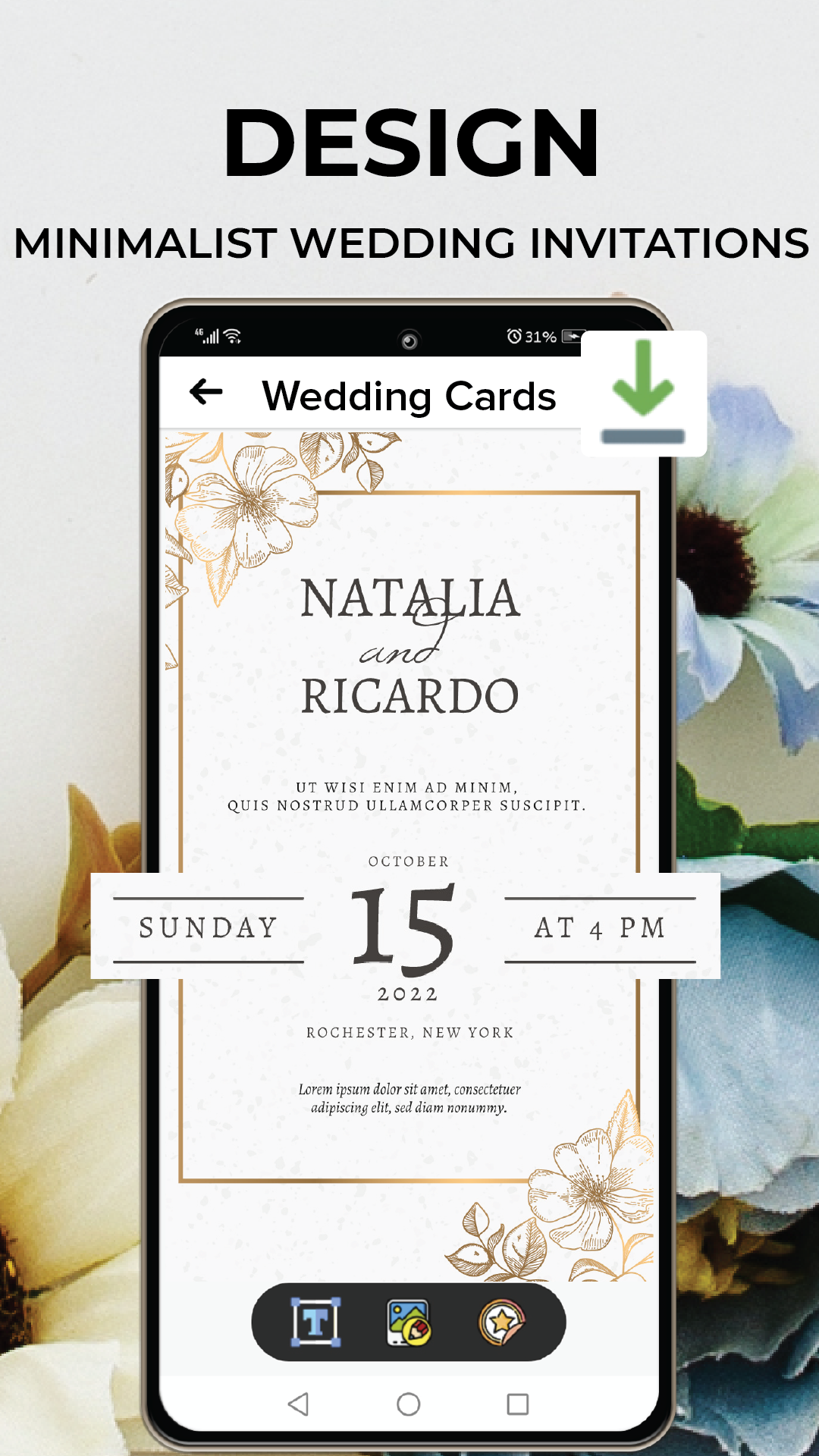
Wedding invitation cards and wedding greeting cards are required for every wedding ceremony. There is no need to be concerned about how to create wedding cards or about hiring a wedding card designer to create wedding cards and wedding shower invites. Below are the screenshots of screenshots and it's working

full

full

full


Moreover, this app has following extra tools,
  • Engagement Card Maker
  • Christian Marriage Invitation Maker
  • Muslim Wedding Card Maker
  • Shadi Card & Mangni Card
  • RSVP Card Creator
  • Bridal Shower Invitation Maker

Data Transfer: File Share Apps

Want to Transfer File at a Fast Speed for free?File Transfer App for Data Transfer, Playlist Transfer and Music Transfer is the right Choice for you because File Share App helps in Easy File Sharing with a Very Simple Transfer Method for Ultrafast File Transfer.
Share Files for free with Phone Transfer app to quick Share your Files. Android File Transfer is a convenient tool for your data to Send Anywhere. Copy Data to another device without any Hesitation with Data Share App.
Share Music with File Transfer app that helps to Share Songs in a professional way because Media Share app is an effective File Sharing Tool.
Fast File Sharingand App Transfer is Possible with Share All Data App that comes with Fast Data Transfer and Share Functionality.

❤️File Transfer and File Share app comes with Following Unique Features:

✔️App Sharing:File Transfer app is an effective tool to easy Share Apps.
✔️File Sharing:Data Transfer App helps to Share Files and Share Documents easily.
✔️Music Transfer:Ultrafast file transfer app allows users to share music and Playlist with others.
✔️Video Sharing:Transfer Videos to other devices in original quality with Share app.
✔️Transfer Photos:This Photo Transfer app for fastest file sharing helps to Share Pictures.
✔️Fast File Sharing:Share all files on other devices with High Speed file sharing app.
✔️Free File Share:Content Transfer without any cost is possible with File Sharing Application.
✔️Easy Share of Files:Share Files with a simple transfer method using File Share app because it comes with a User friendly Interface.
✔️Send Large Files:Transfer Data that is big in size and send files anywhere using File Share app.

File Sharing and Data Transfer is very easy with Ultrafast File Transfer App which is the Fastest File Sharing and App Sharing tool.

Download File Sharing & Data Transfer app and Share your precious review ⭐⭐⭐⭐⭐to make this File Share app better for our respected Users.
Thank-You!☺️

ActivityThread: handleWindowVisibility: no activity for token android.os.BinderProxy

signin.java

Java:
package com.example.library;

import android.content.DialogInterface;
import android.content.Intent;
import android.os.Bundle;
import android.text.TextUtils;
import android.util.Patterns;
import android.view.View;
import android.view.WindowManager;
import android.widget.EditText;
import android.widget.ImageView;
import android.widget.TextView;
import android.widget.Toast;

import androidx.annotation.NonNull;
import androidx.appcompat.app.AlertDialog;
import androidx.appcompat.app.AppCompatActivity;

import com.google.android.gms.tasks.OnCompleteListener;
import com.google.android.gms.tasks.OnFailureListener;
import com.google.android.gms.tasks.OnSuccessListener;
import com.google.android.gms.tasks.Task;
import com.google.firebase.auth.AuthResult;
import com.google.firebase.auth.FirebaseAuth;

public class signin extends AppCompatActivity {

    TextView regsi, sifpwd;
    ImageView sib;
    EditText siema, sipwd;
    FirebaseAuth firebaseAuth;


    @Override
    protected void onCreate(Bundle savedInstanceState) {
        super.onCreate(savedInstanceState);
        setContentView(R.layout.activity_signin);
        getWindow().setFlags(WindowManager.LayoutParams.FLAG_FULLSCREEN,WindowManager.LayoutParams.FLAG_FULLSCREEN);

        regsi = findViewById(R.id.regsi);
        sifpwd = findViewById(R.id.sifpwd);
        sib = findViewById(R.id.sib);
        siema = findViewById(R.id.siem);
        sipwd = findViewById(R.id.sipwd);
        firebaseAuth = FirebaseAuth.getInstance();

        regsi.setOnClickListener(new View.OnClickListener() {
            @Override
            public void onClick(View view) {
                if(!signin.this.isFinishing()){
                    startActivity(new Intent(signin.this, signup.class));
                }
            }
        });


        sib.setOnClickListener(new View.OnClickListener() {
            @Override
            public void onClick(View v) {
                String siem = siema.getText().toString().trim();
                String sip = sipwd.getText().toString().trim();

                if (TextUtils.isEmpty(siem) ) {
                    siema.setError("Email is Required");
                    return;
                }
                if (!Patterns.EMAIL_ADDRESS.matcher(siem).matches()){
                    siema.setError("Email is not in format");
                    return;
                }
                if(TextUtils.isEmpty(sip)){
                    sipwd.setError("Confirm Password is Required");
                    return;
                }
                if (sip.length() < 8){
                    sipwd.setError("Password is Required minimum 8 characters");
                    return;
                }

                if (firebaseAuth.getCurrentUser() == null){
                    Toast.makeText(signin.this, "User is not registered", Toast.LENGTH_SHORT).show();
                    startActivity(new Intent(getApplicationContext(), signup.class));
                }

                firebaseAuth.signInWithEmailAndPassword(siem, sip).addOnCompleteListener(new OnCompleteListener<AuthResult>() {
                    @Override
                    public void onComplete(@NonNull Task<AuthResult> task) {
                        if (task.isSuccessful()){
                            Toast.makeText(signin.this, "User logged in successfully", Toast.LENGTH_SHORT).show();
                            startActivity(new Intent(getApplicationContext(),load.class));
                        }
                        else {
                            Toast.makeText(signin.this, "User login unsuccessful"+ task.getException().getMessage(), Toast.LENGTH_SHORT).show();
                        }
                    }
                });

            }
        });

        sifpwd.setOnClickListener(new View.OnClickListener() {
            @Override
            public void onClick(View view) {
                EditText resetEmail = new EditText(view.getContext());
                AlertDialog.Builder passwordResetDialog = new AlertDialog.Builder(view.getContext());
                passwordResetDialog.setTitle("Reset Password?");
                passwordResetDialog.setMessage("Enter Your Email to Received Reset Link:");
                passwordResetDialog.setView(resetEmail);

                passwordResetDialog.setPositiveButton("Yes", new DialogInterface.OnClickListener() {
                    @Override
                    public void onClick(DialogInterface dialogInterface, int i) {
                        String mail = resetEmail.getText().toString();
                        firebaseAuth.sendPasswordResetEmail(mail).addOnSuccessListener(new OnSuccessListener<Void>() {
                            @Override
                            public void onSuccess(Void aVoid) {
                                Toast.makeText(signin.this, "Reset mail sent to you", Toast.LENGTH_SHORT).show();
                            }
                        }).addOnFailureListener(new OnFailureListener() {
                            @Override
                            public void onFailure(@NonNull Exception e) {
                                Toast.makeText(signin.this, "Error has been occur"+ e.getMessage(), Toast.LENGTH_SHORT).show();
                            }
                        });

                    }
                });
                passwordResetDialog.setNegativeButton("No", new DialogInterface.OnClickListener() {
                    @Override
                    public void onClick(DialogInterface dialogInterface, int i) {

                    }
                });

                passwordResetDialog.create().show();
            }
        });
    }
}


[startActivity(new Intent(signin.this, signup.class));] this not working please help. I checked all the resolve mechanisms throughout the internet. Error is shown below.

W/ActivityThread: handleWindowVisibility: no activity for token android.os.BinderProxy@71eb264
I/PhoneWindow: initSystemUIColor
I/chatty: uid=10220(com.example.library) identical 2 lines
D/Surface: Surface::connect(this=0x724b648000,api=1)
D/Surface: Surface::setBufferCount(this=0x724b648000,bufferCount=3)
D/Surface: Surface::allocateBuffers(this=0x724b648000)
D/Surface: Surface::disconnect(this=0x723dca3000,api=1)


Please help me to solve this as soon as possible. I am a basic developer in android and a starter. please when you are saying a solving method please contain it with steps.

Samsung S20 5g vibrates issue

My phone vibrates all the time when I'm watching things online or downloading things. The progress bar vibrates with every MB it downloads so it does it continuously. I just want the vibrates on for when i get text messages through and not when I'm downloading music etc.

Is there a setting I'm missing somewhere? There's no haptic feedback setting I can see.

Please help.

Help Spyware and remote control via workspace

On my samsung A71 5g. My phone automatically installed apps and began locking me out of my personal phone recently through Work Profile (google workspace). It started Feb 4, 2022. I factory reset and canceled the number and got a new I phone as of February11. I was then using the phone perfectly as just an internet gaming console. I informed a person I thought was responsible yesterday and boom, 11 new apps coming from Google workspace and samsung account were downloaded while I slept through the MDE services framework (a remote access granted through Google for workplace monitoring). Problem is this is a personal phone. I lost my job on the 14th due to a contract breach of confidentiality agreement (because of this happening). Now, my phone is an iPhone and hasn't had an issue, but how would I go about getting the person responsible information from Google Workspace without an account? I know who they are, but want direct evidence to supply the Colorado Bureau of Investigstion. Also, I have their breakpad customer ID but would like as much evidence as possible as I lost my job, girlfriend, and stupidly almost committed suicide because no one believed me and was calling me paranoid and delusional. I even am going to a mental health facility tomorrow for further help. But without my job now, this will be a very expensive trip. Especially since all of this is directly the fault of those responsible.

No notifications when screen off

Hi everyone,

Okay, so I have a brand new Moto G8 Power, and push notifications when screen is off a at best sporadic, but typically just don't show. For example, push email (either from Gmail or a third party app) might just light up screen once with a sound, and then maybe light up screen with no sound, and then just never notify at all.

So, DND is OFF. I've checked all notification permissions and settings and they look like notifications are on. Peak Display is on. Android is updated to latest available (as of Feb 2022). I can only conclude that this is a bug - unfortunately it renders the phone absolutely useless.

If anyone else has had similar issues, or has any suggestions as to what the issue might be, any and all contributions would be MOST welcome.

Thank you in advance!

Seb.

wi-fi connection not protected

A couple of days ago I was trying to set up a new Android TV for my in-laws.
It involved me changing my mobile settings to try to tether my phone to the TV (unsucessfully).

Since then, back at home using my wi-fi, I keep seeing this message popup:
'wi-fi connection not protected'

I have no idea what it means, but when I try to follow the instructions, it seems to be trying to get me to pay for 'additionsl security'.

How come this has only happened since I tried to tether my phone to the TV?

Status Saver for Whatsapp

I am using BillionaireApps, Status Saver For WhatsApp 2022. Check out its features below.

Main features of the Free WhatsApp status saver & downloader app 2022:

● User friendly application.
● Save WhatsApp status videos & photos.
● Play the videos on the app.
● Repost Image/video on WhatsApp status.
● Share the WhatsApp status with others.
● Works on WhatsApp and WhatsApp Business.
● Chat without adding contact on WhatsApp.
● Lightweight application.

You can know complete information about the app here - https://play.google.com/store/apps/details?id=com.billionaireapps.statussaver

Help What time period is represented on OpenSignal maps?

Can anyone tell me the time period is represented in the OpenSignal maps? So for example if I'm looking at a map of "AT&T 2G/3G" crowdsourced coverage data, how far back is the data included on that map? Is it showing data from just the previous day? The previous week? The previous two weeks? Amazingly the author of this software does not discuss this, and I don't see any setting in the app that would let me select the time period I want to see. Thanks.

Filter

Back
Top Bottom