• After 15+ years, we've made a big change: Android Forums is now Early Bird Club. Learn more here.

Voice Mail Notification Repeater

Hello, are there any apps that will repeat a notification for a voice mail? It's sounds amazing, but my $3 LG 440G flip phone would give me 2 minute reminders until I ignored message or listened to it.

I upgrade to a Motorola Moto e6 XT2005DL, and I have to go searching for an app to do it...........and so far..... I can't find one that works for voicemail reminders.

I have "Missed Notifications Reminder" installed on the phone, but it doesn't seem to work for voicemail reminders. It works well for missed calls.

You have to give the app permisson for apps/services to get reminders for those apps, and I gave it access to anything relating for PHONE or CALL that I could find, but still no reminders for voicemail

Is there any other app out there that would work for this?

thanks

[Free][Game] Army Men FPS 2

Go back to your childhood and remember your battles between green toy soldiers!
Play Army men FPS 2; the sequel of the previous one and it's better than ever! Enjoy the game by using the on-screen controls to move around and shoot.
You are a toy army man in a house, where bad army guys are roaming around, breaking orders, and creating chaos. Now it's all up to you to stop them bring peace and maintain the orders again.
Download now, run around, drive cars, collect different weapons, develop your tactical and strategic skills, and use them wisely in order to defeat the enemy army forces playing this fantastic first-person army shooting game.
Play like a kid but fight like a real soldier on the battlefield. You are a commando (a one-man army) who is capable to bring peace by killing the bad army guys and their worst bosses. There are a bunch of challenging levels with bad army men are waiting for you. Moreover, a deathmatch that you can play with others (data connection needed).
So, are you ready to begin ...?

Key Features:

- Amazing action-packed army toy soldiers FPS game
- Easy to play but difficult to master
- Simple on-screen control
- Run around and drive cars
- 20+ challenging and crazy missions with outstanding 3D graphics
- Play online deathmatch with others
- 7 powerful weapons including Ar-15, rocket launcher, frag grenade, crossbow, nuke, and pistol.
- A lot of enemy army soldiers and bosses
- Free to play with fewer ads
- Play online or offline, anywhere, anytime

So, enjoy Army Men FPS 2 and prove yourself as the mightiest soldier in the house!

We would be happy to hear from you. Feel free to contact us for any queries or suggestions.

Google Play: https://play.google.com/store/apps/details?id=com.armymen.fps2

Screenshot: https://imgur.com/a/BvlrvuE

App Info:

Current Version: 1.2
Requires Android: 4.4 and up
Content Rating: Teen

Wolf Launcher does not display settings menu

I just flashed a firmware update to the H96 Max X3
The box does get really hot on the bottom. Is this normal?
How can I cool it down?
The only problem so far is that Wolf Launcher does not display the correct settings menu. This is the back menu with white text.
Wolf launcher displays this white background menu instead and a lot of the settings in the regular menu are missing
Can anyone advise?

Attachments

  • 192892266_10219211309366730_4147856705551204584_n.jpg
    192892266_10219211309366730_4147856705551204584_n.jpg
    35 KB · Views: 385

Wi-Fi calling compatible phone on Mint

I need WiFi calling since I'm out of cell tower range, but I have good home WiFi.

But Mint does not seem to be very Wi-Fi calling friendly. I just got the (rather short) list of "Which phones are compatible with WiFi Talk & Text." Only one phone on that list is offered on Mint's selection of phones you can buy from them -- the LG K10. I don't need a real expensive phone, but I'd like 32MB and a better camera than the LG K10 has.

So I presume if I want Mint's service, I'll have to get a better phone from another vendor, and one that's on Mint's list of WiFi calling compatible phones. Most of those phones are fairly old models and they're pretty hard to find for sale NEW.

But here's a question:
Of course, Mint requires the phone to be unlocked (and system compatible). But now I'm seeing new phones for sale that say they're unlocked, but they're also associated with AT&T or T-Mobile or some other outfit. So are those really unlocked and usable on Mint's system? If they're unlocked, why do they say they're a "Verizon" phone or whatever?

So I'm looking for a "Mint WiFi calling compatible" phone with 32GB, 12 or higher MP, somewhere in the neighborhood of $200. I hope I'm not dreaming. Any recommendations or suggestions?

Android Auto Confusion

QUESTION: On Android 10; does Android-Auto require both a USB and Bluetooth connection simultaneously, or does it fully function with USB alone?

If this question is searched on the internet, two results are posted; Android-Auto requires both to fully function, and it only requires USB to fully function. There is also discussion about fully functionality using WiFi.

There seems to be a lot of confusion; what's the correct answer?

Thanks, X

Help CNN from Tunein on Google devices not working

For several years I have been able to tell my Google Home, Mini, and Nest Hub to, “Play CNN from Tunein,” and it would. Starting two days ago, it now responds that CNN is not available on Tunein. This is not the case as I have several non-Google devices that continue to play CNN from Tunein. Has anyone else had this problem? And can someone try giving this command to a Google device and see what response they get?

To be clear, my devices respond to all other commands including playing other radio stations from Tunein.

  • Poll Poll
Lock Screen Pin Security Flaw

Do you like donuts?

  • Jelly (lemon counts, too)

    Votes: 2 50.0%
  • Boston cream

    Votes: 3 75.0%
  • Apple fritter

    Votes: 2 50.0%
  • Some other bland garbage (explain yourself)

    Votes: 2 50.0%

Why the F does the lock screen highlight the numbers I press? Brightly and with a slow fade, too. Brilliant design! I could see that once from 20 feet away and remember the pattern of key presses. At least 2 people (that I know of) have already been able to unlock my phone, making me change my pin far too often and I'm going to forget one sooner or later. One even commented "oh, new pin?" I just stared at them for a second. You looked? You memorized it? "Yeah, it's pretty obvious. Hard not to."

Just let me turn the highlight off, is that so freaking hard?

Patterns and pins are already too easy to recognize for the rotten children that are my nieces and nephews (I love them, they're great, etc., but they will steal anything not nailed down.) I have to unlock my phone 30 times a day, I can't be looking around like a lunatic every time.

Finger print scanner doesn't work for more than a day or two because I work with my hands so calluses, cuts, grease, paint, PL, whatever else happens to my hands makes it frustrating or useless.

No developers that can change it will read this, so this was a pretty useless rant, but I feel a little better. No more secure, but better.

+ in voicemail cause issues

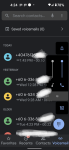
Ok this is really annoying. When I receive voicemails it will add a plus in front of the number and some numbers are like they are broken apart ( see attached pic). When I click on the voicemail and finish listening to my message I will try to click call from within the VM app, well it gives an error about international calls. So I have to edit the number and remove the + symbol from the beginning before I can call the number. I tried clearing the app cache and I uninstalled the latest update for the phone app. Rebooted and it worked and looked correct until I rebooted and it's back to the same old thing. And could never get it working again.I have cricket as my provider. Could it be an issue with them? The cricket voicemail app works fine but I like the Google one better I want to use it if possible. Oh and the 606-336 number is a local number so why does it keep putting a + in front of it?

Attachments

  • Screenshot_20210603-162423.png
    Screenshot_20210603-162423.png
    1 MB · Views: 266

Help How can I completly disable Google Play? It reinstalls itself after I do it.

I am searching for a way to disable google play. When I do it via settings, it stays disabled for a few hours then disappears from my apps list and reappears enabled a few hours later. The reason I want to disable it is that when my phone is closed, my phone opens up with a black overlay on top of my screen. The reason I know it's google play is because after i interact with my phone and it closes back off, i open my tabs list and there is always google play there. I have internet restriction to it because it would install random games if not.
It's probably a marketing thing. It's been like this for a good while, factory resets won't work.

Is there some other way to disable it? Maybe with rooting?

M51 How to lock screen

When I am running and listening to music my M51 is not readily accessible, since it is in a pouch under my waistband. On some days the music is interrupted by the phone doing random things, maybe making calls, or jumping ahead or behind in the music playlist etc. The issue seems to be that the screen is not remaining locked.

The accidental touch protection does not seem to work. Is there a way to manually lock the screen to keep any incidental touches from interrupting the music that is playing on the phone?

Bluetooth headset doesn't connect sometimes when answering

Ok, so I work from home. I am on my cell phone all day on calls. I'm using the Aftershokz Aeroplex headset. Periodically, when I answer a call, it instead uses the headset, so I'm trying to say hello and they can't hear me. I then go to the phone and change from my phone to headset and instead the audio switches to my smart watch. The only way I can get the call to go through the headset is to turn it off and back on.

Filter

Back
Top Bottom