• After 15+ years, we've made a big change: Android Forums is now Early Bird Club. Learn more here.

S21 sensors (e.g. barometer) draining battery

I hooked up my S21 5G (not plus or ultra) to a usb cable so I could watch the log messages. The main problem is about every 1 to 3 seconds (2-3 last night 1 second now) it decides to read the barometer and write the pressure to the log. The secondary problem, possibly related, is if I touch the screen the touch sensors are active and write info to the log. That happens in my pocket too (with the USB attached).

Is there any way to turn off those sensors, particularly since I don't use any fingerprint, face recognition, etc. I click the power button, swipe, and type my PIN. The fingerprint and face recognition worked fine when I tested them. But I switched back to swipe hoping that would turn off the sensors. I need those sensors off when the screen is off either when I hit the power button, or after the inactivity timer.

My new LG G7 ThinQ has a TV app on it

This phones was obviously from Korea but is brand new, brought on ebay

But it has a TV app that scans for channels and asks me to connect my headphones in the same ways as the FM radio

Doesn't pick anything up though, I assume its tuned to Korean TV wave-lengths.

Would this be hard-coded on to the chip or is it possible to change these values in another LG app or TV app

Never heard of such a thing in my life

Help Invisible files

Hi all

I am running a navigation program called memory map, this uses maps in a quickchart format(qct) which need to be stored on the Android device, this one is running Android 5.1. I think there are several issues but this one has me beat. The program is working and accessing the qct files, it states the location of these files is

internal/DMS ----- GB/OS2016 and this folder contains two qct files

So using file manager on the device or with it connected to the Pc I cannot find these files on the device anywhere, and have made hidden files viewable. They must be somewhere but where?

Can anyone with knowledge of the idiosyncrasies of Android help please.

thanks Roy

Apps Help with Wifi Scanning via app

The function wifiManager.startScan() does not return any results when tested on a device instead of in the emulator. After searching around I found posts from 2 years ago stating that for API 26+ the wifiManager was changed to work differently. My question is: how to get it to work, aka to return me the list of available wifi networks to connect?

I have a button and a listview and on create I enable the wifi. When the button is pressed I scan for wifi networks and populate the listview with their names. Upon clicking a list item a pop asking for the wifi passwords appears. Afterwards it attempts to connect via the network name and the entered password.

Here is my current code (although I have a lot of experience in programming, I have little experience in Android Studio, so everything is crammed in one script). It works in the emulator (I get the predefined wifi network and successfully connect to it). On a device, however, it doesn't find any wifi networks despite seeing 4-5 when opening my wifi settings from the top navbar and not from the app. The three commented out lines are what I found I'm supposed to do to get the wifiManager to get scan results on API 26+ (though I probably put it in the wrong place due to my limited knowledge of Android Studio)

Java:
package com.example.bla;

import android.Manifest;
import android.annotation.SuppressLint;
import android.content.BroadcastReceiver;
import android.content.Context;
import android.content.DialogInterface;
import android.content.Intent;
import android.content.IntentFilter;
import android.content.pm.PackageManager;
import android.net.wifi.ScanResult;
import android.net.wifi.WifiConfiguration;
import android.net.wifi.WifiManager;
import android.net.wifi.WifiNetworkSuggestion;
import android.os.Build;
import android.os.Bundle;
import android.util.Log;
import android.view.View;
import android.widget.AdapterView;
import android.widget.ArrayAdapter;
import android.widget.Button;
import android.widget.EditText;
import android.widget.ListView;
import android.widget.Toast;

import androidx.annotation.NonNull;
import androidx.appcompat.app.AlertDialog;
import androidx.appcompat.app.AppCompatActivity;
import androidx.core.app.ActivityCompat;
import androidx.core.content.ContextCompat;

import java.util.ArrayList;
import java.util.List;

public class MainActivity extends AppCompatActivity {

    private WifiManager wifiManager;
    private ListView listView;
    private Button buttonScan;
    private int size = 0;
    private List<ScanResult> results;
    private ArrayList<String> arrayList = new ArrayList<String>();
    private ArrayAdapter adapter;
    private int REQUEST_LOCATION = 101;
    private EditText input;
    private AlertDialog ad;

    private int ItemNumb;

    @Override
    protected void onCreate(Bundle savedInstanceState) {
        super.onCreate(savedInstanceState);
        setContentView(R.layout.activity_main);
        buttonScan = findViewById(R.id.scanBtn);
        buttonScan.setOnClickListener(new View.OnClickListener() {
            @Override
            public void onClick(View view) {
                scanWifi();
            }
        });

        listView = findViewById(R.id.wifilist);
        wifiManager = (WifiManager) getApplicationContext().getSystemService(Context.WIFI_SERVICE);

        if (!wifiManager.isWifiEnabled()) {
            Toast.makeText(this, "Wifi is disabled... Enabling it", Toast.LENGTH_LONG).show();
            wifiManager.setWifiEnabled(true);
        }

        adapter = new ArrayAdapter<>(this, android.R.layout.simple_list_item_1, arrayList);
        listView.setAdapter(adapter);

        AlertDialog.Builder alertBuilder = new AlertDialog.Builder(MainActivity.this);
        alertBuilder.setTitle("Connect to network?");
        alertBuilder.setMessage("Please enter network password");
        input = new EditText(MainActivity.this);
        alertBuilder.setView(input);
        alertBuilder.setPositiveButton("Submit", new DialogInterface.OnClickListener() {
            @Override
            public void onClick(DialogInterface dialogInterface, int i) {
                connectToNetwork("\"" + results.get(ItemNumb).SSID.toString() + "\"", input.getText().toString());
            }
        });
        alertBuilder.setNegativeButton("Cancel", new DialogInterface.OnClickListener() {
            @Override
            public void onClick(DialogInterface dialogInterface, int i) {
                dialogInterface.dismiss();
            }
        });

        ad = alertBuilder.create();

        listView.setOnItemClickListener(new AdapterView.OnItemClickListener() {
            @Override
            public void onItemClick(AdapterView<?> adapterView, View view, int i, long l) {
                ItemNumb = I;
                ad.show();
            }
        });

        //IntentFilter intentFilter = new IntentFilter();
        //intentFilter.addAction("android.net.wifi.SCAN_RESULTS");
        //registerReceiver(wifiReceiver, intentFilter);
    }

    private void scanWifi() {
        if (ContextCompat.checkSelfPermission(this, Manifest.permission.ACCESS_FINE_LOCATION) != PackageManager.PERMISSION_GRANTED) {
            requestPermissions(new String[]{Manifest.permission.ACCESS_FINE_LOCATION}, REQUEST_LOCATION);
        }
        if (ContextCompat.checkSelfPermission(this, Manifest.permission.ACCESS_WIFI_STATE) != PackageManager.PERMISSION_GRANTED) {
            requestPermissions(new String[]{Manifest.permission.ACCESS_WIFI_STATE}, REQUEST_LOCATION);
        }
        arrayList.clear();
        registerReceiver(wifiReceiver, new IntentFilter(WifiManager.SCAN_RESULTS_AVAILABLE_ACTION));
        wifiManager.startScan();
        Toast.makeText(this, "Scanning Wifi...", Toast.LENGTH_SHORT).show();
    }

    @Override
    public void onRequestPermissionsResult(int requestCode, @NonNull String[] permissions, @NonNull int[] grantResults) {
        if (grantResults.length == 0 || grantResults[0] != PackageManager.PERMISSION_GRANTED) {
            Toast.makeText(getApplicationContext(), permissions[0] + " permission refused", Toast.LENGTH_SHORT).show();
        } else {
            Toast.makeText(getApplicationContext(), permissions[0] + " permission granted", Toast.LENGTH_SHORT).show();
        }
    }

    BroadcastReceiver wifiReceiver = new BroadcastReceiver() {
        @Override
        public void onReceive(Context context, Intent intent) {
            results = wifiManager.getScanResults();
            unregisterReceiver(this);

            for (ScanResult scanResult : results) {
                arrayList.add(scanResult.SSID + " - " + scanResult.capabilities);
                adapter.notifyDataSetChanged();
            }
        }
    };

    private void connectToNetwork(String networkSSID,  String networkPass)
    {
        if (Build.VERSION.SDK_INT >= Build.VERSION_CODES.Q)
        {
            WifiNetworkSuggestion networkSuggestion1 =
                    new WifiNetworkSuggestion.Builder()
                            .setSsid(networkSSID)
                            .setWpa2Passphrase(networkPass)
                            .build();

            WifiNetworkSuggestion networkSuggestion2 =
                    new WifiNetworkSuggestion.Builder()
                            .setSsid(networkSSID)
                            .setWpa3Passphrase(networkPass)
                            .build();

            List<WifiNetworkSuggestion> suggestionsList = new ArrayList<>();
            suggestionsList.add(networkSuggestion1);
            suggestionsList.add(networkSuggestion2);

            wifiManager.addNetworkSuggestions(suggestionsList);
        }
        else
        {
            WifiConfiguration wifiConfiguration = new WifiConfiguration();
            wifiConfiguration.SSID = String.format("\"%s\"", networkSSID);
            wifiConfiguration.preSharedKey = String.format("\"%s\"", networkPass);
            int wifiID = wifiManager.addNetwork(wifiConfiguration);
            wifiManager.enableNetwork(wifiID, true);
        }
    }
}

I'm developing an app for the less technologically capable. For that purpose the app itself enables wifi, lists networks and lets you connect to a preferred network via the app rather than having you manually do it from the top android navbar. This is a non-negotiable product requirement, so I'm searching for solutions on how to change my code to get the wifi list successfully for API 26+ and not suggestions for alternate designs.

[FREE] [SECURE] [FAST] Best QR Code Scanner & Barcode Reader - QR Code Generator Free Android App

The most lightweight (but fast, efficient, and feature-rich) QR code scanner and barcode scanner app for Android you could ever find on Google Play Store

jOCyAxVOmcGN_DBtgMq76cgczyYUyT6JkXSPFj3cUVOZK53JEUBi4fjbiDlDmB9-rEc=s180-rw

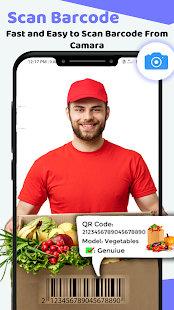
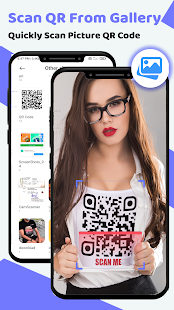
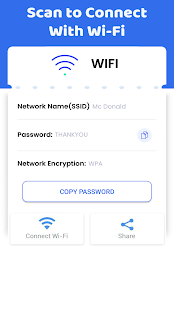
It’s very easy to use, no need to press any buttons or adjust the zoom, just open it and point to the QR code, it will auto recognize, scan and decode the QR code. After scanning, several relevant options for the results will be provided, you can search the products online, visit the websites, or even connect to Wi-Fi ✅ without entering the password...

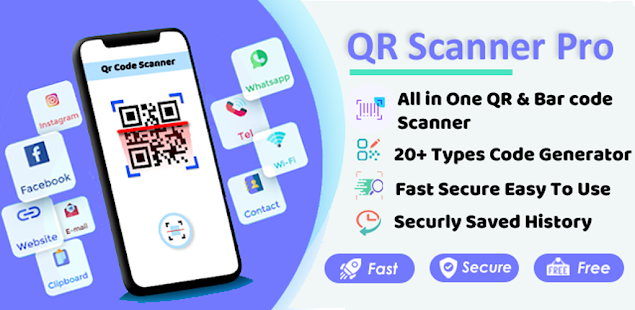
QR code reader can scan and decode all kinds of QR code and barcode, such as contacts, products, URL, Wi-Fi, text, books, E-mail, location, calendar and so on. It is also commonly used to scan promotion and coupon codes in shops to get discounts.

cn9DdIOWXwEGGz_pbbmUQNBSBdQrmu2BHtwcZ72EplYcQeVX6Dl68vPIWKYbamH4yj8=w720-h310-rw

Primary Feature of QR Barcode Scanner Pro - QR Code Generator & Reader :

Quick code generation

- Allows users to freely create QR codes or barcodes at will
- The option to generate QR codes or barcodes serves a variety of purposes such as generating codes for your own social accounts, contact information, or business products.
- Integrate product information or personal information in text form into a convenient QR code.

7rXDFEs3LAFuAxGdRa12X5hVC69kNGyVbPLtJw_q_r6lxA25XdsJltqyLVLLhl_ORA=w720-h310-rw
lobZXCuIjz0YedD7ekfqwhZwvcWtVJxgQI49TttT2G35FBJlKkLLXsF_ES5T9RjRR2s=w720-h310-rw

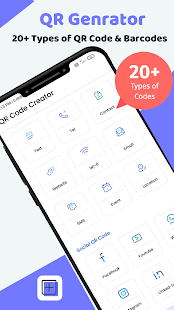
Generate 30+ Qr Code type

QR Barcode Scanner Pro - QR Generator
app can convert many information into QR codes, such as URL, Wi-Fi, Instagram, Facebook, WhatsApp, Twitter, Youtube, Spotify, PayPal, Viber, etc.

zEByYLnjUvhzTkbV1mO8Vn01I0G_gFkP_h9GpblfZ58Uk0MaKSG1OpFKTKapayl0XqDQ=w720-h310-rw
g1S_iCtdgaeP7vbey158PM0QT19ilSVeHKMXEOOsuppVEsgCmfwlXRdqywV7NqBOtQ=w720-h310-rw

Professional code management

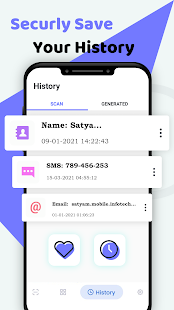
Barcode scanner app free records the history of scanning QR codes or barcodes of users. This is super convenient for the need to re-access old links. In addition, the application also stores created barcodes in a separate folder for better management.

-P_elcKlieCTEmyemj_JjXWhNQ0OWFYIIidfloUWobttjUhdtikwo5ZkwunBlE4pgg=w720-h310-rw
nG0mWM5dLCuO6YGcAF1nYjfQJ1tuMen-KIVViJYby4j3S7dmL90KQ6xvaPXmwYdLVOte=w720-h310-rw


Owning a qr code reader will bring a lot of benefits to you when nowadays, QR codes have become very popular. Get the required information quickly and easily with just one scan with qr scanner. Moreover, with qr reader, you can also create barcodes for your products and manage them effectively. Download qr code scanner for android now to scan QR codes or barcodes anytime, anywhere!

I'm looking for your feedback, improvement suggestion, and bug report to continue to make all of my apps better and better. Please feel free to request additional features, report bugs, and/or just share your experience with us.

User happiness is my best wish. Enjoy!

Download from Google Play Store: https://play.google.com/store/apps/details?id=com.satyam.mobile.qrcode.barcode.scanner

Please share a thought

I am starting work on a very simple app with Android studio and even if the idea is simple I have no knowledge how to go about it and I am hoping someone can quickly guide me in the right direction :

Purpose is to select elements from a list

ex. I have a list of different combinations ranked from best to worse

1. A B D
2. G B X
3. A G S

I want to give the user the option to select what elements they have for ex. "A D S B" and then my app should select all the possible combinations of those elements
from the list in the best to worse order.

I hope it makes sense and someone can at least tell me if there is a certain algorithm that helps me achieve this. Thank you !

SMS texts going to my old phone via home WIFI

I updated my android phone, but the reception where i am staying is real bad so i put the SIM back in the old phone, but kept the new phone as I am moving soon and it had better apps and camera etc. Now when i receive a text it is going to the phone without a SIM and going through the home WIFI, even when i send a text from the phone with a SIM the reply goes to the other, I didn't realise this was even possible, is there anyone who can tell me what to do, Thanks

lgdmsclientatt

i keep seeing com.lge.lgdmsclientall on my teenage daughter google activity. I was wondering what is was. When i googled it it said bc a call was made from her ATT phone to a Verizon phone. However, when i look at her call log, there might be 1 call accounted for but not the multiple entries in her activity. Meaning there might be 1 call for a specific time. But then there are other times that there are no calls visible on her phone call log. I was wondering if she is deleting calls or does and can that mean something else.

Filter

Back
Top Bottom